> ## Documentation Index
> Fetch the complete documentation index at: https://docs.idemeum.com/llms.txt
> Use this file to discover all available pages before exploring further.
# Allow verified publishers
> Automatically trust all verified publishers on Windows and macOS.
## What are verified publishers?
When application allowlisting is initially deployed by IT teams, there is a concern that operational load will increase. With the `default deny` approach all applications are blocked, unless there is an explicit rule allowing an application. As a result, some applications might be missed, users will be frustrated, and the volume of support tickets will increase.
In order to mitigate this challenge idemeum offers a middle ground approach that provides a great balance between security and usability. With idemeum you can create a rule to **allow all verified publishers on macOS and Windows**. What that means is that any application that is legitimately signed by a verified developer (registered Windows or macOS developer) is allowed along with its dependencies.
* When the application is launched, idemeum agent will extract the signing certificate chain from the application in order to verify trust
* On macOS we leverage `codesign` command to extract the certificate and then use `security verify-cert` to determine if the application is trusted by the local trust store
* On Windows we leverage `Get-AuthenticodeSignature` command that returns the status of the application signature and whether it is trusted by Windows trust store
* What is more, idemeum will automatically allow all dependencies that these verified applications need (allowing all child process executions)
## Configure all verified publishers rule
* Navigate to your idemeum admin portal
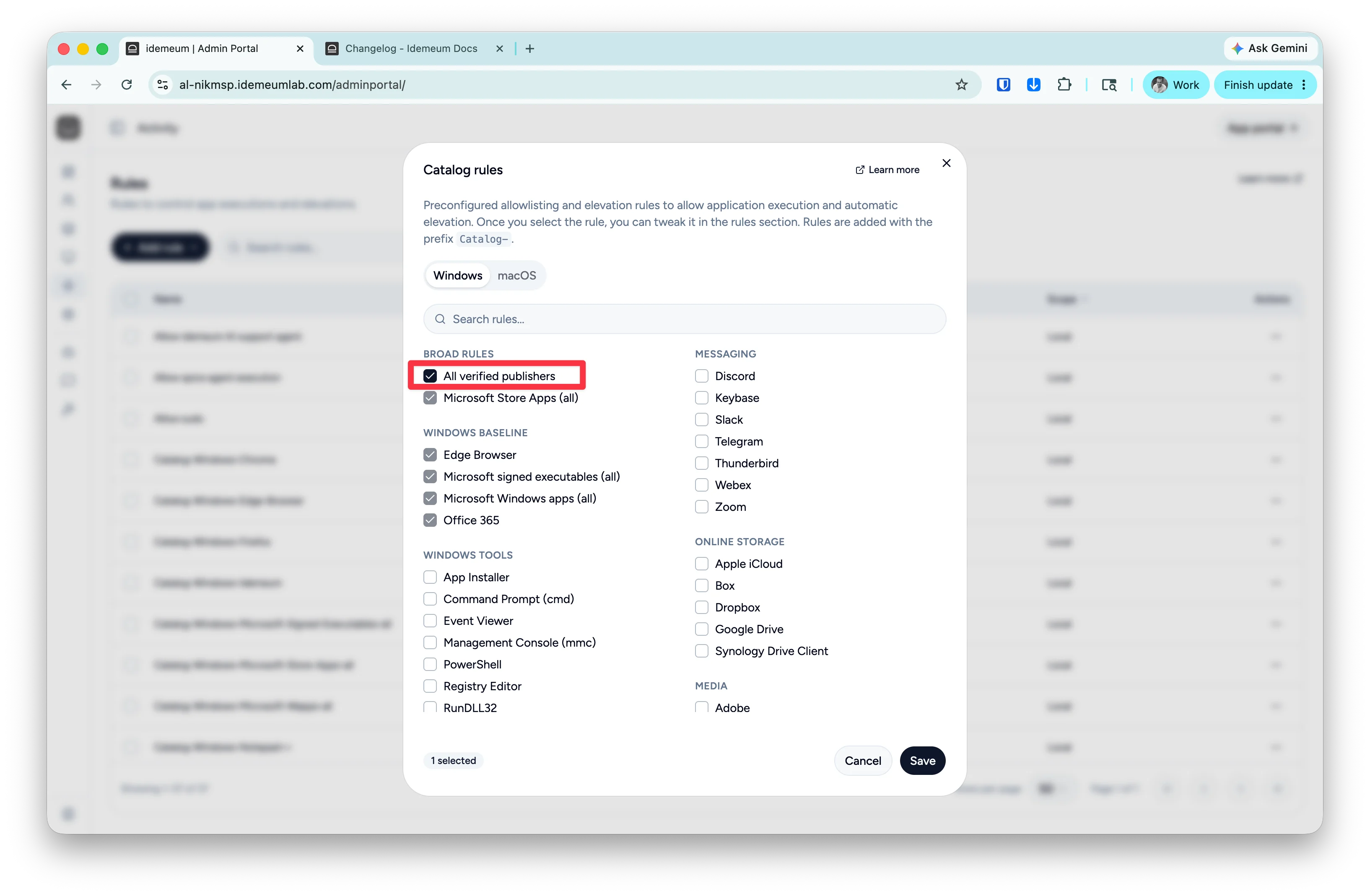
* Access `Activity` -> `Rules` -> `Add rule` -> `Catalog rule`
* You can now choose the rule for `Windows` or `macOS`. Select the rule that allows `All verified publishers`
* Save the configuration
If you want to create additional `Deny` rules, for instance you want to allow all verified publishers but still block the `cmd.exe`, you can then create a separate deny rule for `cmd.exe`.