> ## Documentation Index
> Fetch the complete documentation index at: https://docs.idemeum.com/llms.txt
> Use this file to discover all available pages before exploring further.
# Admin elevation notifications
> How IT admins receive notifications when users request elevations.
## How admin notifications work
There are several ways IT admins can be notified when there is an elevation request.
Open your idemeum admin portal and navigate to `Activity`→ `Requests` section where you can see all elevation requests. You can respond to any request by clicking on `...`.
When the elevation request is received, idemeum will send push notification to all admin mobile devices. Right from the mobile device you can respond to the request.
Idemeum supports integrations with various ticketing systems in order to create tickets for elevation requests. Check our integrations page for all available integrations.
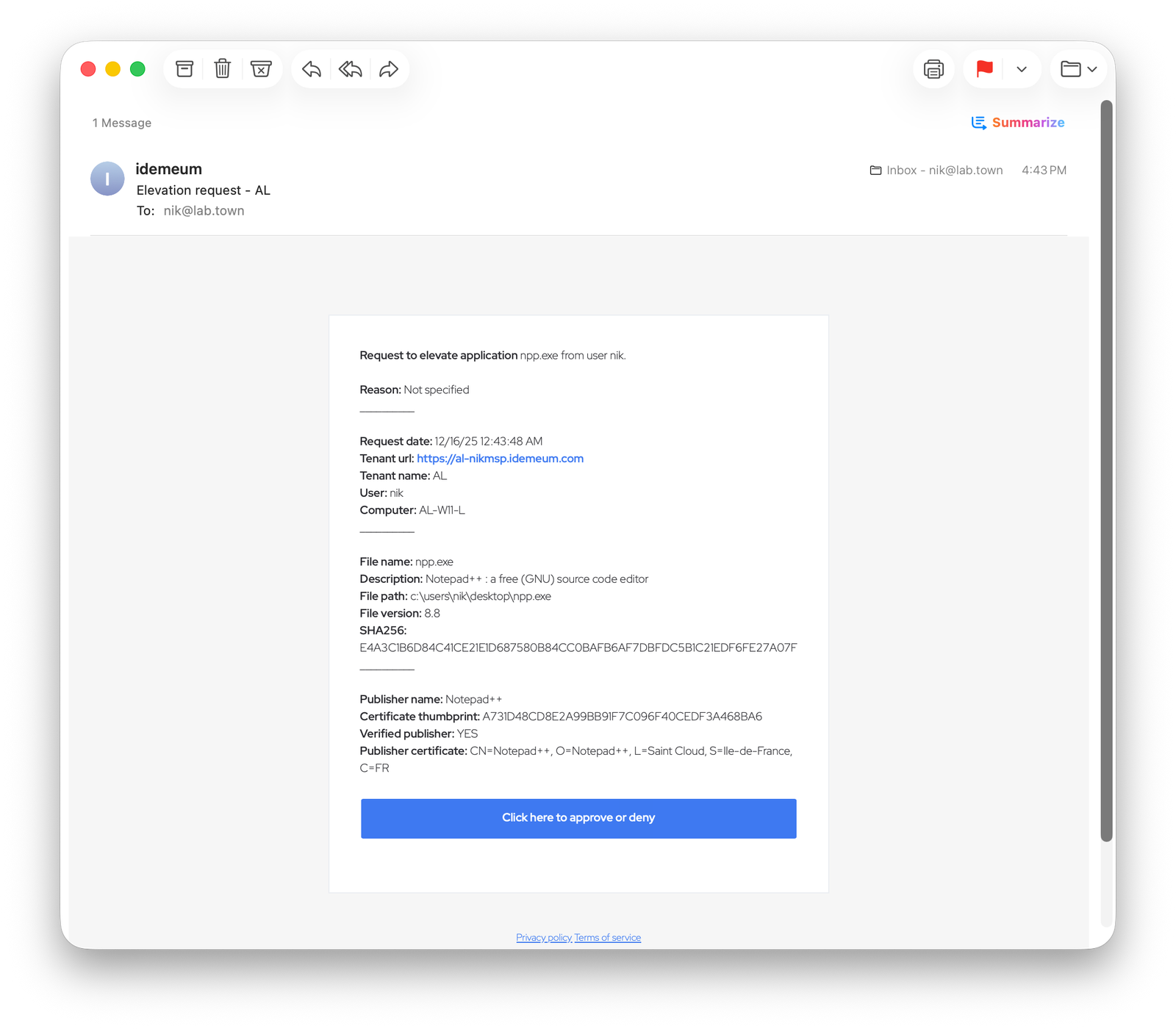
Idemeum can also send the email to specified email address when the elevation is requested. In the admin portal you can configure multiple email address that need to receive the elevation notification.
## Configure admin email notifications
* Navigate to your idemeum admin portal
* Access `Control settings` -> `EPM`
* In the `Emails to notify` section you can add up to three email addresses to receive elevation notifications.
 Here is the example email elevation notification received to the specified email address. The email contains all the metadata about the user, application, and idemeum tenant. When you click on the button, you will be redirected to idemeum portal to approve or deny elevation notification.