> ## Documentation Index
> Fetch the complete documentation index at: https://docs.idemeum.com/llms.txt
> Use this file to discover all available pages before exploring further.
# Cloud LAPS configuration
> Configure idemeum Cloud LAPS to rotate credentials for computers or Entra ID tenants.
## Configure Cloud LAPS for computers
Before you configure idemeum Cloud LAPS, make sure you have idemeum control agent [installed](/control-agent/agent-install) on all computers where password rotation needs to be enabled.
* Login to your idemeum admin portal
* Navigate to `Control settings` → `JIT access` and then scroll to `LAPS for computers` section
* You have two options:
* LAPS for local admin accounts (for computers that are NON domain controllers)
* LAPS for domain accounts (for domain controllers)
* Toggle the options for the `local` or `domain` admin accounts password rotation
* Specify the account you want us to rotate
* If the account exists, idemeum agent will take over that account and start the rotation
* If the account does not exist, idemeum will create it on all workstations
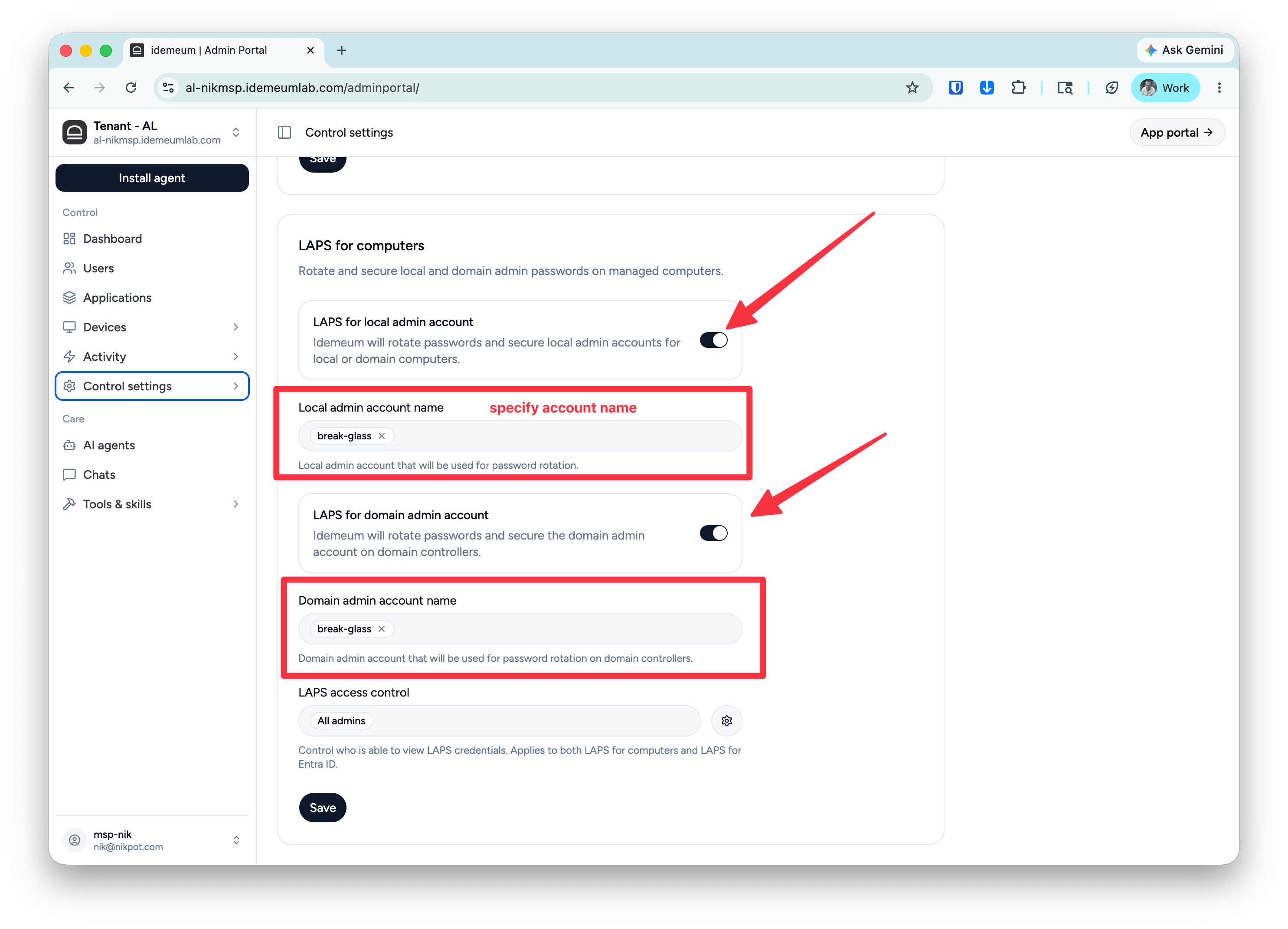 * If you want to control what groups of technicians have access to LAPS credentials you can use `LAPS access control` section. By default every admin who has access to the tenant can view LAPS credentials.
## Configure Cloud LAPS for Entra
First you need to set up [JIT for Entra ID connection](/jit/jit-for-entra-configuration) with idemeum tenant. At the end of configuration you can specify if you want to enable LAPS for Entra ID.
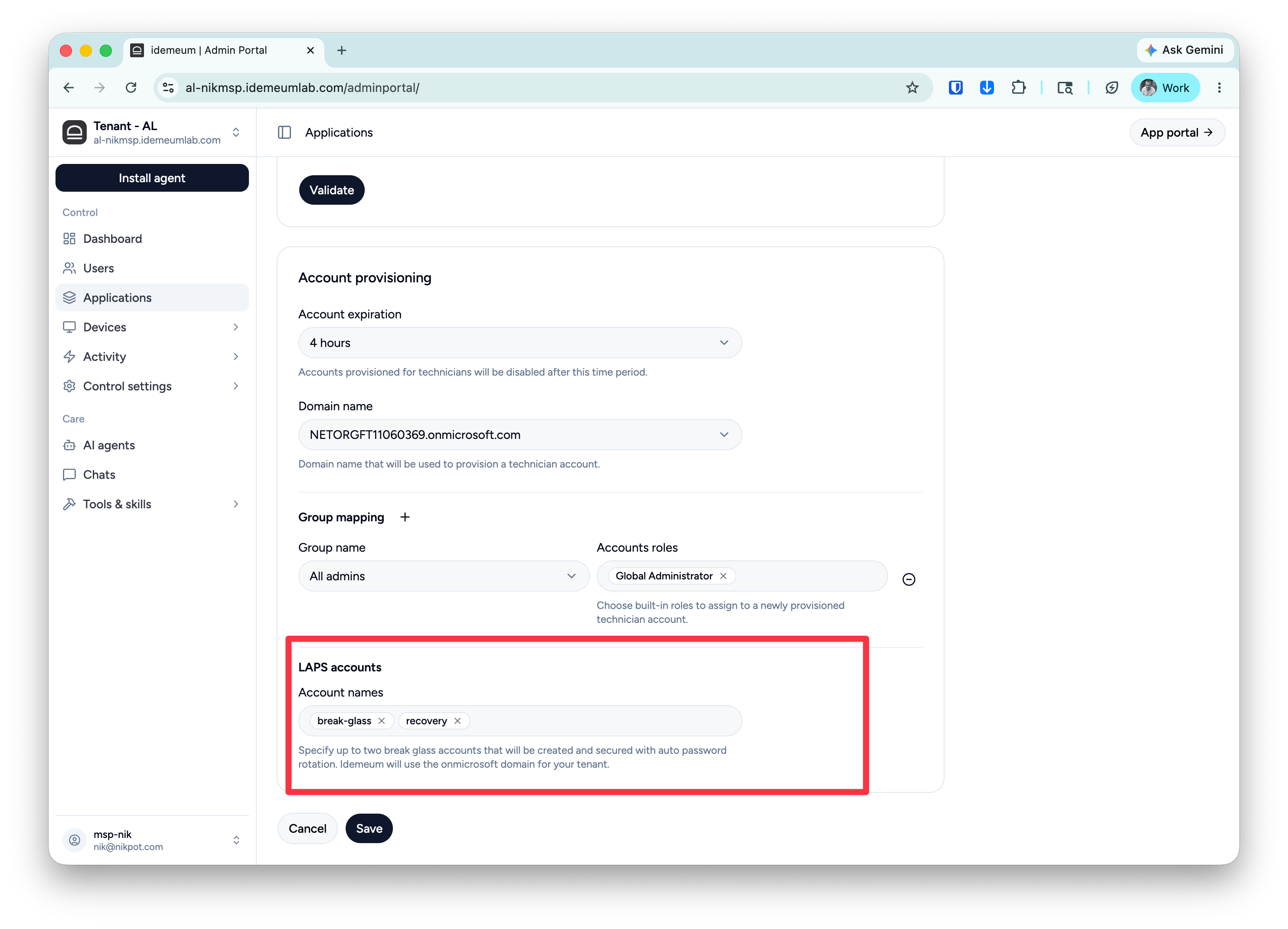
* Scroll to the end of configuration section `LAPS accounts`
* Click `+` to add up to two LAPS accounts
* Specify the account names to use. The accounts will be created with the domain chosen for Entra JIT accounts
* If you want to control what groups of technicians have access to LAPS credentials you can use `LAPS access control` section. By default every admin who has access to the tenant can view LAPS credentials.
## Configure Cloud LAPS for Entra
First you need to set up [JIT for Entra ID connection](/jit/jit-for-entra-configuration) with idemeum tenant. At the end of configuration you can specify if you want to enable LAPS for Entra ID.
* Scroll to the end of configuration section `LAPS accounts`
* Click `+` to add up to two LAPS accounts
* Specify the account names to use. The accounts will be created with the domain chosen for Entra JIT accounts