Review run details
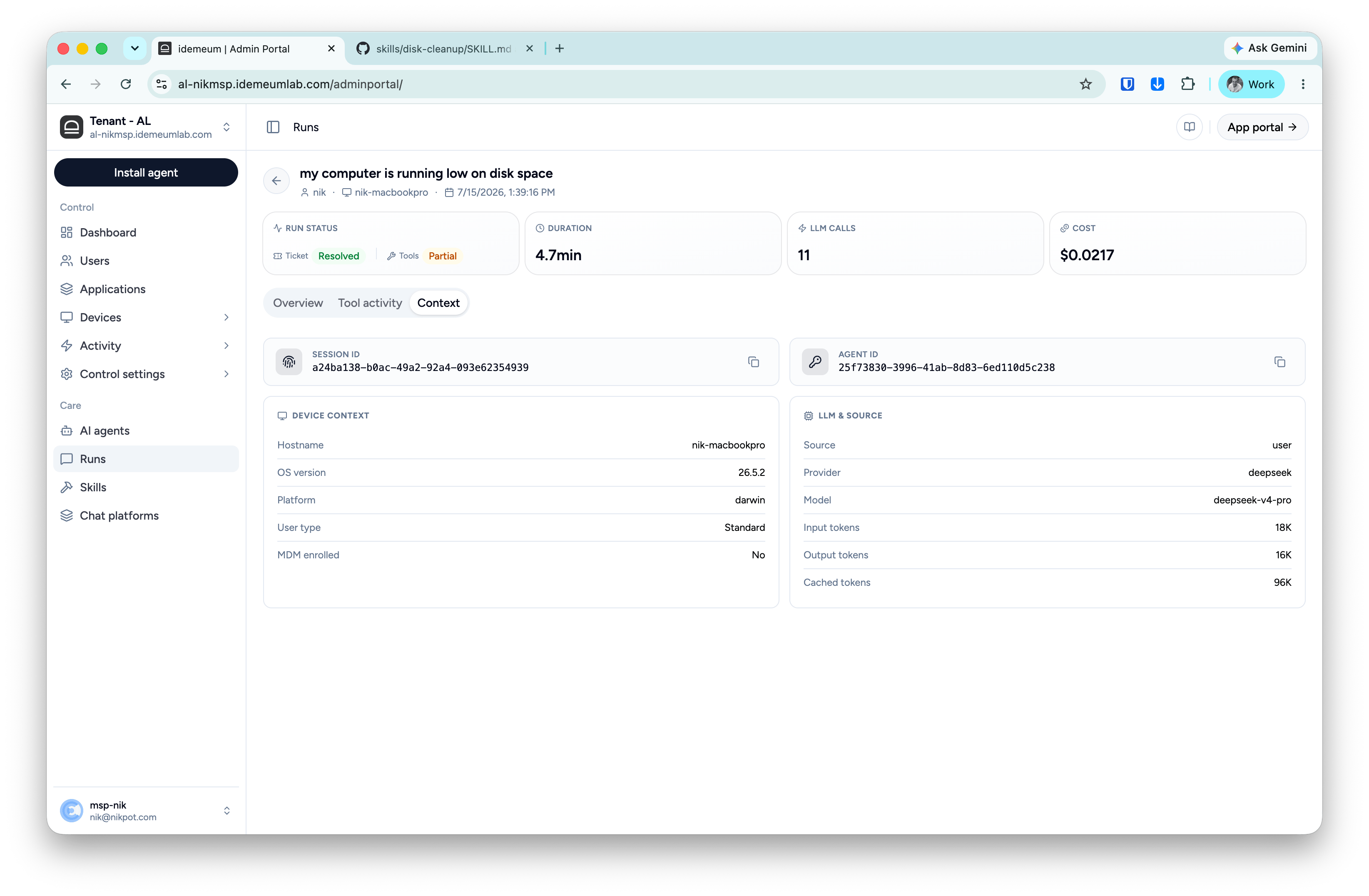
Navigate to the idemeum admin portal, clickRuns menu, and now you can click any run to open its full record. Run details page is the audit view of a single run: what was asked, what the agent planned and did, what the user approved, and what it cost.
Header
The header shows the run’s goal in the user’s own words, who ran it, on which device, and when. Four cards summarize the run:Overview tab
The at-a-glance story of the run.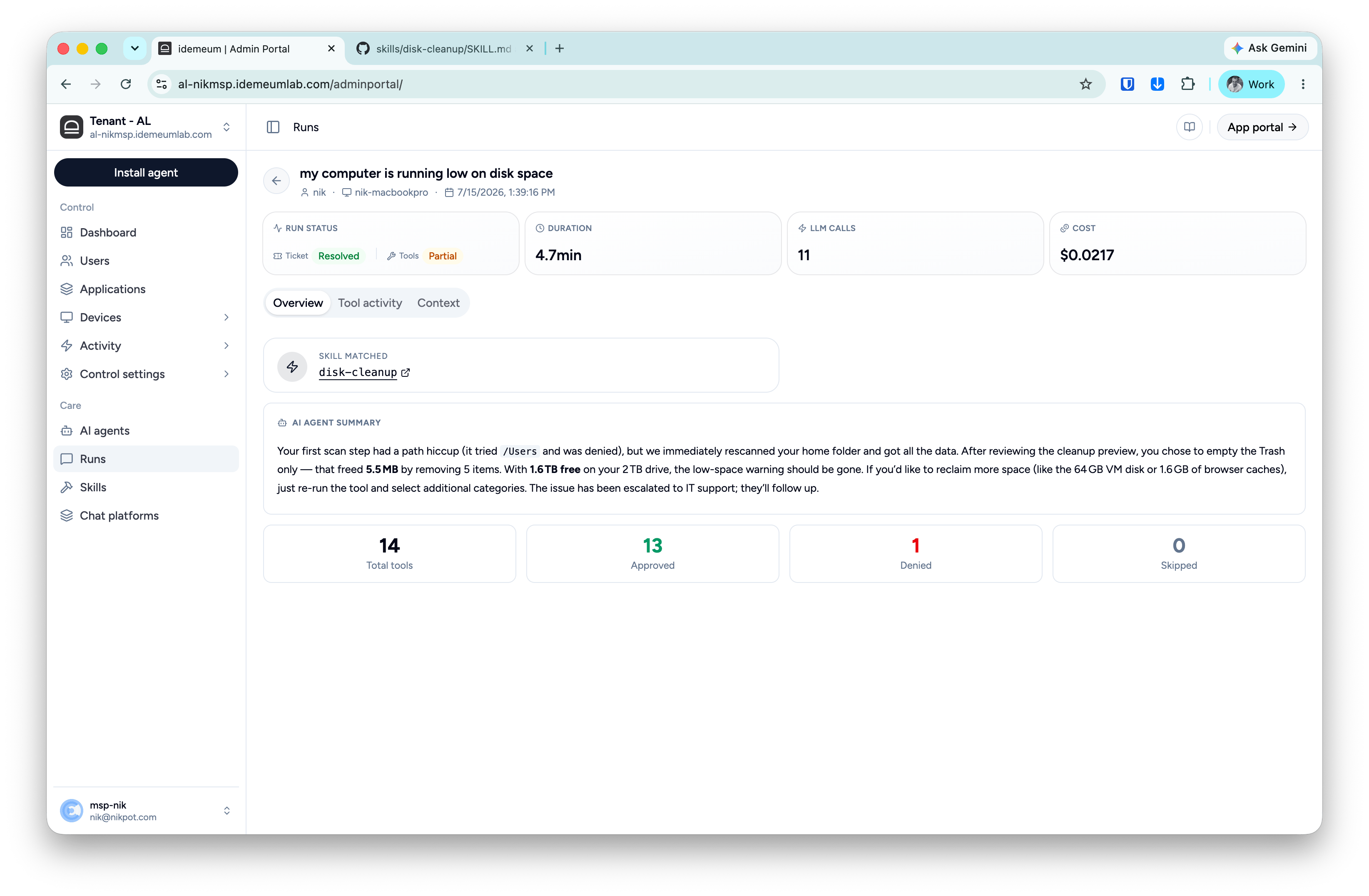
- Skill matched — which playbook handled the request, linked to its skill page. Triage runs show Triage instead.
- AI agent summary — the plain-language account of what happened: what was found, what the user chose, what changed, and what was handed off. This is the same summary the employee saw, so support and the user are always looking at the same story.
- Tool counts — total tool steps, and how they ended: Approved (ran), Denied (stopped, by the user or by a guardrail), Skipped (not needed for this run).
Tool activity tab
The step-by-step execution record, in order. Read this tab when you need to verify exactly what touched the device, or to understand why a run’s Tools signal is partial: the denied and failed steps are highlighted with their reasons.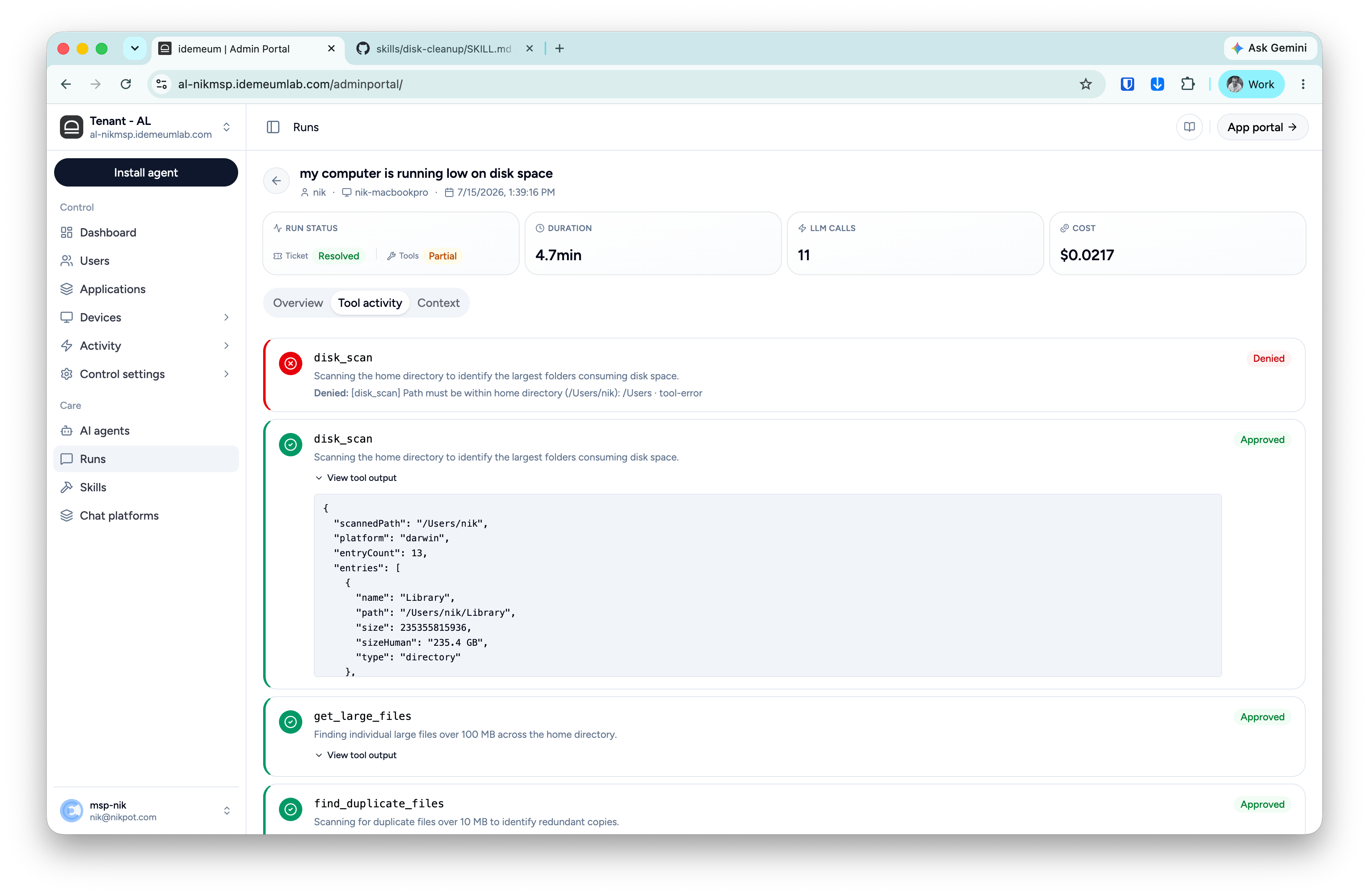
- Tool name and status — Approved or Denied, color-coded.
- What it was doing — the step’s rationale in plain language (“Scanning your home directory to identify which top-level folders are using the most space”).
- Why, if denied — the exact denial reason. A step can be denied by the user at a consent gate or blocked by a guardrail; the reason line always says which and why. In the example above,
disk_scanwas blocked by the scope guardrail because the requested path was outside the user’s home directory — the run continued safely with other diagnostics. - View tool output — the raw result the tool returned (paths, sizes, counts), expandable per step. This is the evidence behind the summary’s claims.
Context tab
Everything about where and how the run executed: