

Documentation Index
Fetch the complete documentation index at: https://docs.idemeum.com/llms.txt
Use this file to discover all available pages before exploring further.
What is LAPS for computers?
In this guide we will set up the Cloud LAPS feature that is part of the Privileged Access Management (PAM) offering for MSPs. Cloud LAPS allows you to create break-glass / emergency accounts on all customer workstations (including domain controllers), automatically rotate passwords for these accounts every24 hours, and store the credentials in idemeum zero-knowledge cloud vault.
Idemeum cloud is end-to-end encrypted, meaning our team does not see the passwords of your customers.
Set up LAPS for computers
We are assuming you already have your MSP idemeum cloud tenant provisioned. If not, reach out to our support team for help.
Create idemeum child tenant
As a first step you need to create a child organization in your parent MSP tenant.
- Login to MSP admin portal
- Navigate to
Tenantsand create a child organization
More information about how to create a child organization.
Configure LAPS settings
In this step we will enable LAPS settings for child tenant organization.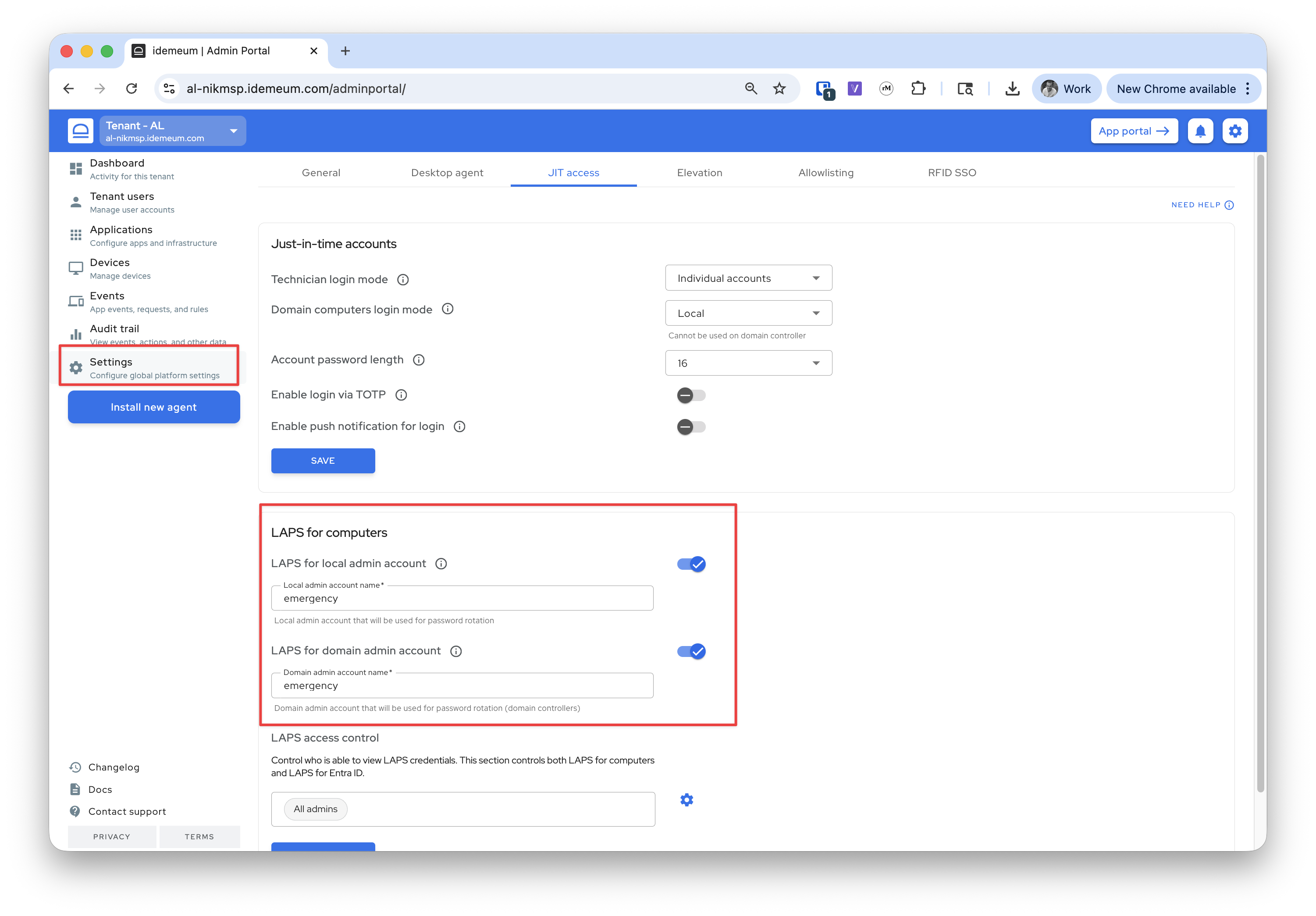
- Navigate to your child tenant admin portal
- Access
Settings→JIT accessand the look forLAPS for computerssection - Enable LAPS for
localmachines anddomain controllersusing the toggles - Specify the account name for idemeum to use
Grab installation command and deploy agents
Now you need to access the child organization, click
Install new agent, grab the installation command for Windows or macOS and install idemeum agent.More about how to install idemeum agent.
View LAPS credentials
Once the agents are successfully installed, and the devices show up in the
Devices section, you can start viewing LAPS credentials.View LAPS in the portal
View LAPS in the portal
Switch to the user portal of your child organization (at the top right of the screen) and you will see the list of devices. Click on the device and choose 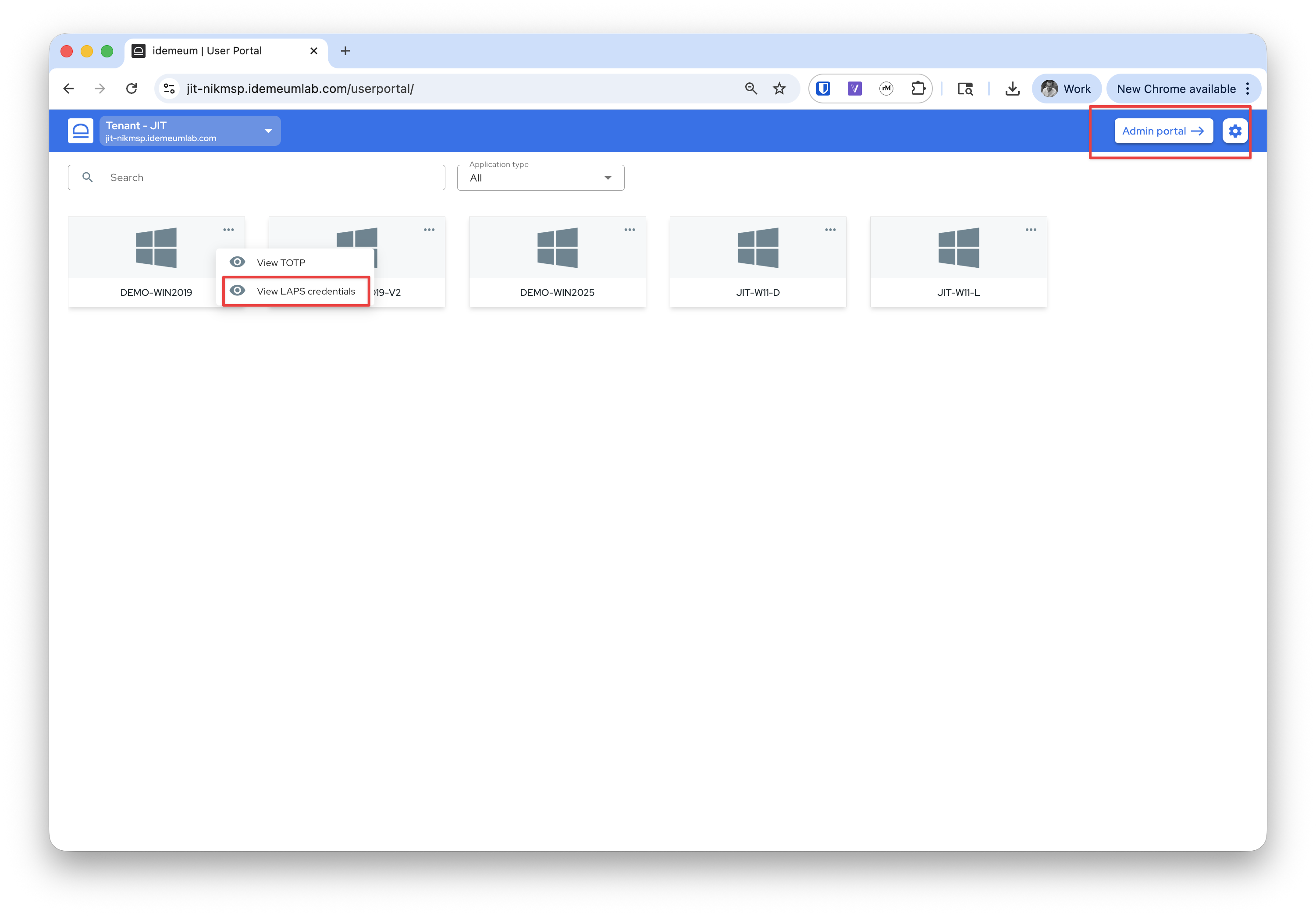
View LAPS credentials. View LAPS in the mobile
View LAPS in the mobile
You can also view LAPS credentials in the idemeum mobile app. Switch to the customer tenant you create, search for the device, and click on
...