How allowlisting events work
Allowlisting events are collected only when allowlisting is enabled, and the app control mode for the device is set to
audit or rules.- Events are captured on Windows and macOS workstations when applications execute
- Idemeum agent tracks binary executions for
exe,msi,dmg, andpkgfiles - There are no duplicate events, and each event is uniquely represented by a combination of a
file nameandparent process. If several events for a file name / parent combination get pushed to the cloud, only the latest event is shown with the updated timestamp. - Allowlisting execution events are uploaded to idemeum cloud every
5 minutes
Allowlisting event structure
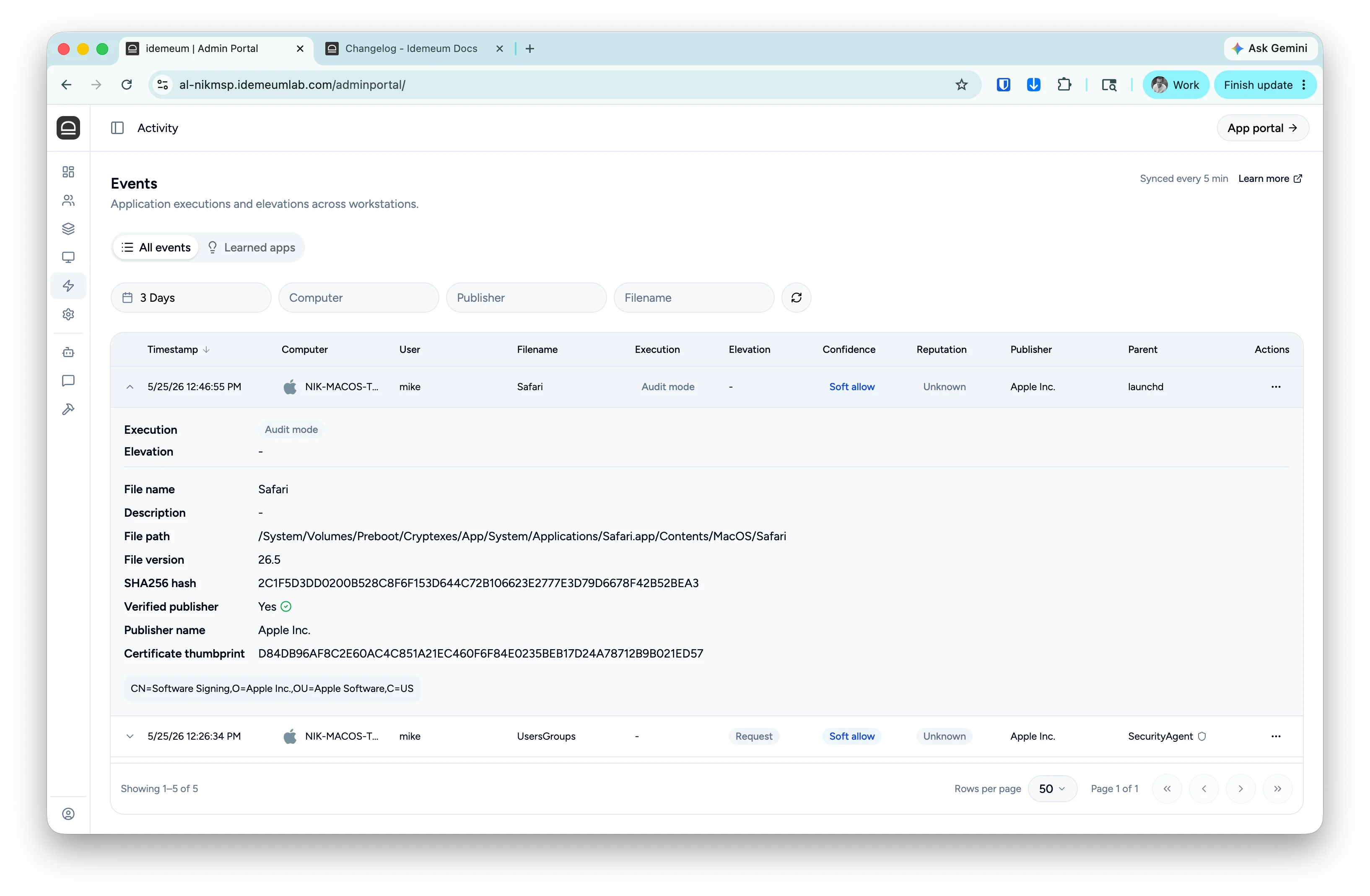
If you click on the event, you will be presented with the detailed information, including hashes, verified publisher, path, and more. At the bottom of the event section you will find the publisher certificate elements (i.e details of the organization that signed the executable). The green checkmark indicates that the publisher is verified by operating system.

| Value | Example | Description |
|---|---|---|
| Timestamp | 1/30/26 3:33:52 PM | Date and time for when the execution or elevation happened. |
| Computer | AL-W11-L | Workstation that generated the event. Next to the computer name you will see the icon for Windows or macOS. |
| User | SYSTEM | User under which context the application is executing. |
| Filename | updater.exe | Filename of the executed application. |
| Execution | Windows Chrome | Tag that shows whether the application was allowed to execute or not. When in audit mode, the tag will be Audit as there are no rules enforcement. If you hover over the tag, you will see the rule that is matching the execution based on which the decision is made. |
| Elevation | Allow | Tag that shows whether the application was allowed to elevate or not. For standard non-admin executions this tag is not shown. |
| Publisher | Google LLC | Organization that signed the executable. If you expand the event, you will be able to see whether the publisher is verified by operating system or not. |
| Parent | services.exe | Parent process that was responsible for launching the executable. |
| Actions | ... | Actions that you can take on the event, including rule creation. |
| Description | Google updater | Description of the executable file. |
| File path | C:/program... | File path from where the executable is launching. |
| File version | 2.5.1 | File version of the executable. |
| SHA256 hash | 320F6790E928200... | Hash of the executable file takes with SHA256 algorithm. |
| Verified publisher | Yes | If the executable is legitimately signed with the certificate, and that certificate is trusted on the endpoint, the publisher will show as verfified. |
| Certificate thumbprint | 607A3EDAA64933... | Hash of the certificate that is used to sign the executable (if executable is signed). |
| Certificate elements | CN=Google LLC,OU=Google... | When you expand the event, idemeum shows you the elements of the certificate that is used to sign the executable, such as CN, OU, C, etc. |