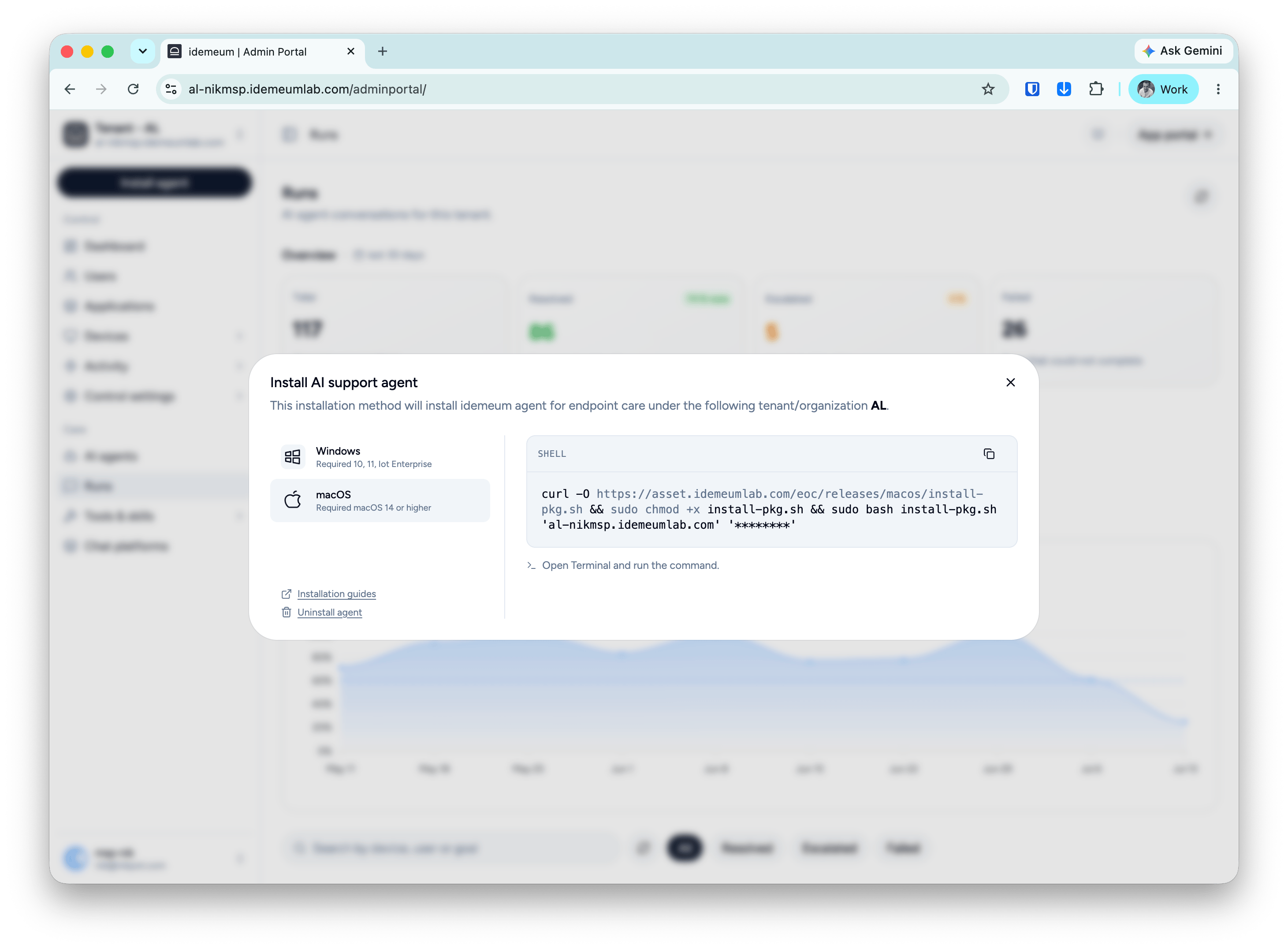
Single tenant installation
- Windows
- macOS
Installation
1
Obtain PowerShell script
Navigate to your idemeum admin portal, click 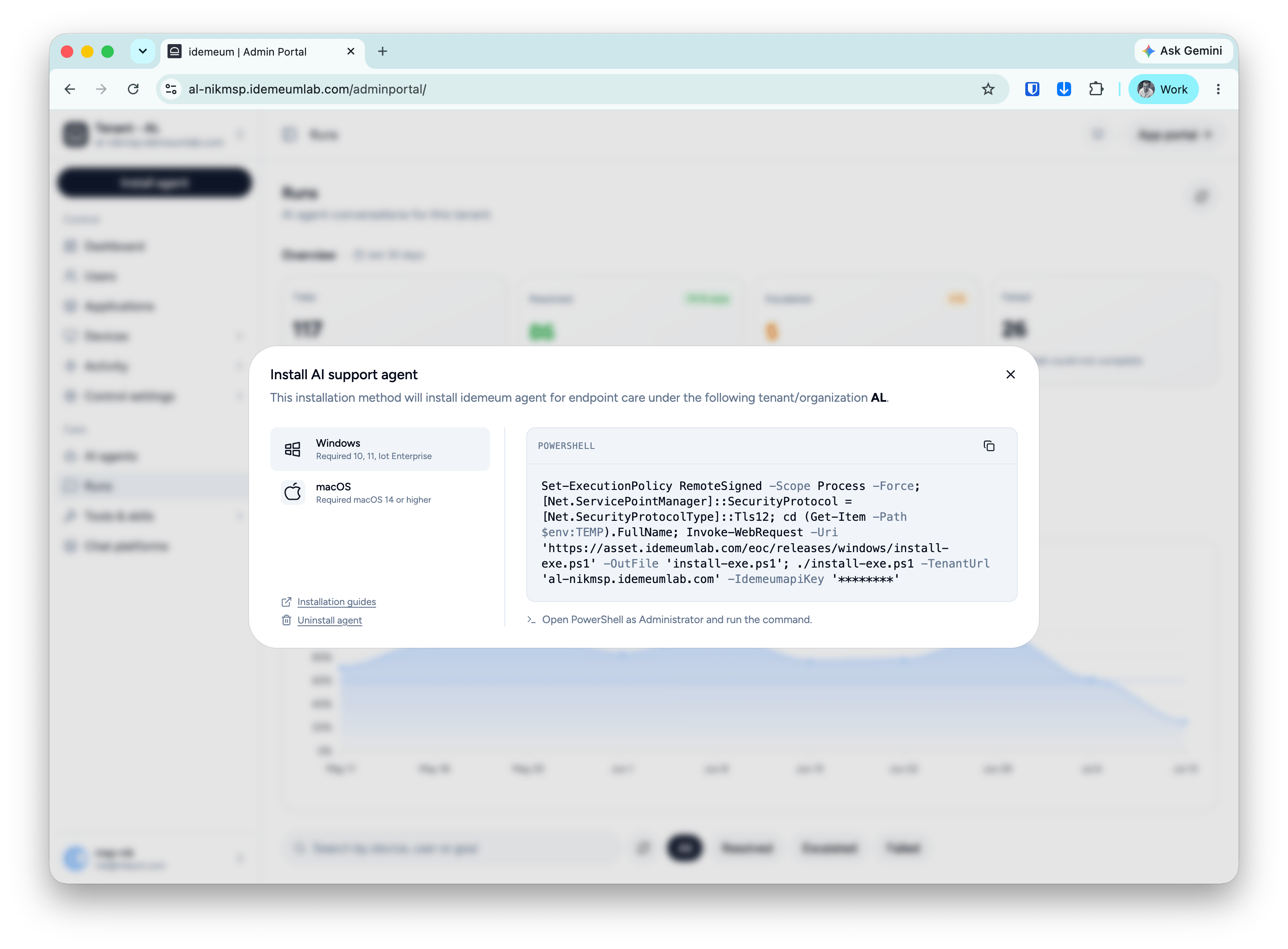
Install agent button, then choose AI support agent and copy the installation script for Windows.2
Execute script using PowerShell
Open PowerShell and execute the installation script with Administrator privileges. Idemeum will install all required prerequisites before installing the agent. No restart is required after successful installation.