Create custom skills
You can create custom skills for AI support agent using the following:- Manual .md upload - manually upload the .md file to idemeum admin portal.
- Skill builder - build skill using visual step editor.
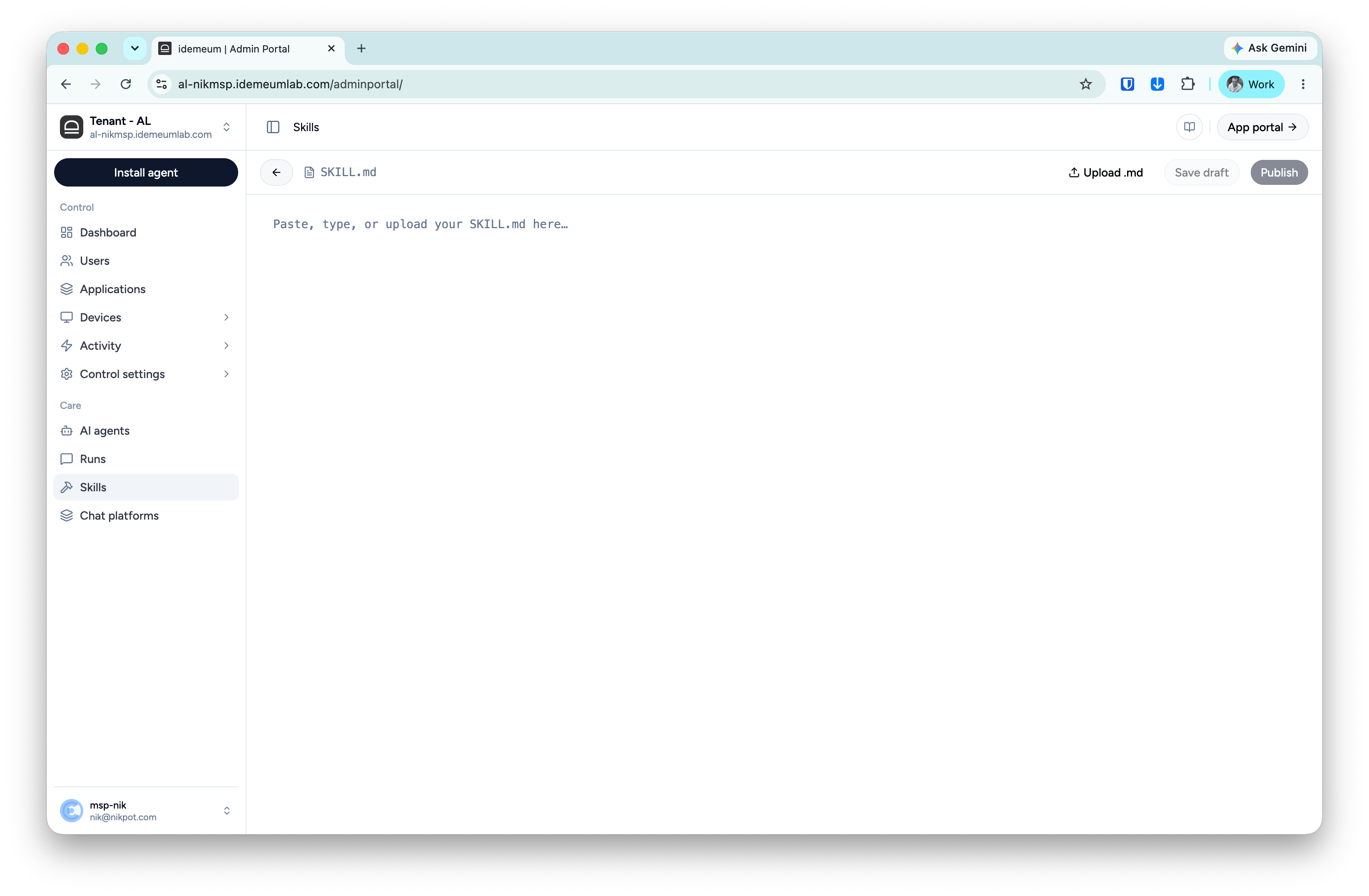
Manual skill upload
- Navigate to idemeum admin portal and access
Skillsmenu on the left - Click
Add skill→Manual upload - Paste your .md file into the skill editor. It will perform basic validation for the skill syntax
Skill builder
- Navigate to idemeum admin portal and access
Skillsmenu on the left - Click
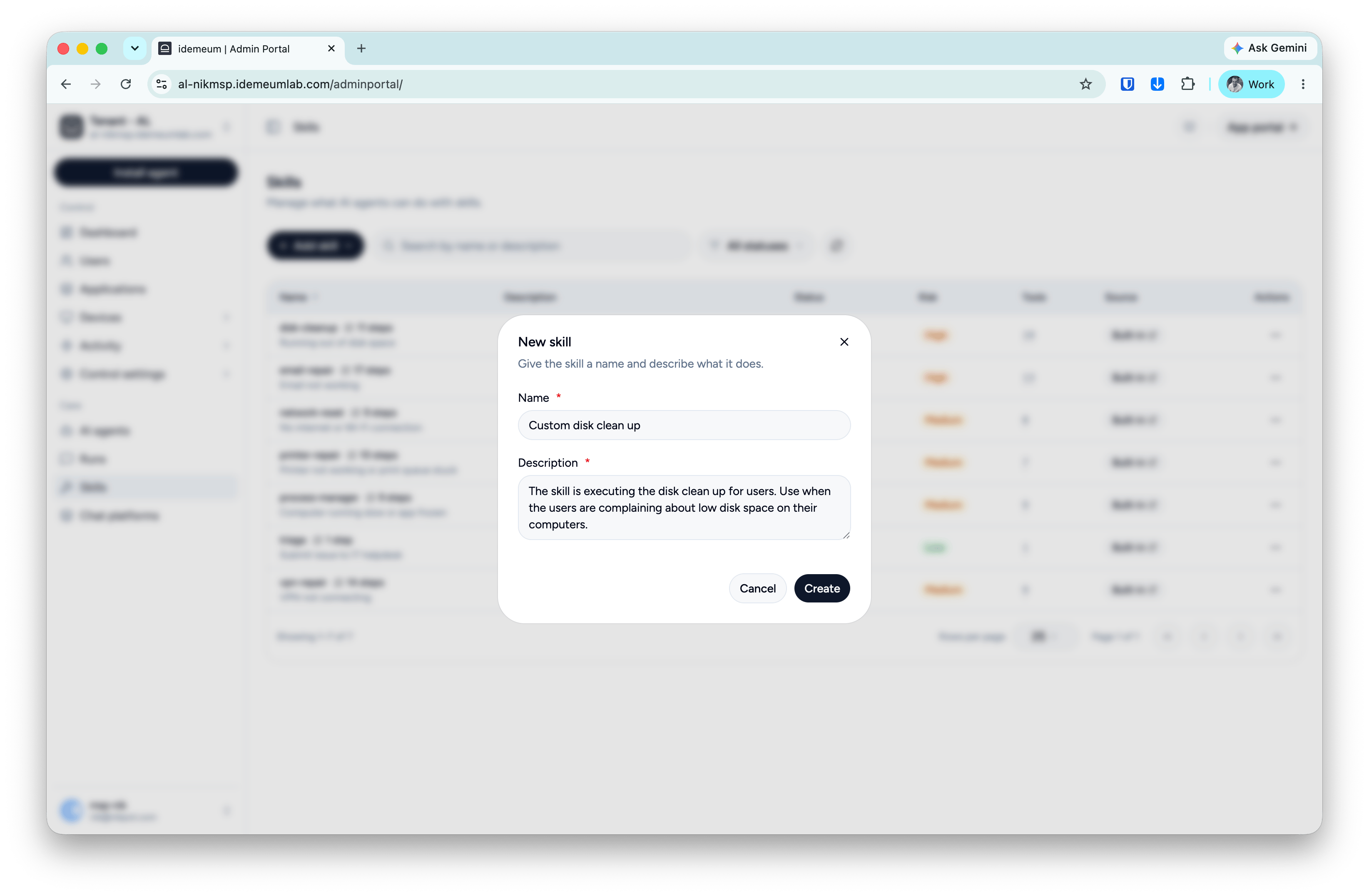
Add skill→Skill builder - Provide the skill name as well as description (used to match the user requests)
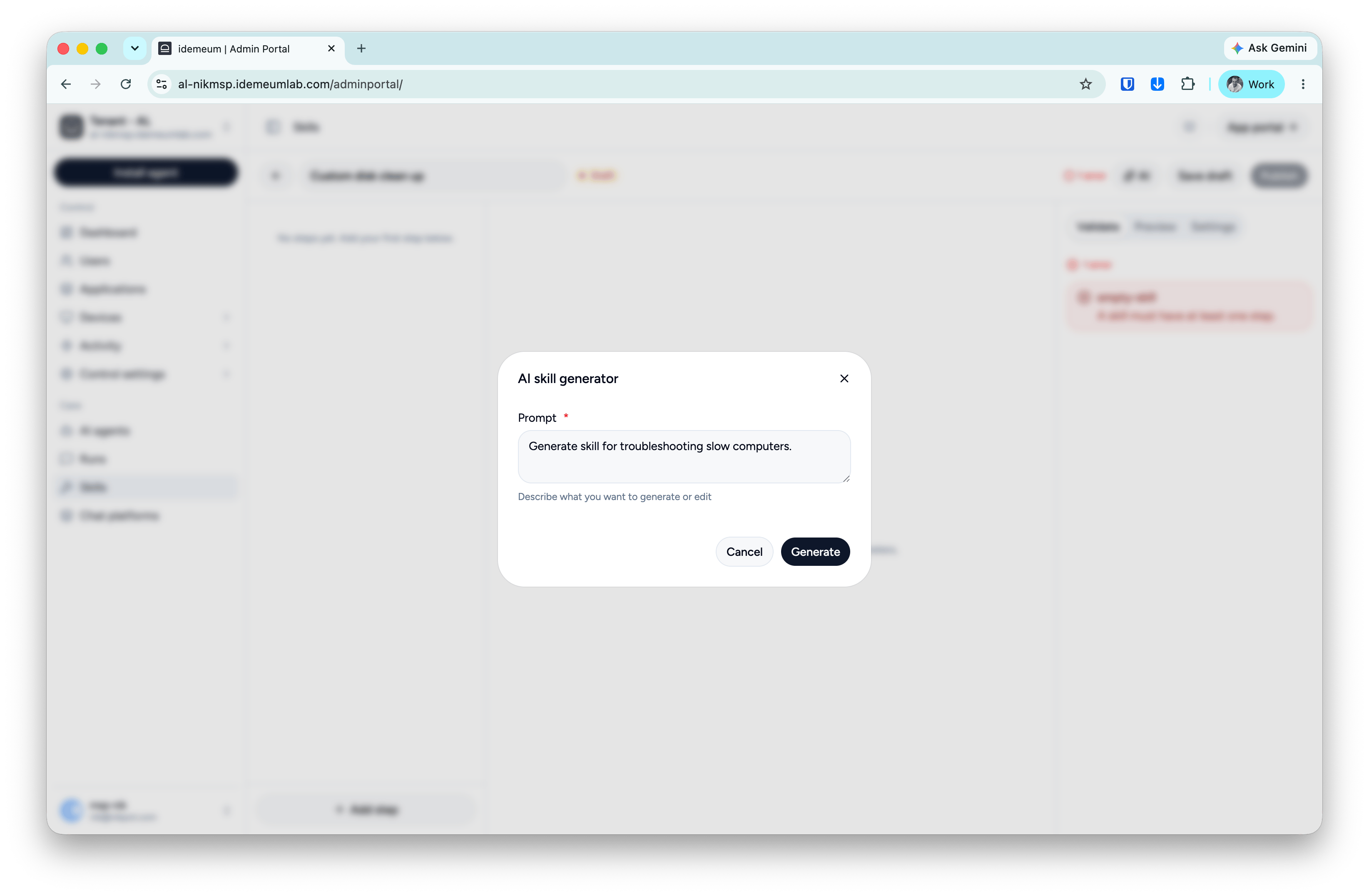
AI to generate the skill steps
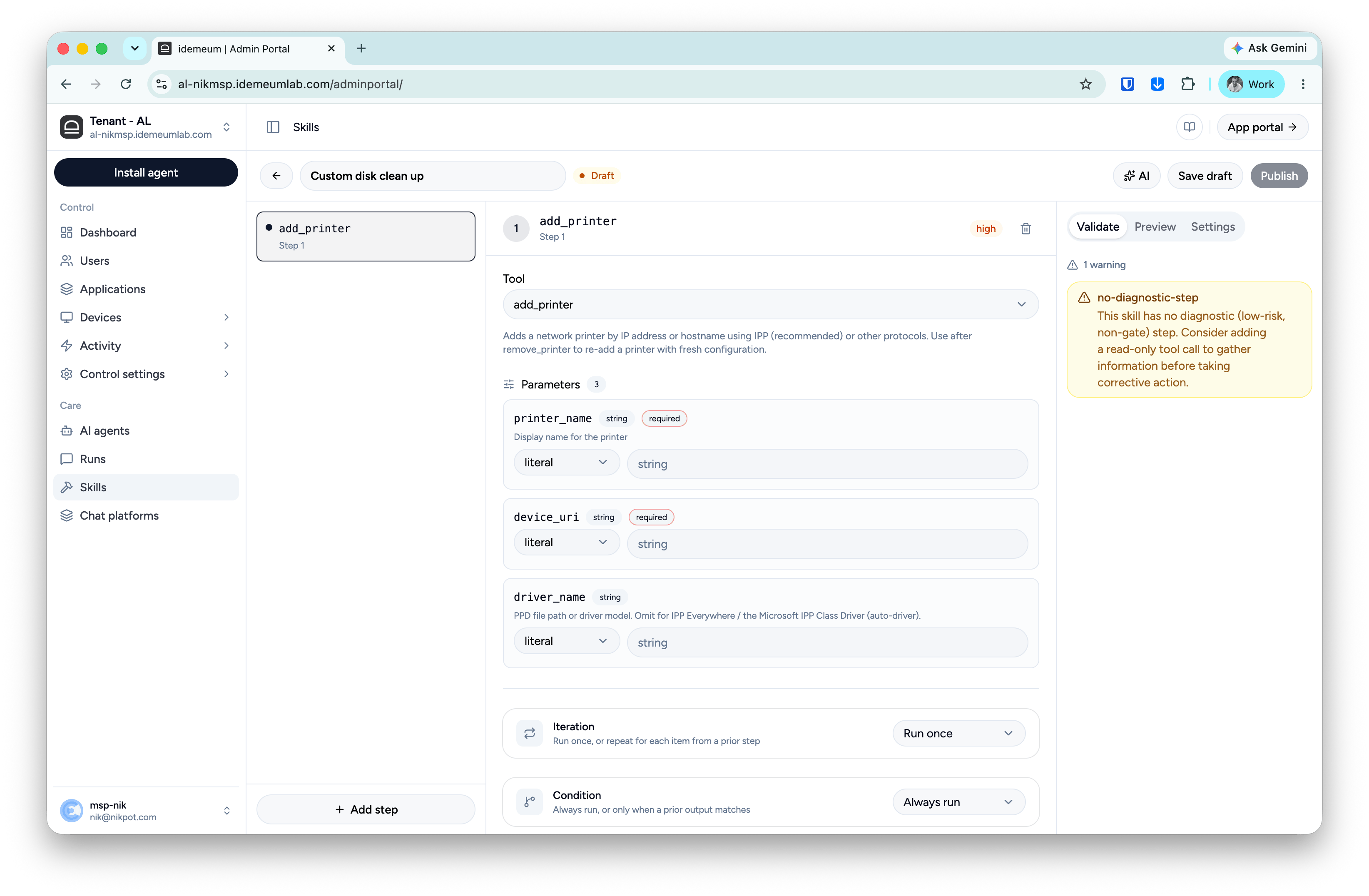
You can use AI to generate skill steps. Simply click on theAI button at the top right an provide the description prompt for what you want the skill to do.
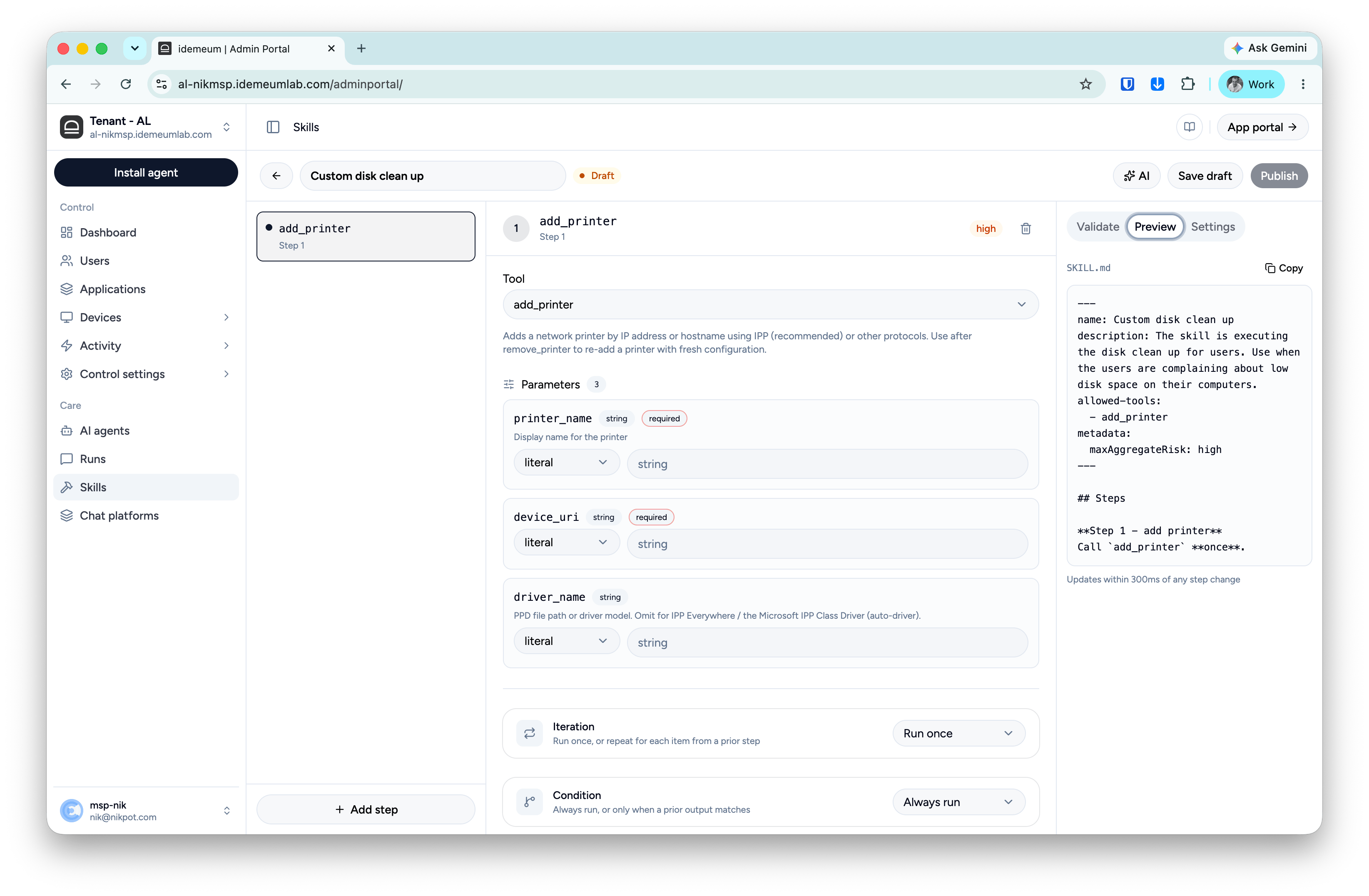
Visual step builder
Another option is to define the steps with the visual builder. Click on theAdd step button at the bottom left and choose from the available tools that you want the step to execute.
Preview tab
In the preview tab you can view the live generate markdown from the steps that you are using in the visual builder.