
Instal Windows agent with Intune
- Navigate to your idemeum tenant and access admin portal
- Click
Install new agent - Copy the command for Windows and save it on your desktop as
ps1file - Access your Intune admin dashboard
- Navigate to
Devices→Windows→Scripts→Platform scriptsand then clickAdd - Give script a name
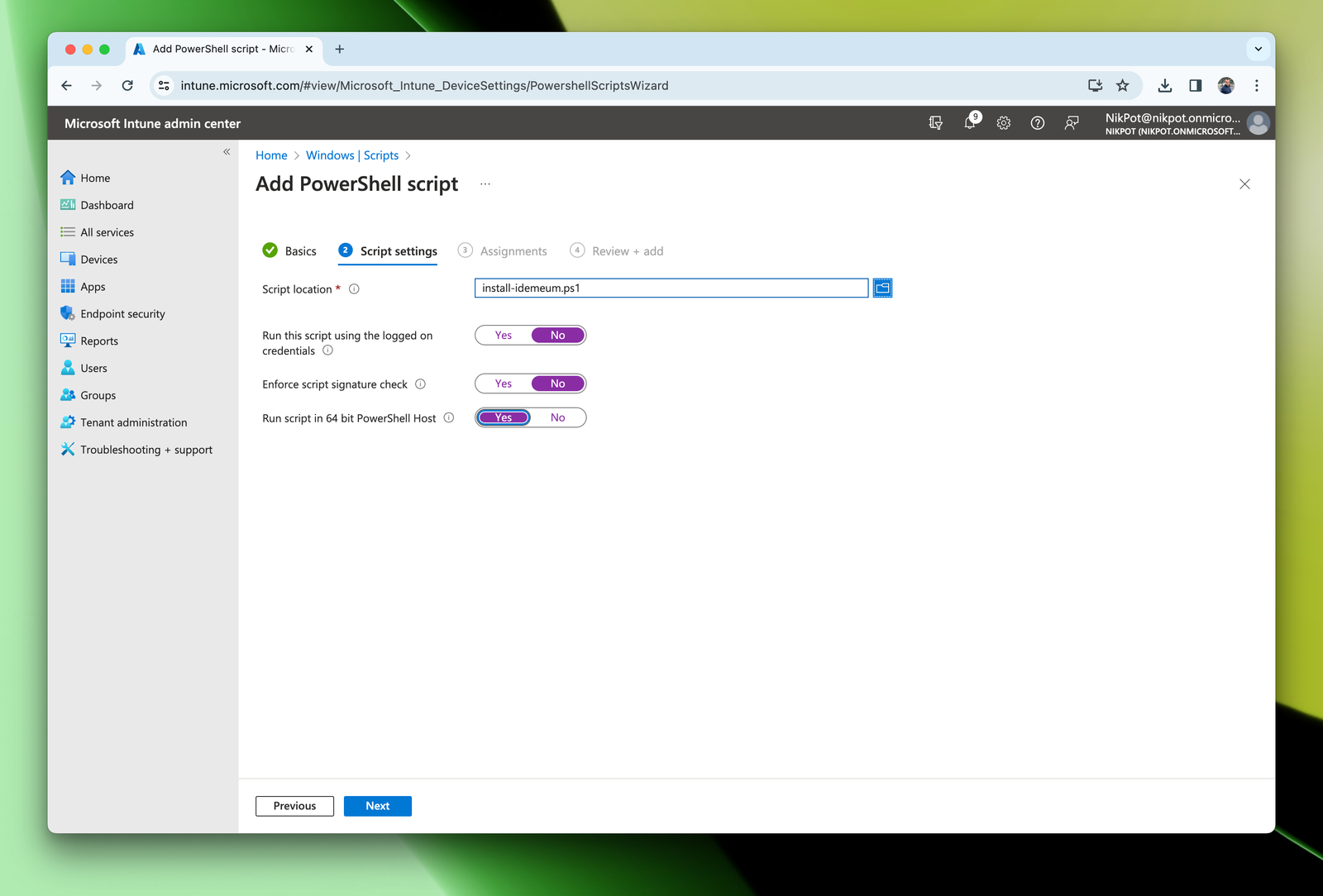
- Upload the installation script file that you created
- Configure the settings as shown below
- For assignments add the workstations or groups to which you would like to deploy idemeum client
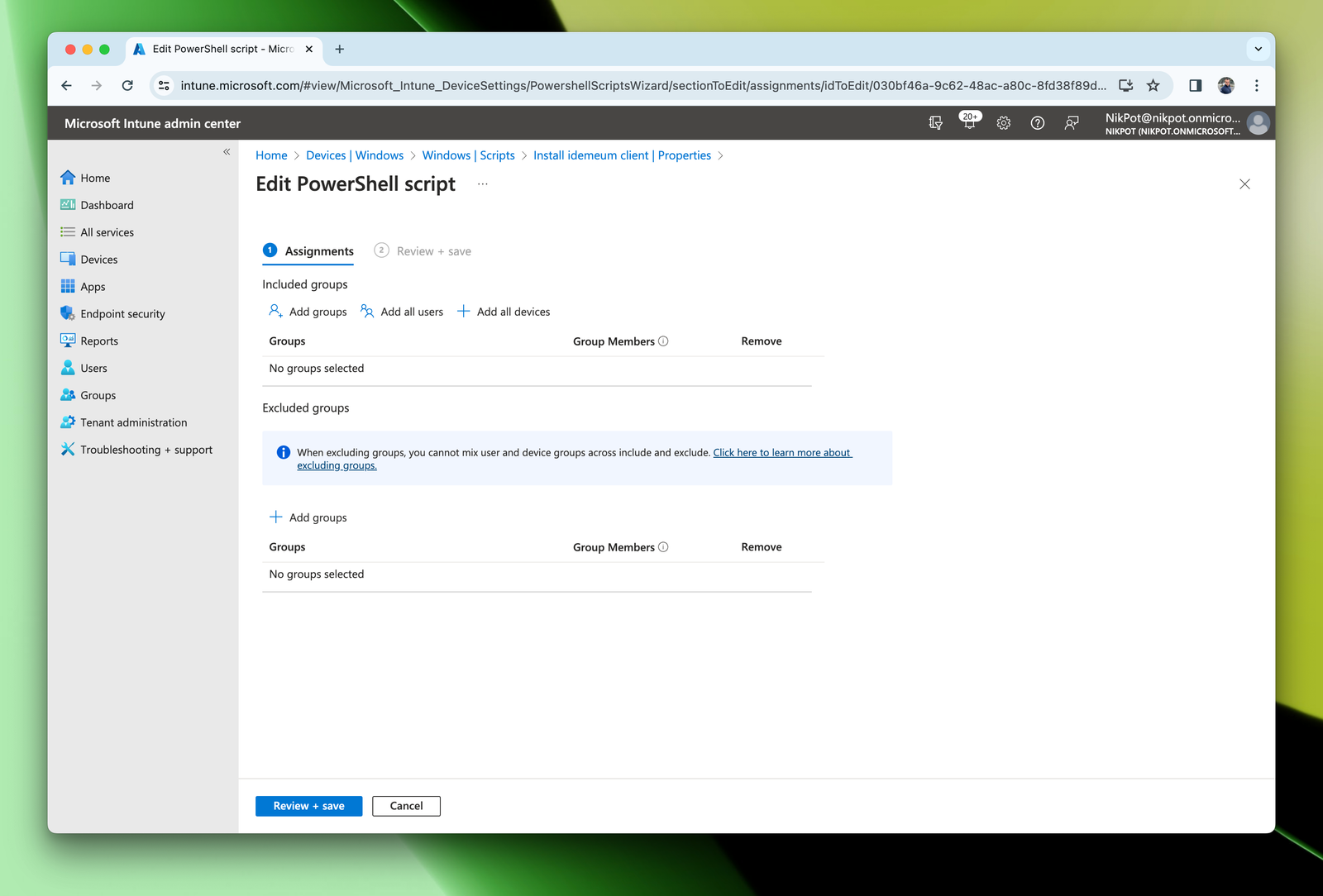
- Save the script configuration
Devices, choosing the workstation, and then triggering manual sync by clicking on Sync button. Or you can wait until the Intune agent will pick up the configuration and perform an installation within an hour.
Instal macOS agent with Intune
Obtain macOS profile and install script
- Navigate to your idemeum tenant and access admin portal
- Click
Install new agent - Copy the command for macOS and save it as
.shfile - Also download the macOS deployment MDM profile
Deploy macOS idemeum profile
- In Intune admin dashboard navigate to
Devices→macOS→Configuration - Click
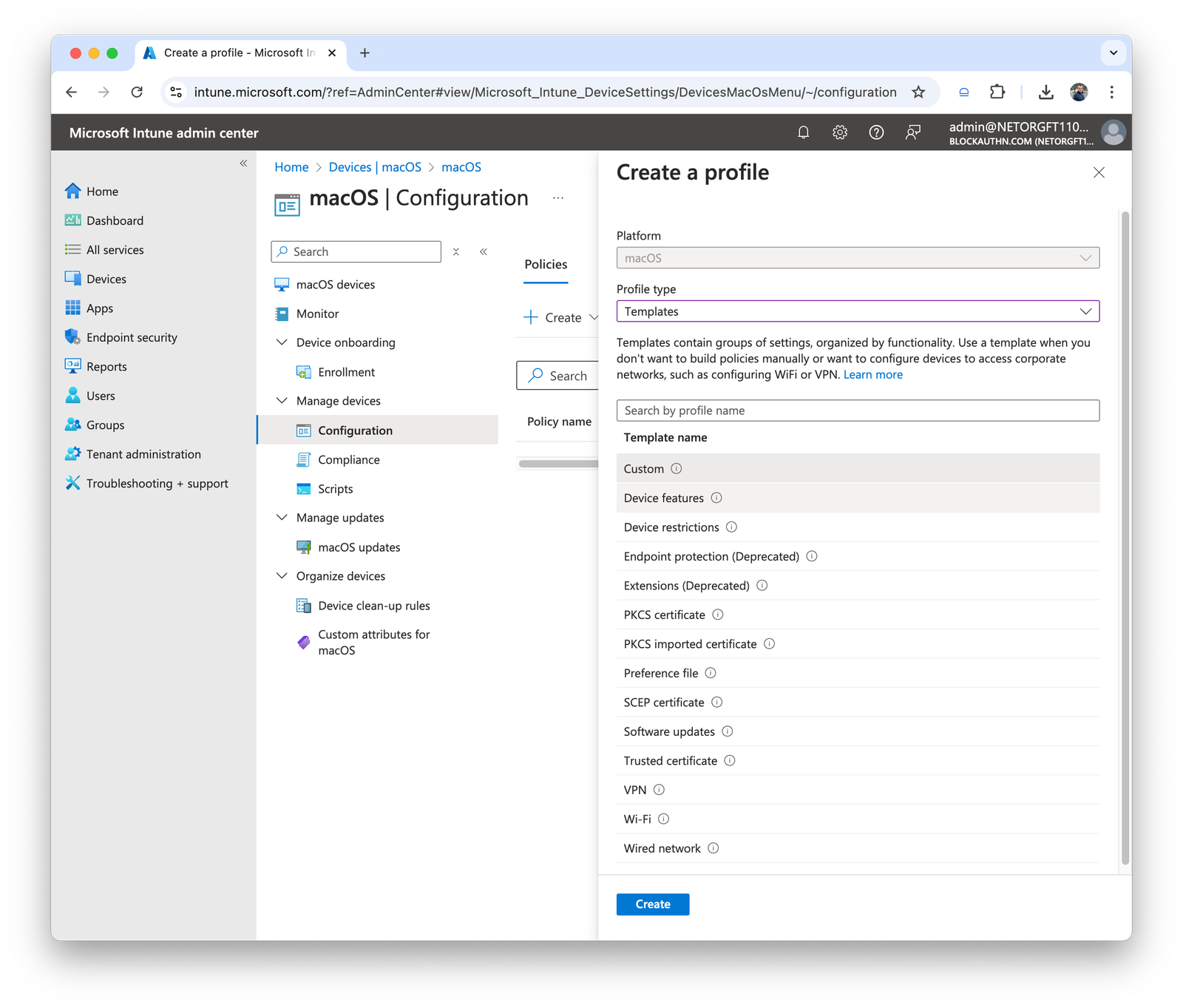
Create→New policy - Select
TemplatesforProfile type - Then choose
Custom
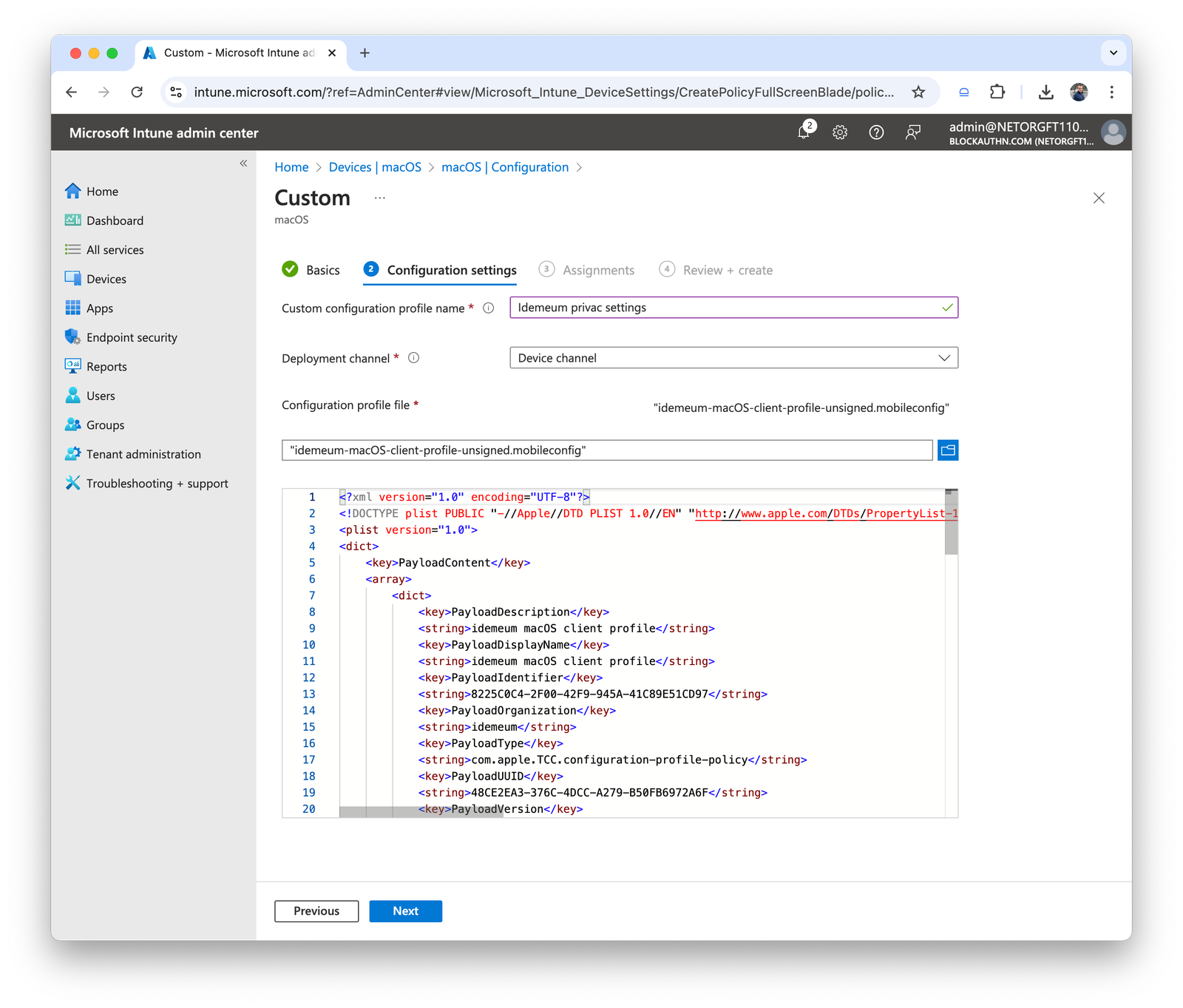
- Give profile a name
- Provide the name that will be displayed to users
- Choose
Device channeland upload the profile that you downloaded in the steps above
- Choose the groups of devices or users that you want to deploy this profile to
- Deploy the profile to target macOS workstations
Deploy macOS idemeum agent
- In Intune navigate to
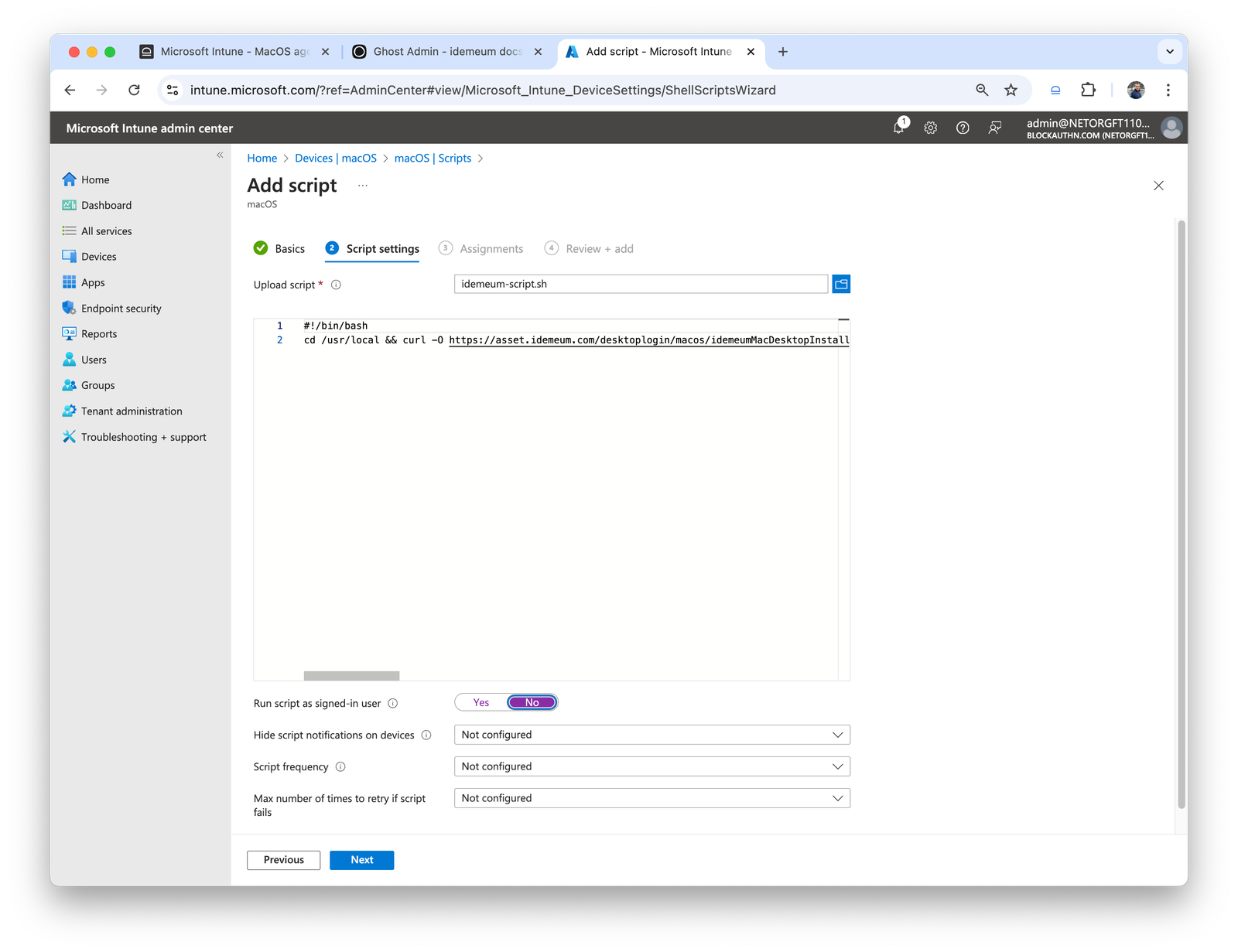
Devices→MacOS→Scripts - Create a new script and give it a name
- Upload the script that you created before
- For the
Run script as signed-in userchooseNoto make sure script runs asroot
- Click next and choose the devices where you need to install idemeum
- Review the configuration and save the script
- Now idemeum client will be installed to a list of target devices