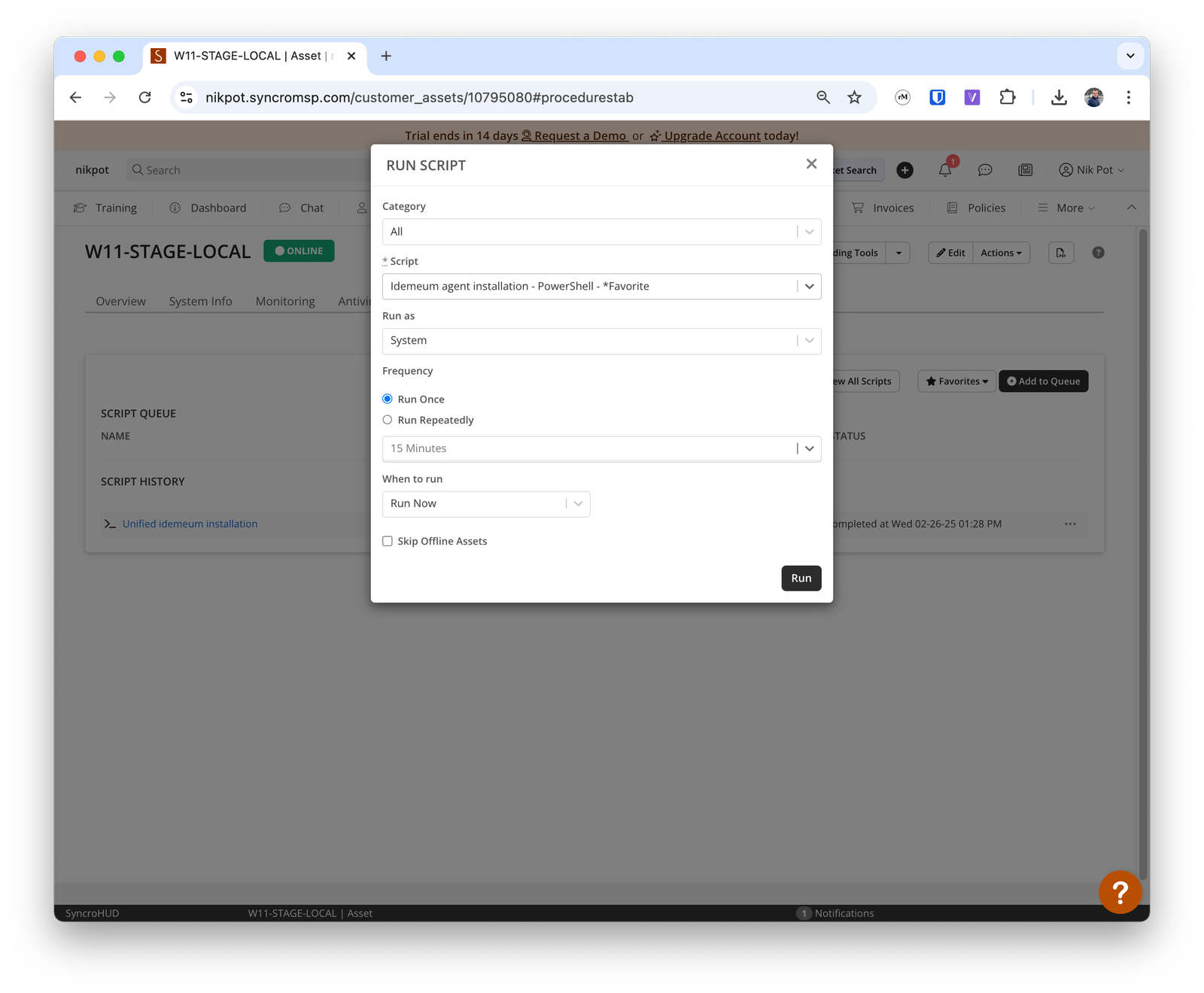
{{customer_business_name}}. If the organization exists in idemeum, then agent will be automatically associated, and if not, the new organization will be automatically created in idemeum.
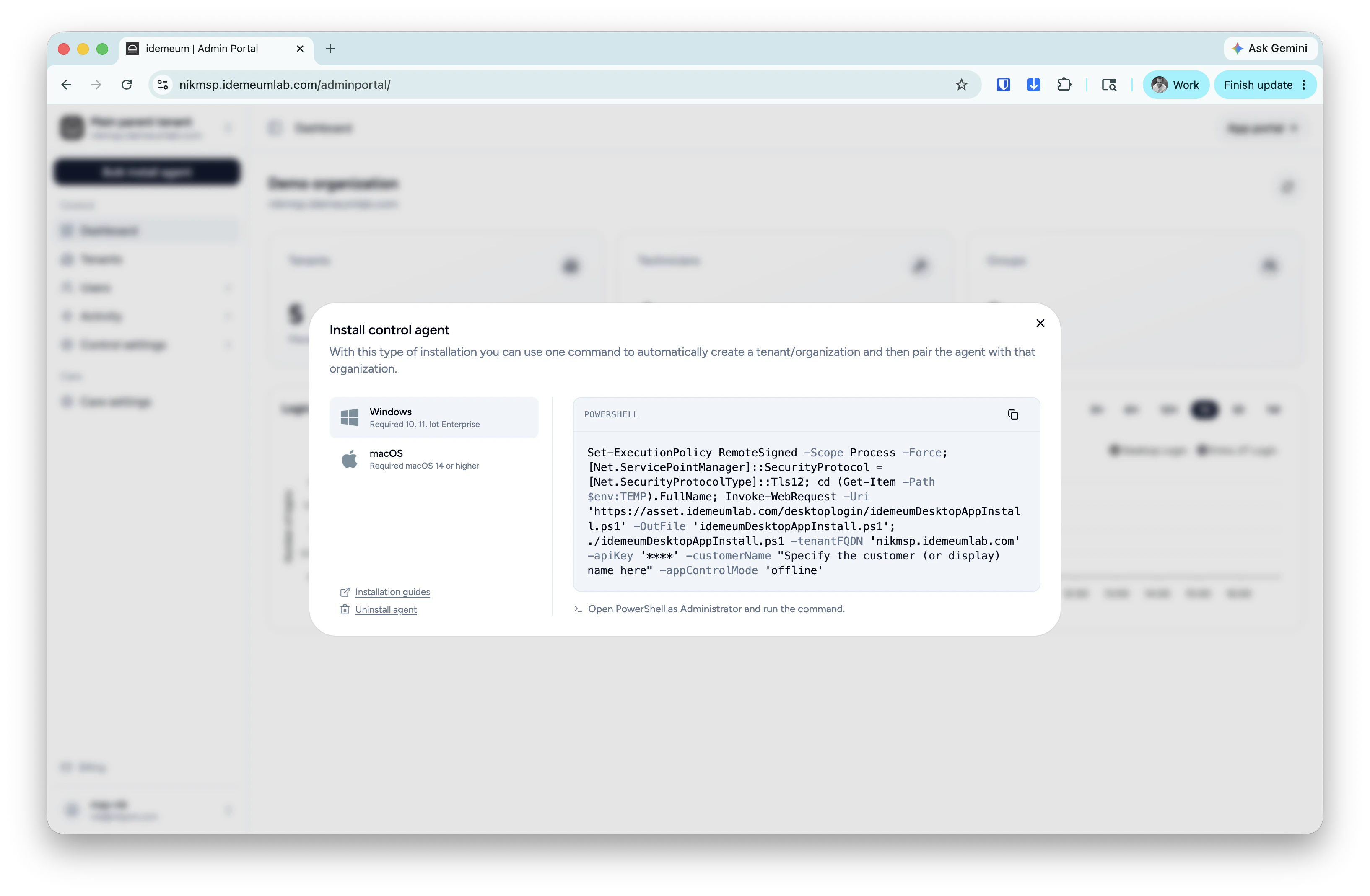
Obtain unified install script
- Navigate to the admin portal of your
Main MSP dashboard - Click on
Bulk install agentthen chooseControl agent - Choose the operating system and copy the unified install script command
- Save this command somewhere as we will need to use it in Atera
Create script in Syncro
- Access you Syncro management dashboard
- Navigate to
Scriptsand then choose+ New script - Provide the name of the script to use
- Click
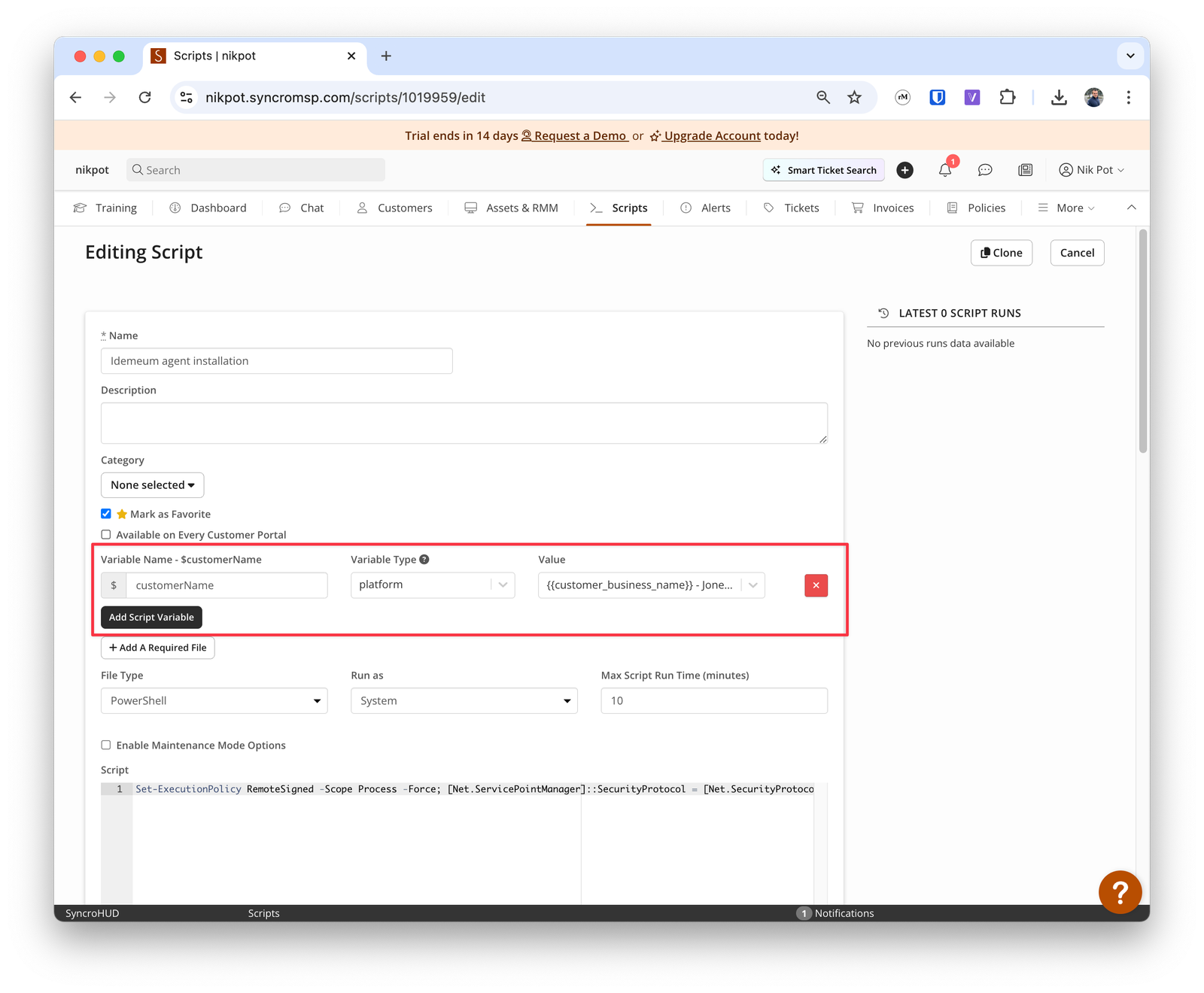
Add Script Variable- Name
customerName - Type
Platform - Value
{{customer_business_name}}
- Name
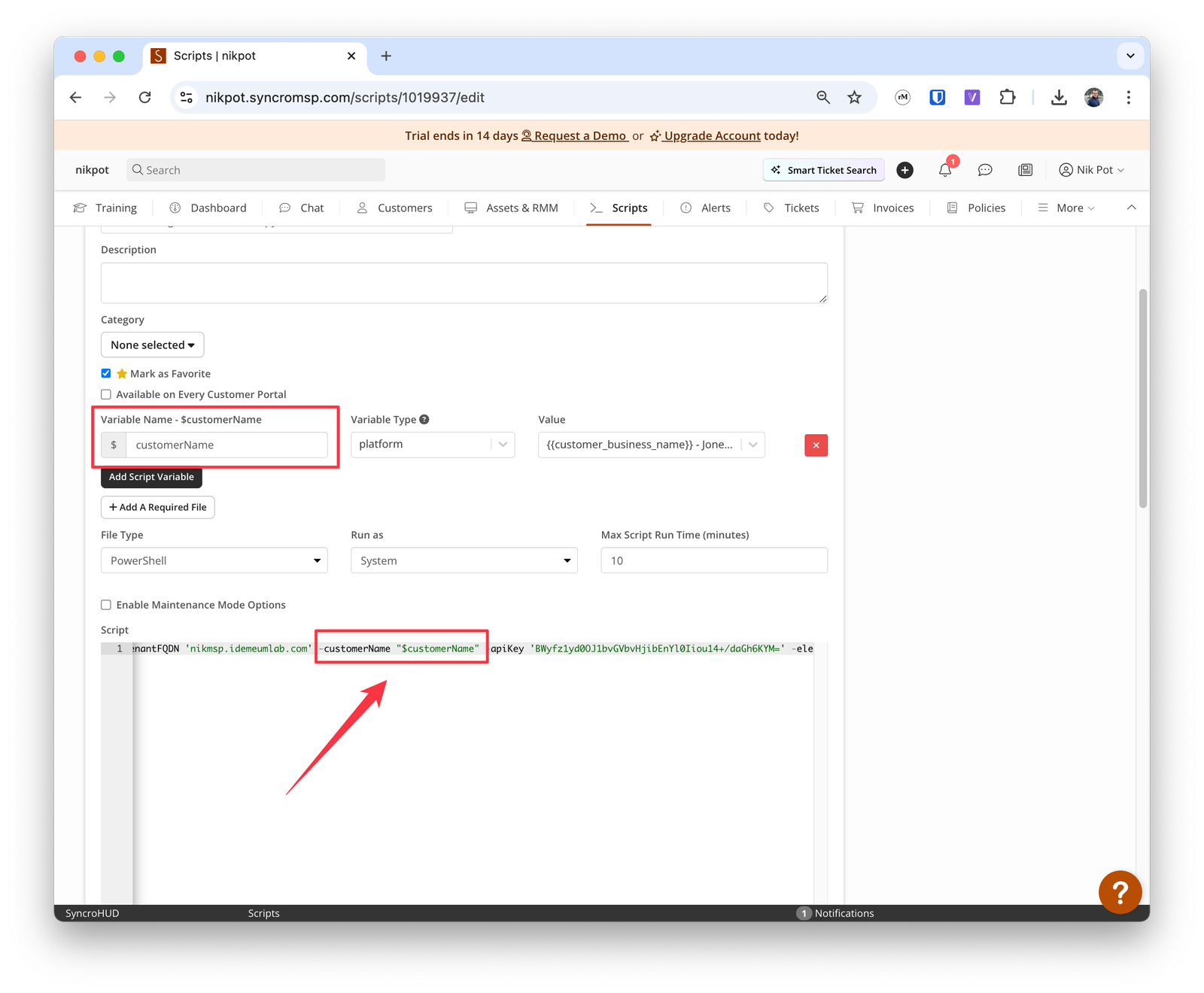
- Now paste the idemeum command that you obtained in the previous step in the script editor window
- Scroll to the attribute
-customerNameand reference the variable that we just created using"". In our case we will use the variable$customerNamethat we created above. - Save the script configuration
Deploy Syncro script
- Access the workstation where you would like to deploy idemeum
- Choose
Scripts→Add to queue - Select the idemeum script that we created
- Choose to
Run as system