

Documentation Index
Fetch the complete documentation index at: https://docs.idemeum.com/llms.txt
Use this file to discover all available pages before exploring further.
JIT for computers settings
Navigate toSettings → JIT access to configure how you want JIT accounts to be managed for your customer / organization.
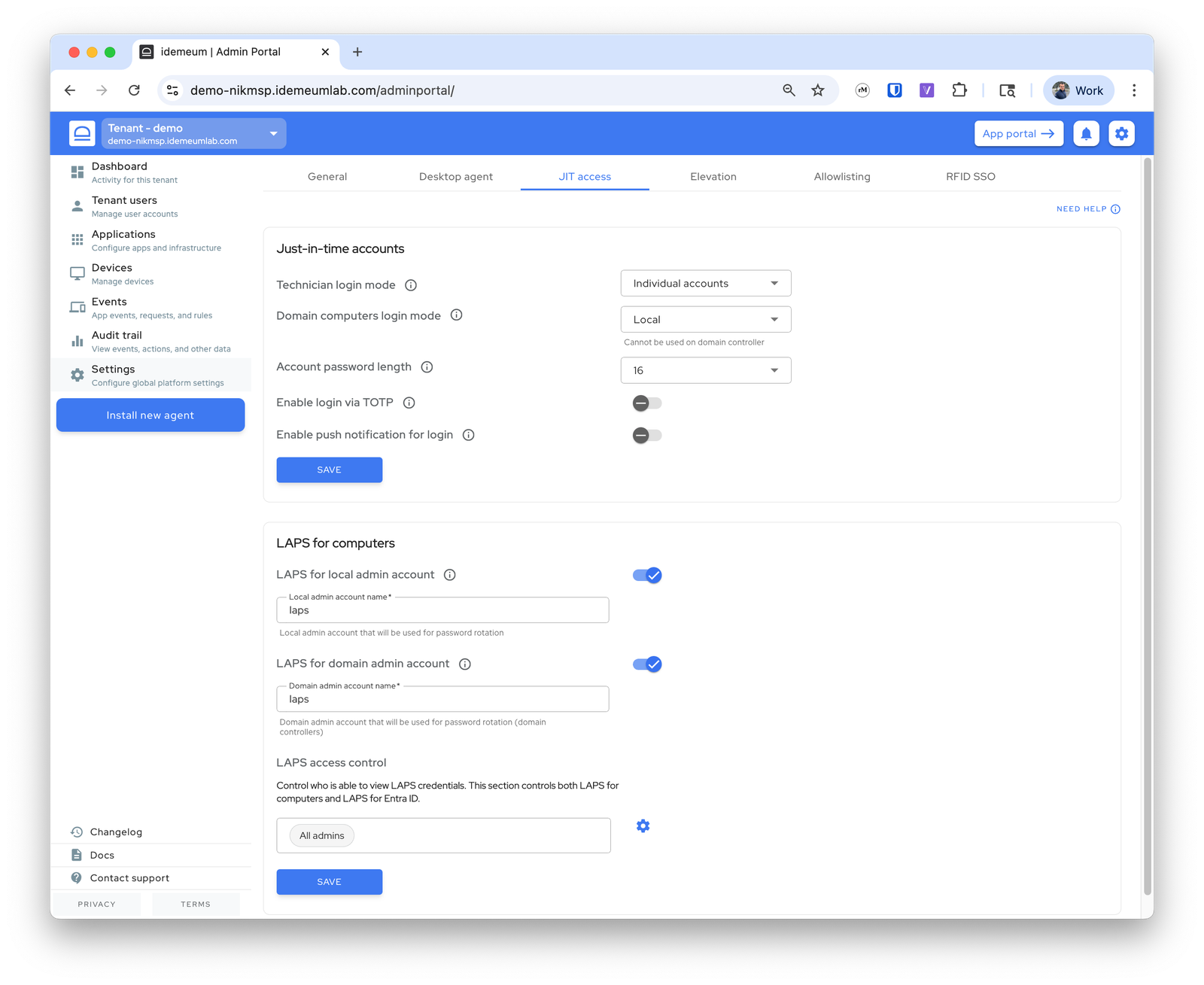
Choose how you want technicians to login into workstations - with
individual accounts or one shared account per organization / customer tenant. Default is individual accounts as that is required by security frameworks.Choose how technicians login to domain computers. By default local admin account is used.
Local- create local admin account on the workstationDomain- create domain account on DC. For this case you need to install idemeum agent on domain controllerPrompt to choose- when you scan idemeum QR-code you will be presented with option to choose what account to use - domain or local. For this option you need to install idemeum agent on domain controller.
For domain JIT computer accounts you can choose the Organization Unit (OU) container where these accounts will be created.
- The default location for each tenant is
<your domain>/Users - You can choose to create any OU or a set of nested OUs for your JIT accounts, i.e
<your domain>/JIT accountsor<your domain>/JIT/MSP accountsetc. You just need to specify the path. - If OU path does not exist, idemeum will create the corresponding OU containers.
- The nested containers under
Usersare NOT supported. For instance,<your domain>/Users/JIT accountsis not supported - If you used the
path 1for your JIT accounts and they were already created, and then you change the path topath 2, next time when JIT login is performed, JIT account will be moved to the new location
Chose the password length for created JIT admin accounts.
By default technicians login by scanning a QR-code with idemeum mobile app. You can also provide on option to login with OTP even when computer is not offline. Technicians retrieve the OTP from mobile app and enter it into the login screen.
Enable the option to send a push notification to a mobile app instead of scanning a login QR-code. Technicians enter their email address and then approve a notification on their mobile app.