Documentation Index
Fetch the complete documentation index at: https://docs.idemeum.com/llms.txt
Use this file to discover all available pages before exploring further.
How RDP JIT login works
RDP access with JIT accounts
Quick demo for how to RDP with JIT accounts.
RDP JIT prerequisites
- Supported on domain-joined workstations only
- Desktop agent installed on
sourceandtargetmachine - Domain accounts login enabled for the customer tenant
- Domain controller is reachable from the RDP
sourceworkstation - Agent is installed on domain controller
How to RDP with JIT account
- Login to
sourcedomain-joined workstation - Open Windows Remote Desktop Client and connect to the
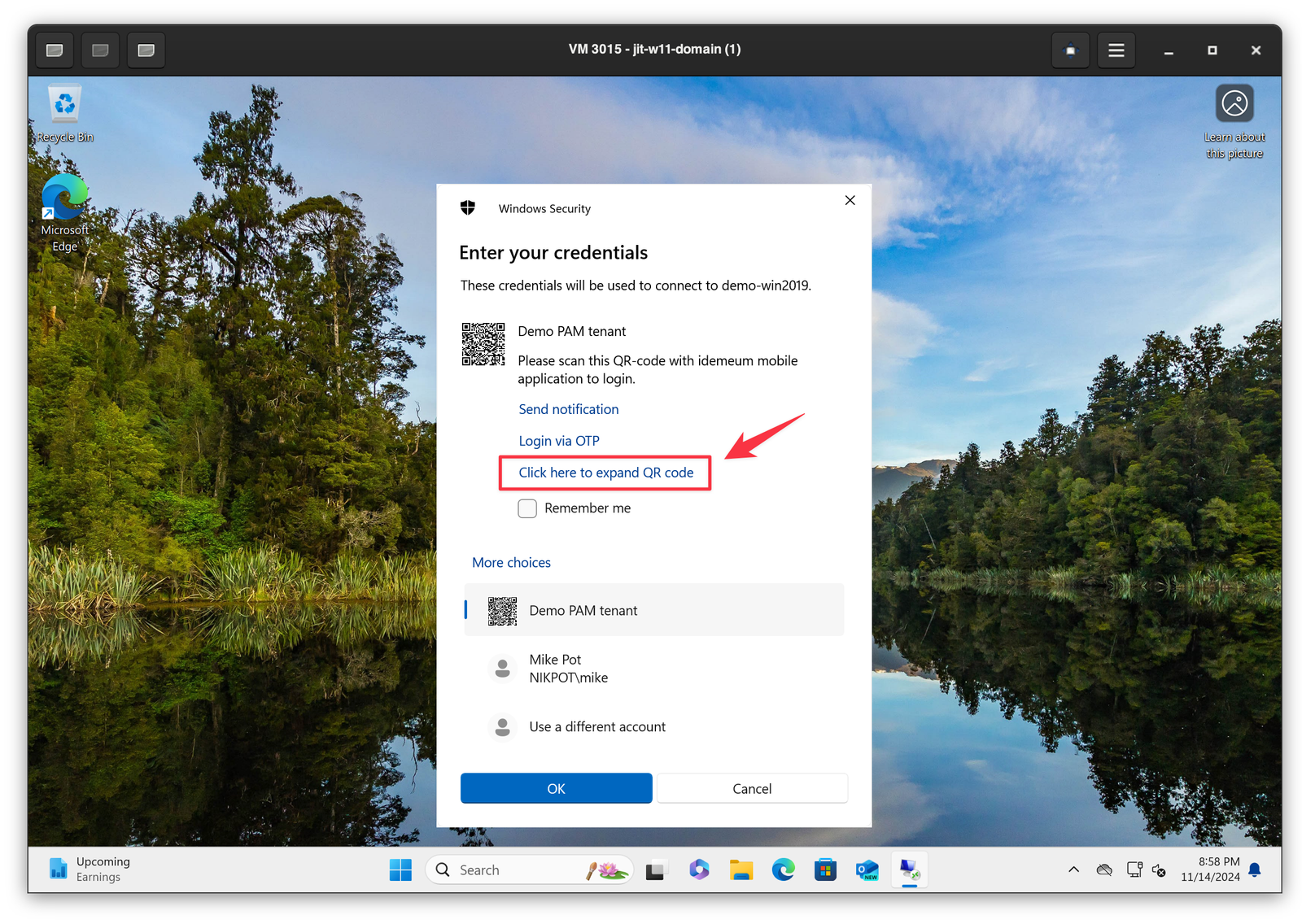
targetdomain-joined machine - You will then be prompted to authenticate. Click
More optionsand then selectidemeum credential providerto scan the QR-code. - You can enlarge the QR-code so that it is easier to scan by clicking on
Click here to expand QR code - Scan the QR-code with idemeum mobile application and approve with biometrics
- You will be logged in to the
targetworkstation