Documentation Index
Fetch the complete documentation index at: https://docs.idemeum.com/llms.txt
Use this file to discover all available pages before exploring further.
How malware reputation works
Every time there is an execution event or elevation event, idemeum desktop agent takes thefile hash of the executable and performs a look up with Sophos threat database to determine if the executable is a malware or not.
We currently integrate with Sophos Intellix API platform to check the malware reputation score for each executable. SophosLabs has, for over 30 years, specialized in threat analysis to power Sophos products with real-time identification of known and unknown malware as well as processing over 600 million threat queries per day within its global reputation service.
Every file hash look up results in the following outcome:
known good- file is known to be a legitimate executable that does not exhibit any malicious behaviors. These files are safe to allow in your environment.unknown- in this case the file hash has not been observed by Sophos cloud. As a result, it Sophos can not determine if the file is malicious or not.malware- file is a known malware sample.
If the reputation is
known good you can safely allow these executables in your environment. Is the reputation is unknown you need to rely on other sources to determine if the file is bad or not.Where reputation is shown
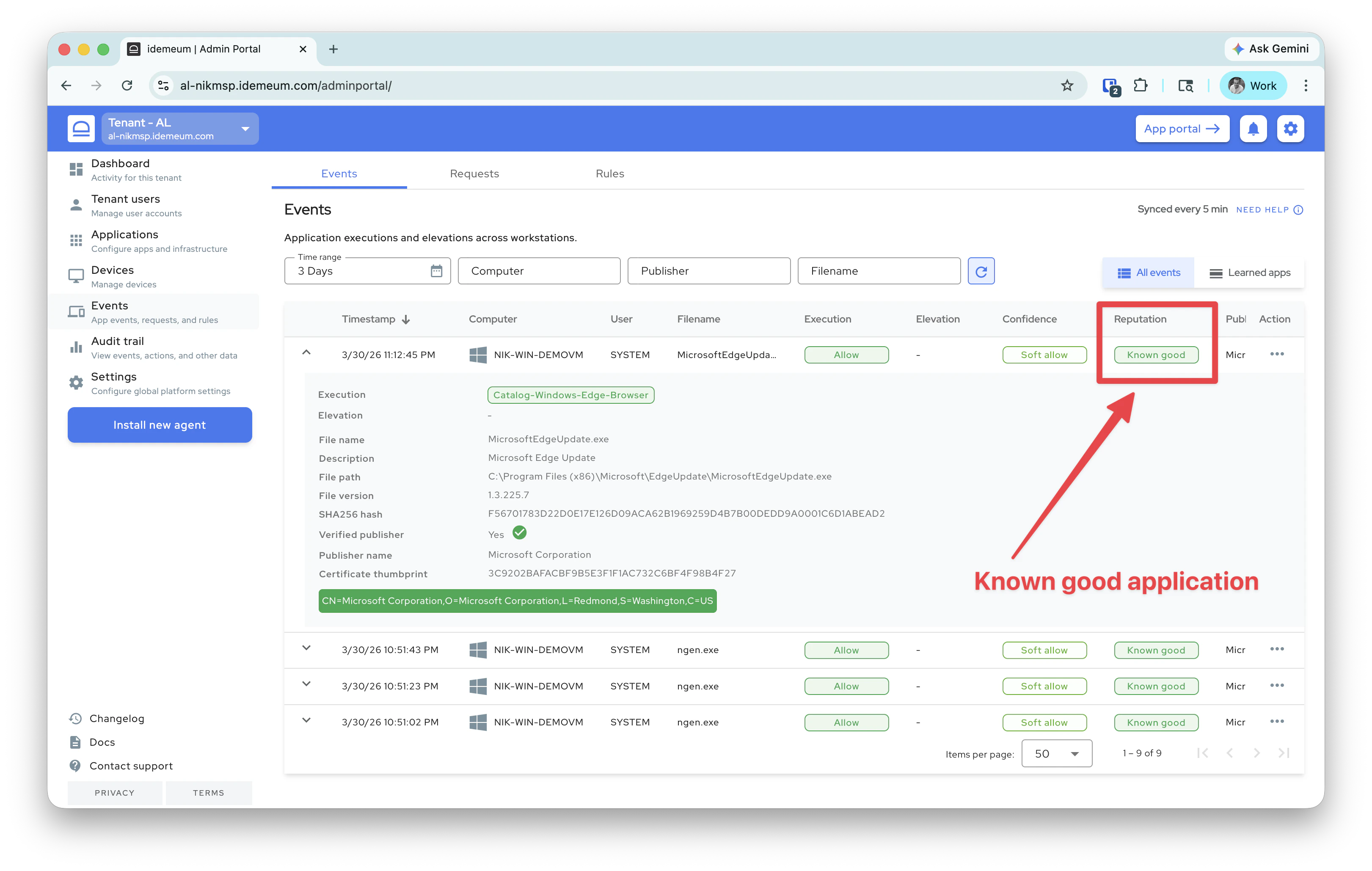
Events table
The reputation is shown for each event in theEvents table.
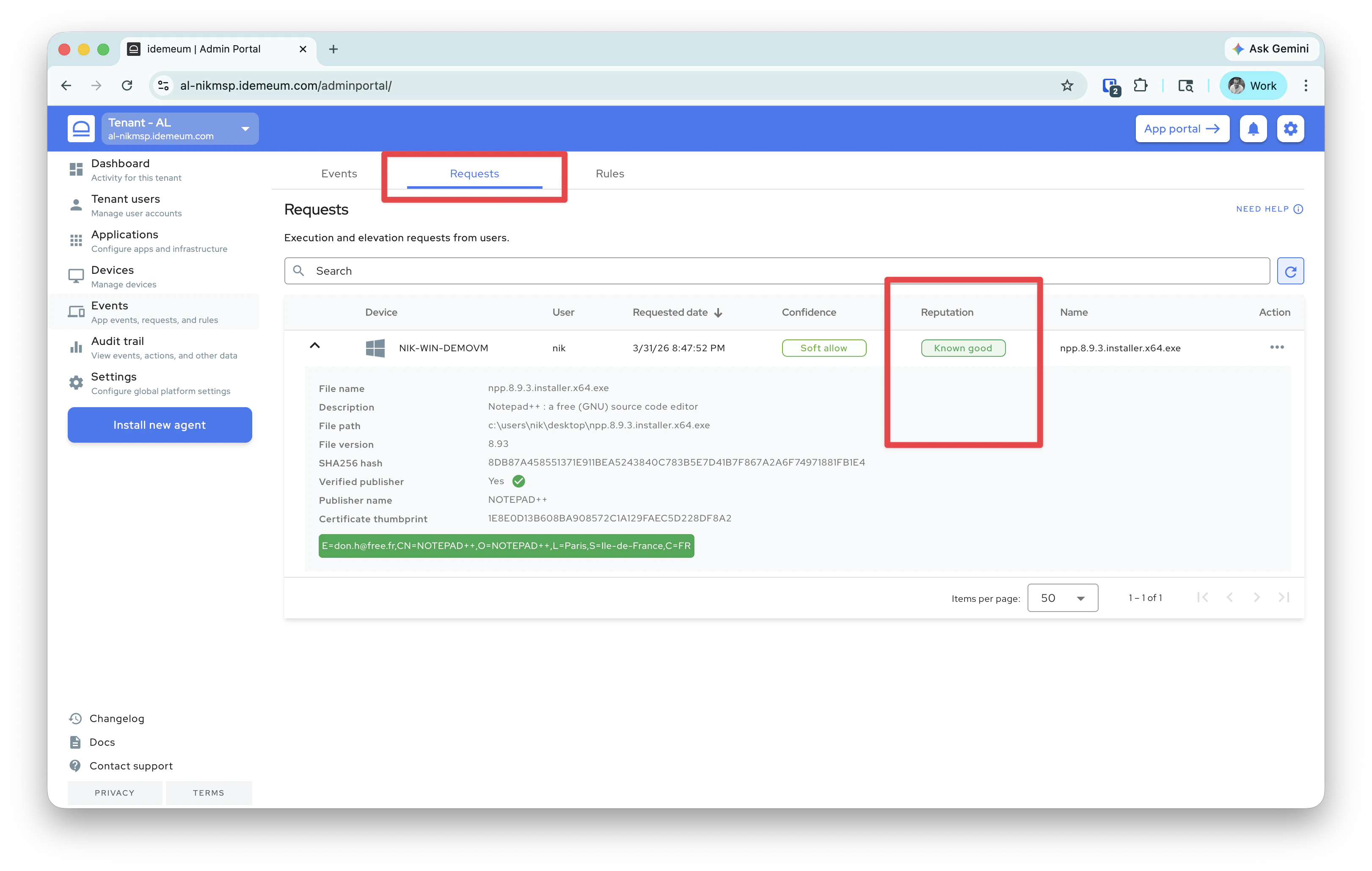
Requests table
We also show the reputation information in theRequests table.
Request email
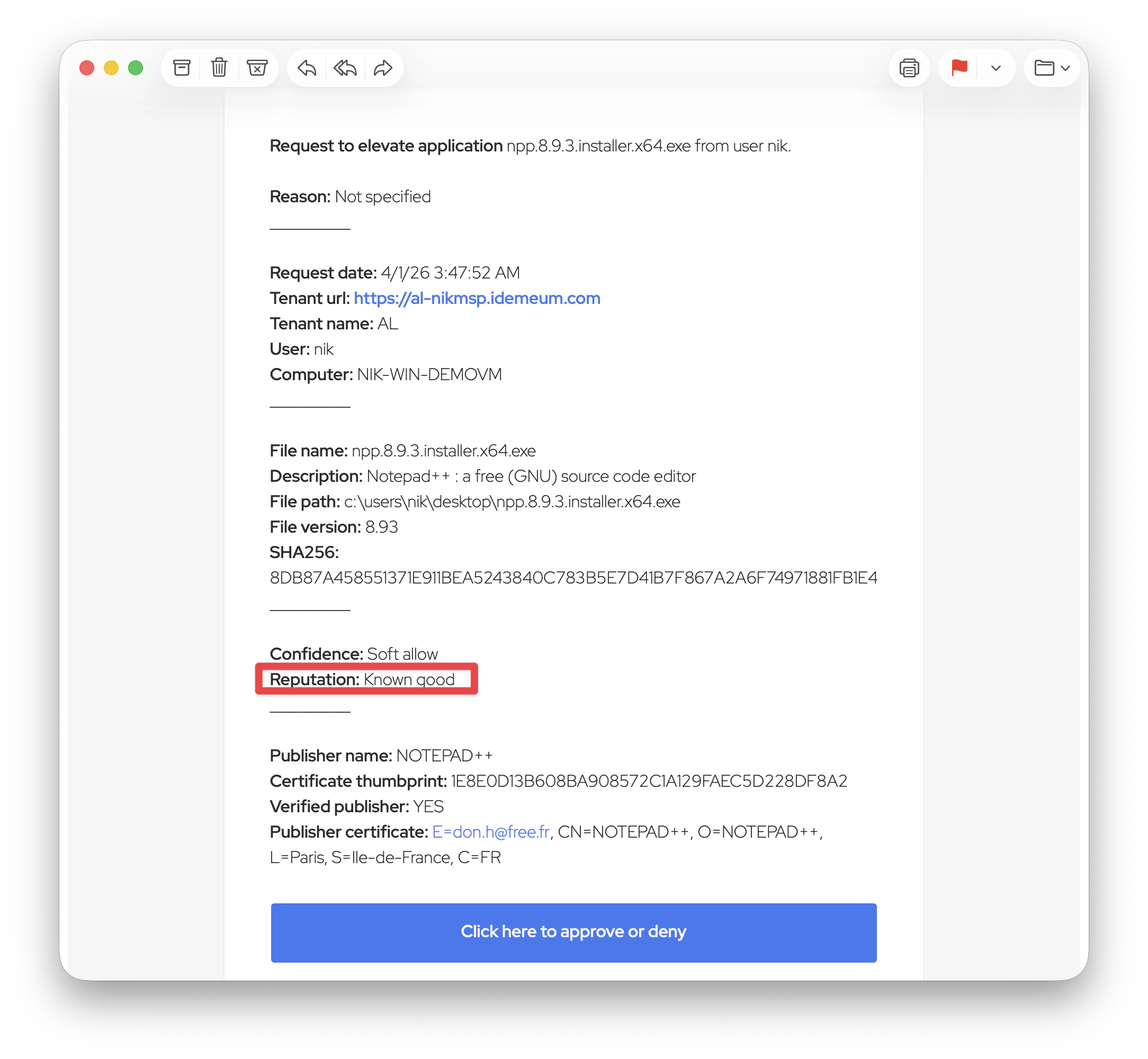
If you configure request notifications with email to admins (for elevation requests and allowlisting requests), you can also view the malware reputation in the email.