
Overview
When idemeum collects application events, it aggregates information to populate the publishers view. You can quickly see all publishers in your environment and create allow rules with a single click.- Access your idemeum admin portal
- Navigate to
Activity→Eventsand then toggleLearned apps
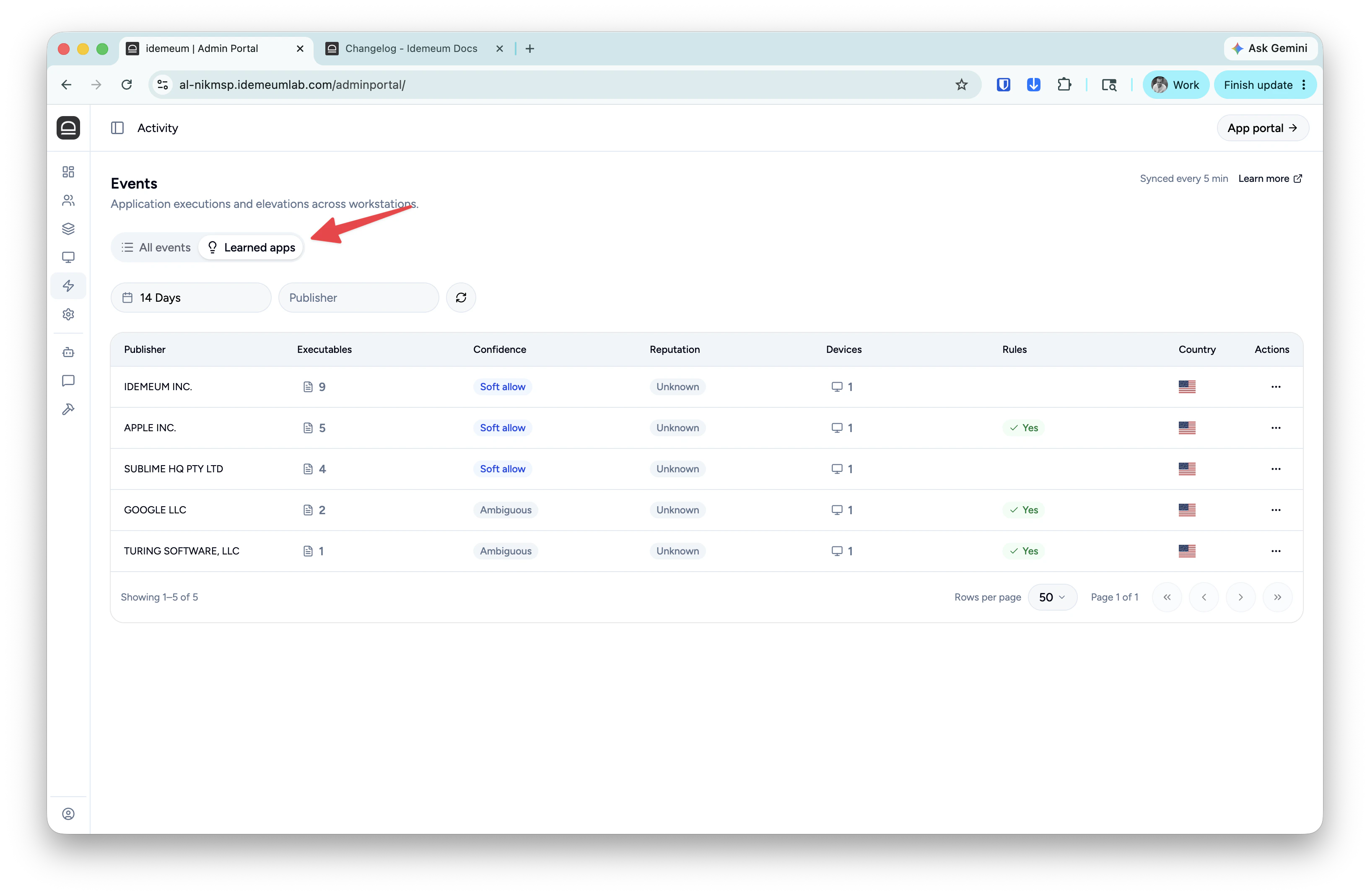
Publisher- the publisher CN from the application signing certificate.Executables- the count of applications signed but the publisher. You can click on the number to explore all the files.Confidence- aggregate confidence score for the publisher. Learn more about confidence score.Reputation- aggregate malware reputation for the publisher.Devices- count of the number of devices that have files signed by this publisher.Rules- if there is a checkbox that means there are some rules in your environment for this publisher.Country- country where this publisher certificate is registered
... and choose Create rule.