
Documentation Index

Fetch the complete documentation index at: https://docs.idemeum.com/llms.txt

Use this file to discover all available pages before exploring further.

Auto control agent update

To enable automatic agent updates, access your idemeum admin portal, navigate to Control settings → Desktop agent and make sure auto update is enabled.
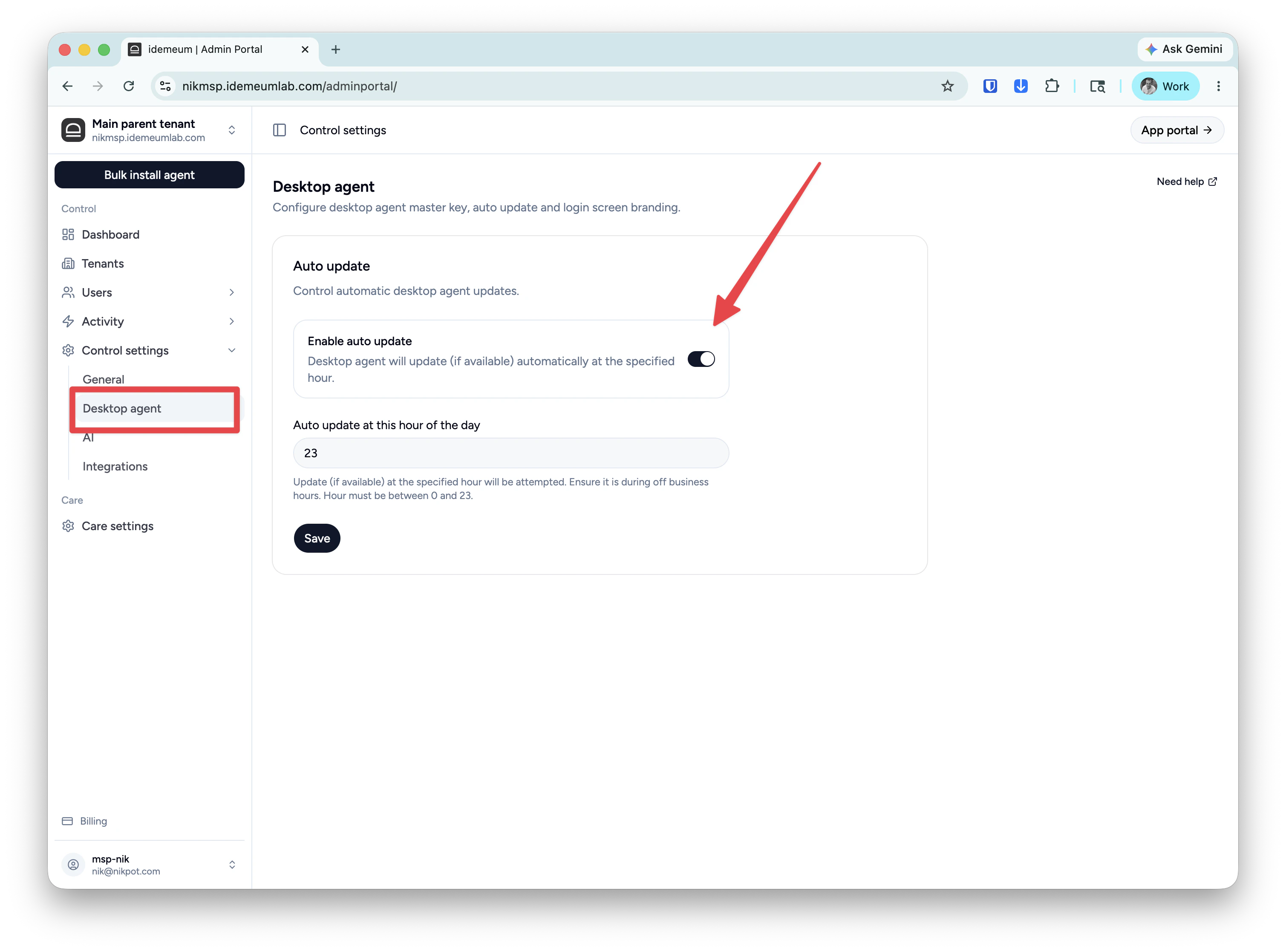
Clean Shot 2026 05 21 At 15 41 27@2x Idemeum agent can be automatically updated when the new version is released. The update is silent and does not require restarts. 

Manual control agent update

You can also update agent manually by executing the same installation script from the admin portal. Get the install script for Windows or macOS and deploy directly or with your deployment tool. The script will identify that idemeum agent is already installed, and it will pull the update if available.