Roles overview
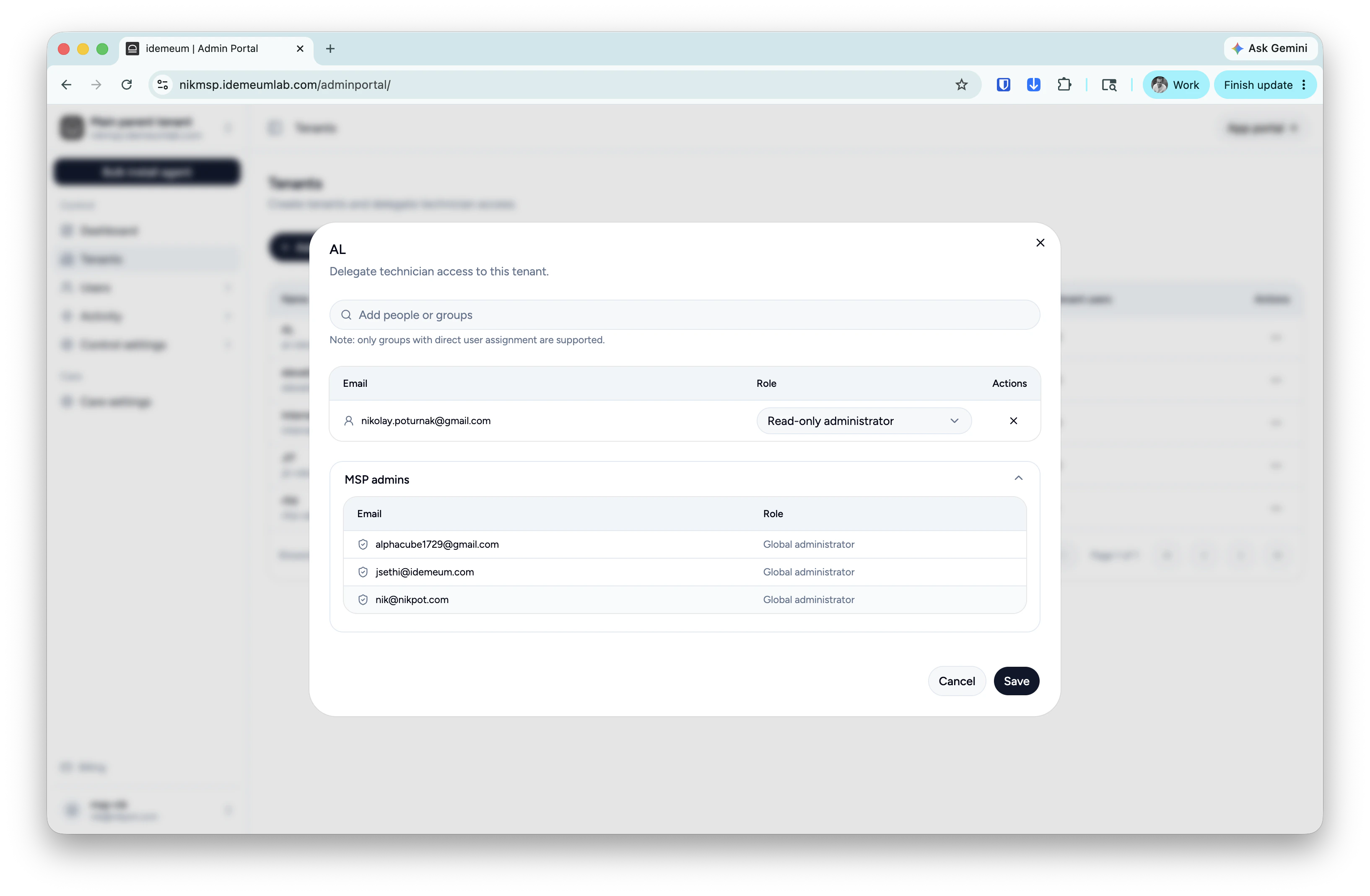
There are several roles that define how admins can access tenants:Global administrator- full admin access to everythingAdministrator- full access but only to designated tenantsRead-only administrator- read only access to designated tenants
Global administrator role
- Access admin portal of your parent tenant
- Navigate to your
Userssection - Click on
...and chooseMake admin
Administrator role
- Access admin portal of your parent tenant
- Navigate to your
Tenantssection - Click on
...for a chosen organization and chooseDelegate admin - From the dropdown search for technician email address and assign the
Administratorrole
Read-only administrator role
- Access admin portal of your parent tenant
- Navigate to your
Tenantssection - Click on
...for a chosen tenant and chooseDelegate admin - From the dropdown search for technician email address and assign the
Read-only administratorrole
How to delegate access to customer tenant
- Login to your parent MSP tenant admin portal
- Access
Tenantson the left menu, find the tenant that you need, click on...and then chooseDelegate admin access - You can now choose users from the dropdown along with the role they will assume
- At the bottom you will have a list of all
Global adminswho have access to all tenants by default