What is analysis AI agent?
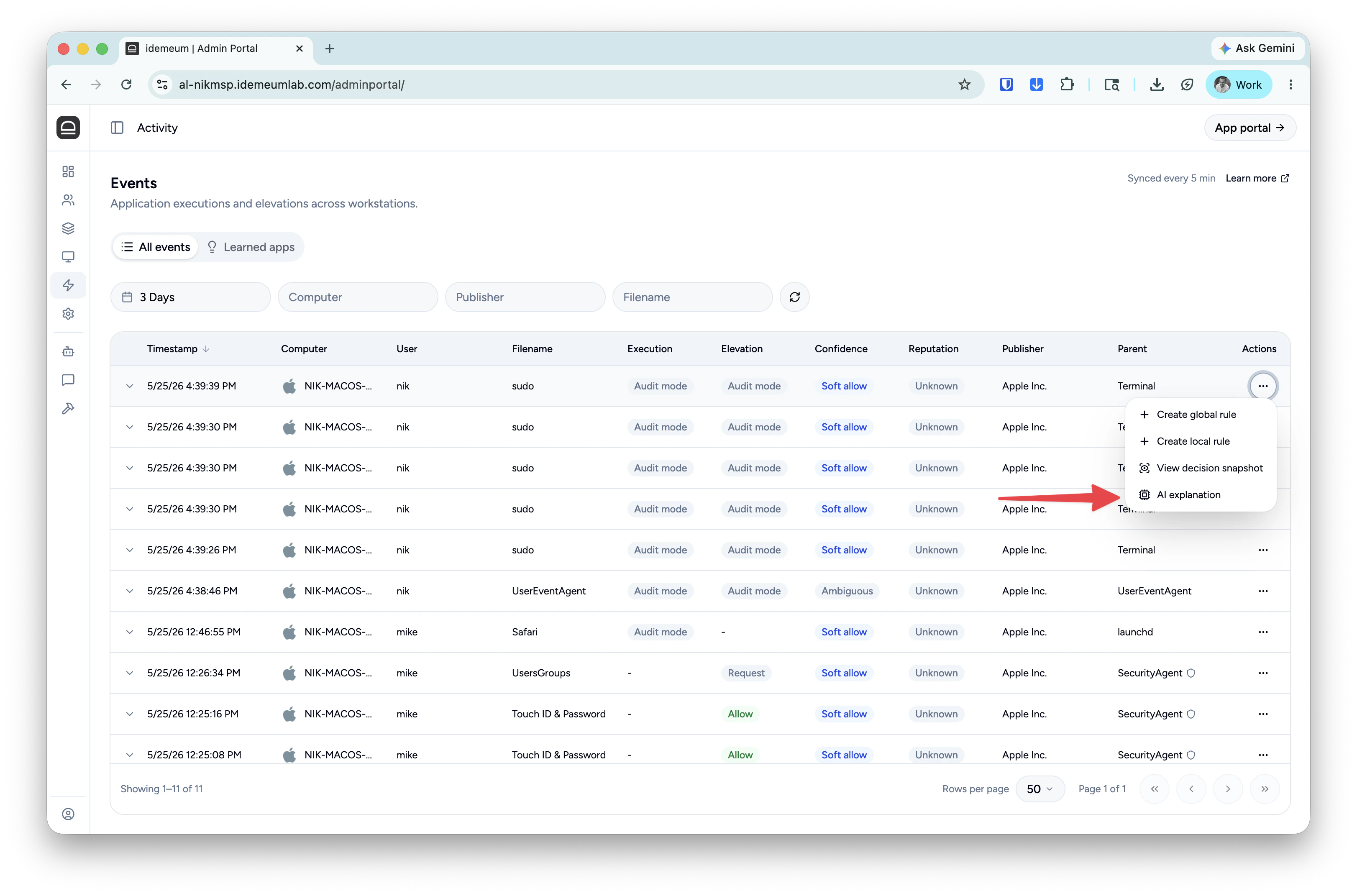
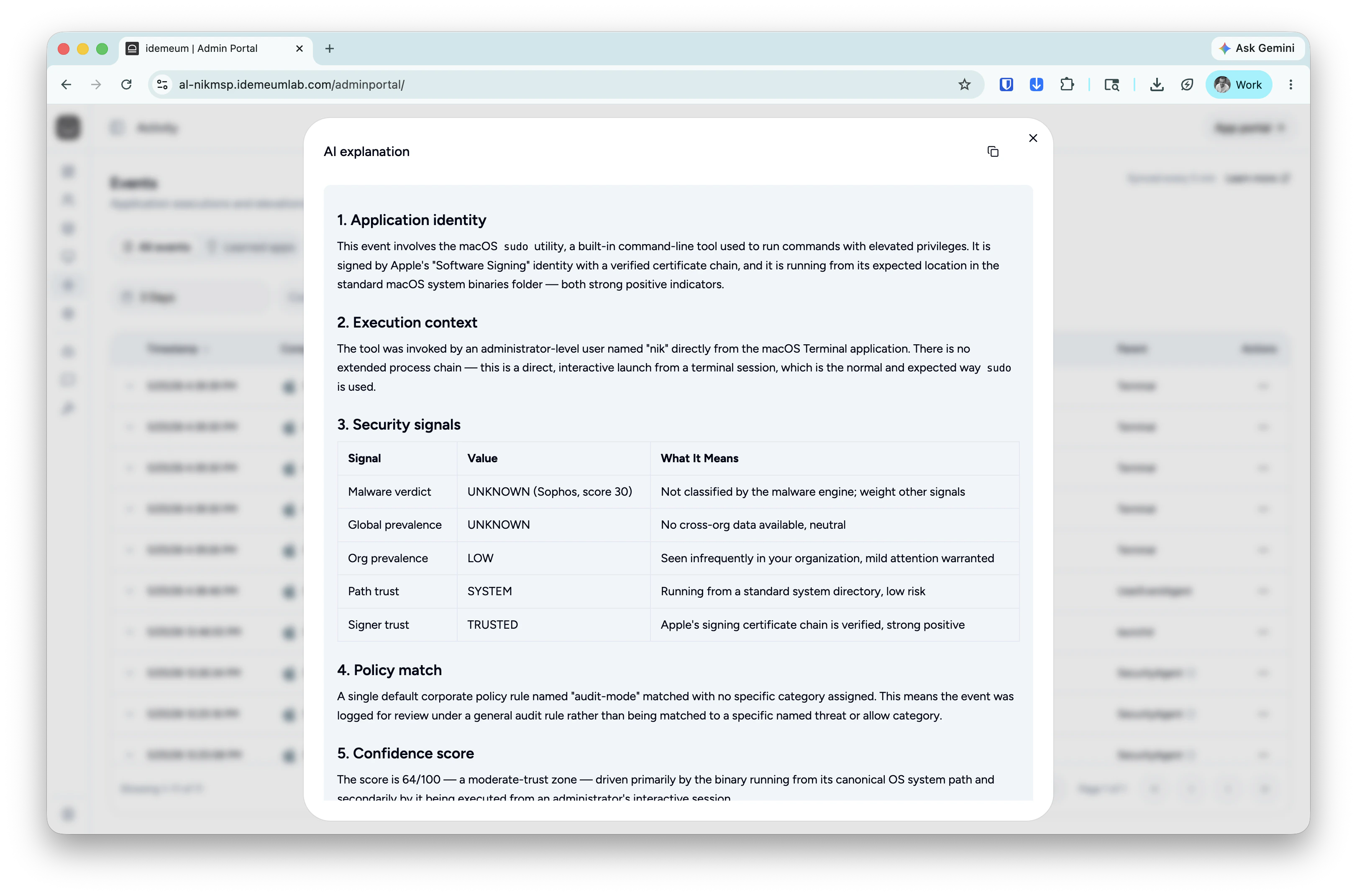
Idemeum integrates with major LLM providers (Anthropic, OpenAI, and Google Gemini) to leverage the latest models to analyze and explain elevation and execution events. We follow the BYOK (Bring Your Own Key) model, so that you can use your API key to integrate with the LLM provider of choice. Analysis agent explains every event metadata concisely so you can make a quick decision if the application or elevation is safe. Every time there is an execution or elevation event, you can triggerAI explanation, and idemeum will submit event metadata, decision snapshots, along with our custom developed prompts to LLM mode so that every event can be explained.
Configure analysis AI agent
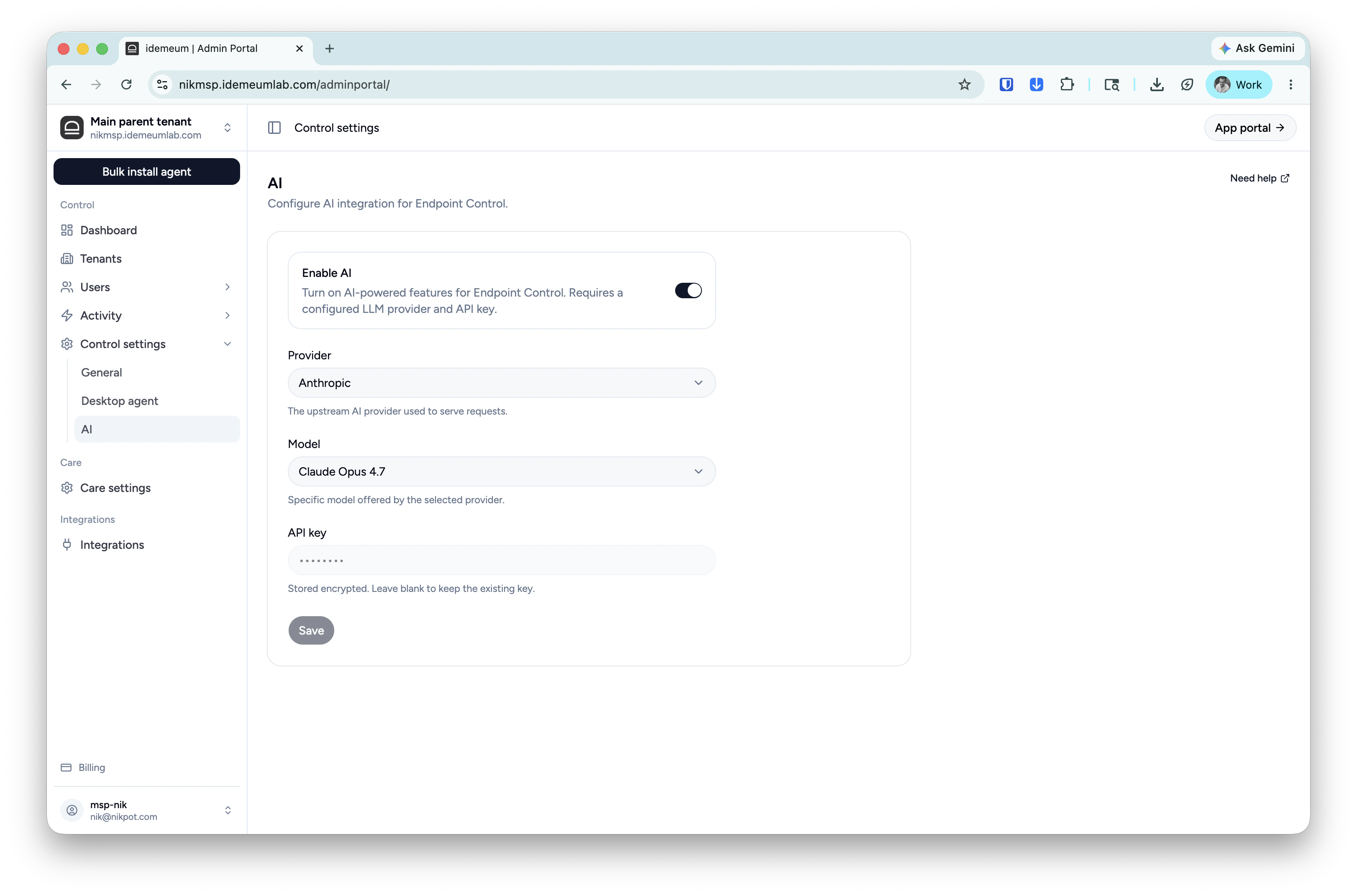
- Access you idemeum admin portal
- Navigate to
Care settings→AI - Enable AI analysis agent with a toggle, choose the LLM provider, model, and input your API key
- Save the configuration
Trigger AI explanation
Navigate to youActivity and then choose Events or Requests and find the event of your choice. Click on ... and then choose AI explanation.