
EPM control modes
Assuming the EPM is enabled for your tenant, you can change thecontrol mode for each device to define how the control agent will handle elevations.
- offline - idemeum control agent is not doing anything
- audit - idemeum control agent collects events, but does not enforce rules
- rules - idemeum agent applies rules and performs auto elevation
Windows
macOS
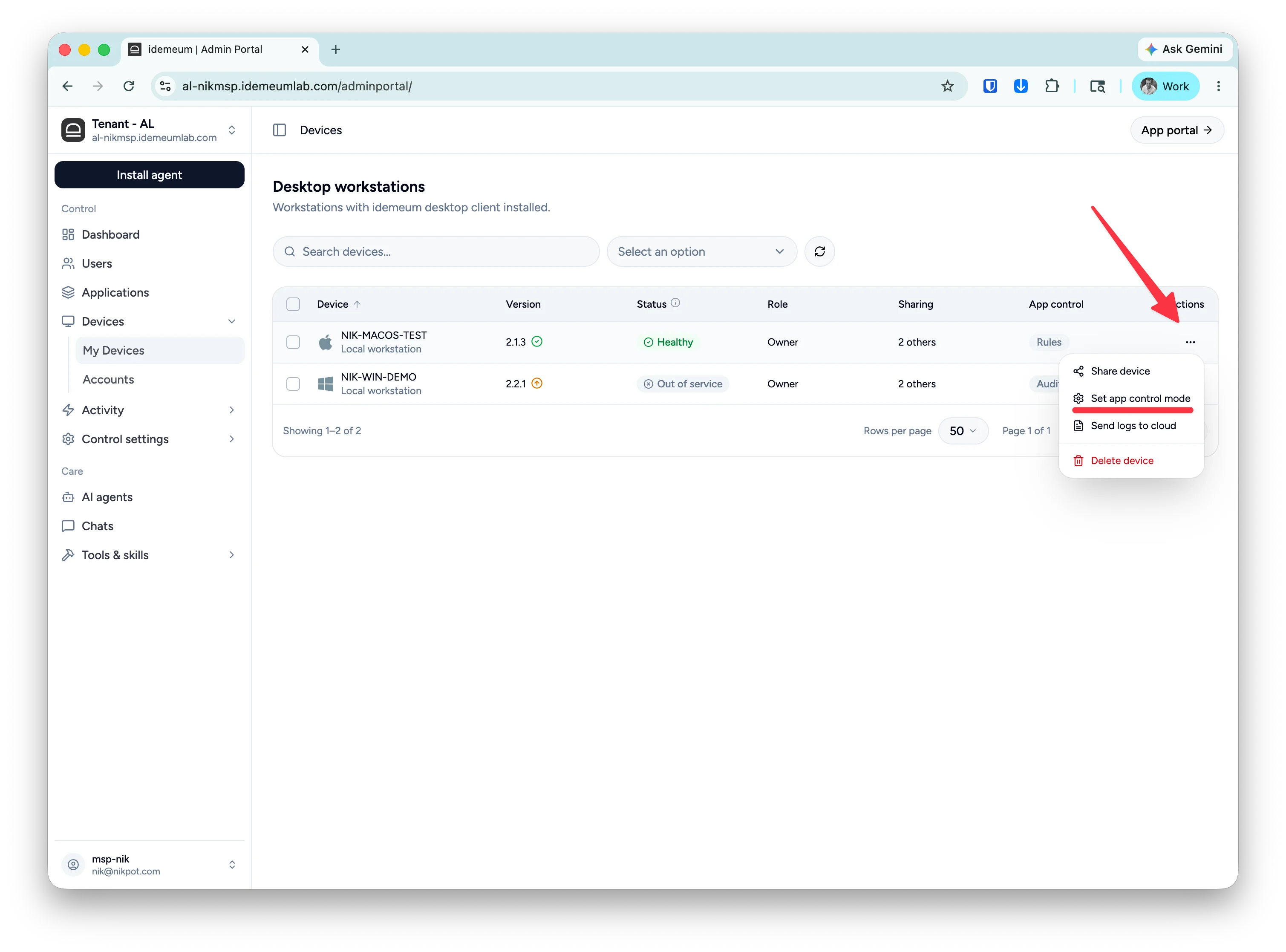
Change EPM control mode
- Navigate to your idemeum admin portal
- Select
Devicesand search for the device you want to change the app control mode for - Click on
...then chooseSet app control mode - Choose the mode and save the configuration
Bulk EPM control mode change
- Navigate to your idemeum admin portal
- Access
Devicessection and select multiple devices with checkboxes - Click on the bulk change button at the top and choose
Set app control mode - Choose the mode and save the configuration