
What is a run?
A run is one attempt to fix a problem. Assist matches a skill, builds a plan, checks it against the guardrails, runs the steps with the employee’s approval, verifies the result and records it as a ticket. Questions and follow-ups are answered in the conversation without starting a run. Runs start from a typed request, a quick action or a proactive trigger. Each run records:- Goal: the request, in the employee’s words.
- Skill: the playbook that handled it, such as
disk-cleanuportriage. - Plan and steps: each step’s tool, inputs, result and outcome.
- Approvals: every preview shown and every change approved or declined.
- Feedback: whether the employee said the problem was fixed.
- Summary: the result in plain language.
Run dashboard
In the idemeum admin portal, go to Runs. The overview covers the last 30 days.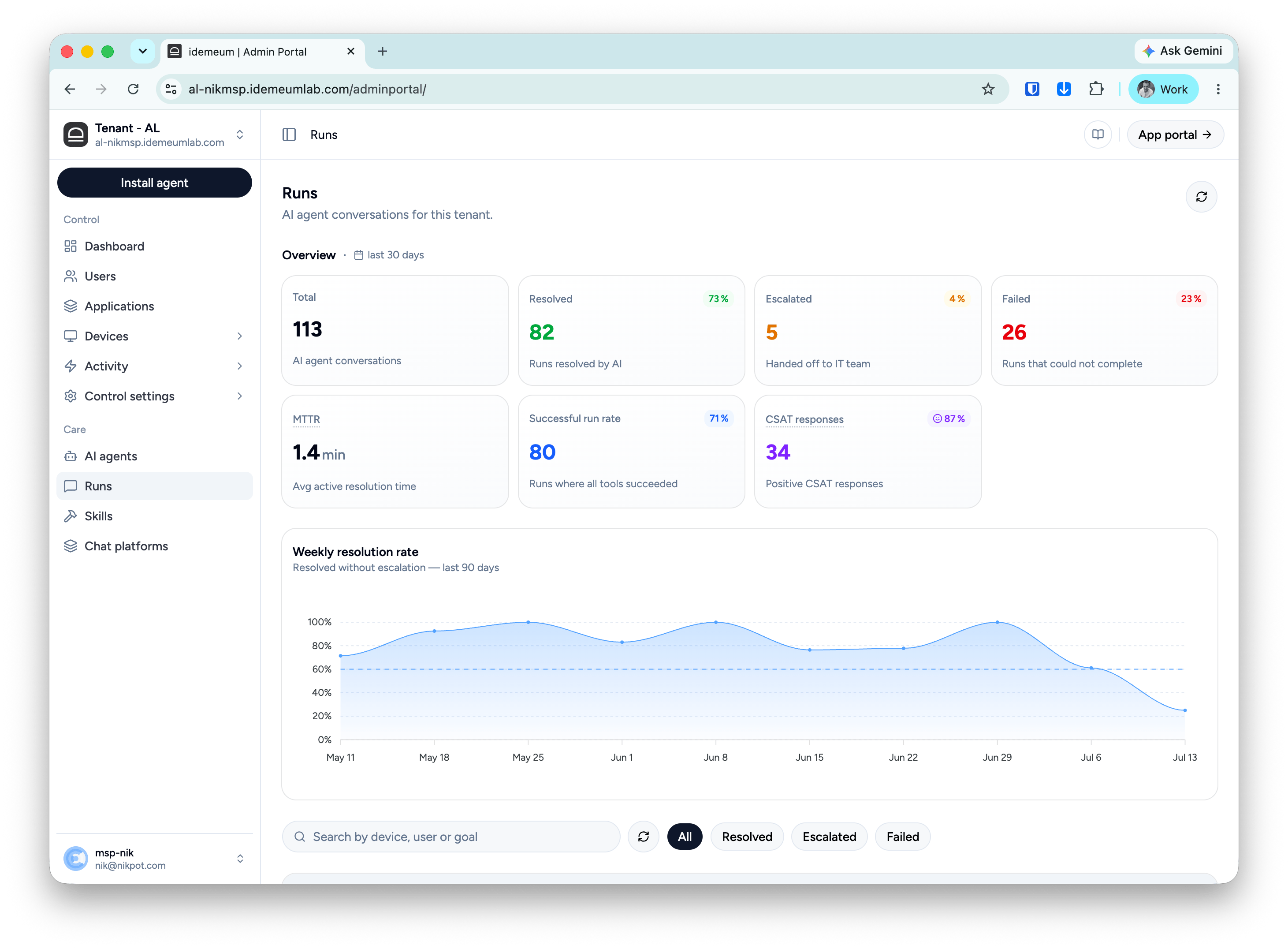
Successful run rate and Resolved measure different things. Every step can succeed while the problem persists, and a run can be resolved even if the employee declined a step. A gap between the two means fixes are running but not always helping.
After you turn on or edit a skill, watch the weekly resolution rate; the effect shows within a week or two.
How a run’s result is decided
Every run ends as Resolved, Escalated or Failed. What the employee says outranks what the steps reported:- Failed: the steps didn’t complete.
- Escalated: the steps ran, but the employee says the problem isn’t fully fixed.
- Resolved: the steps ran, and the employee confirmed the fix or didn’t answer.