Header
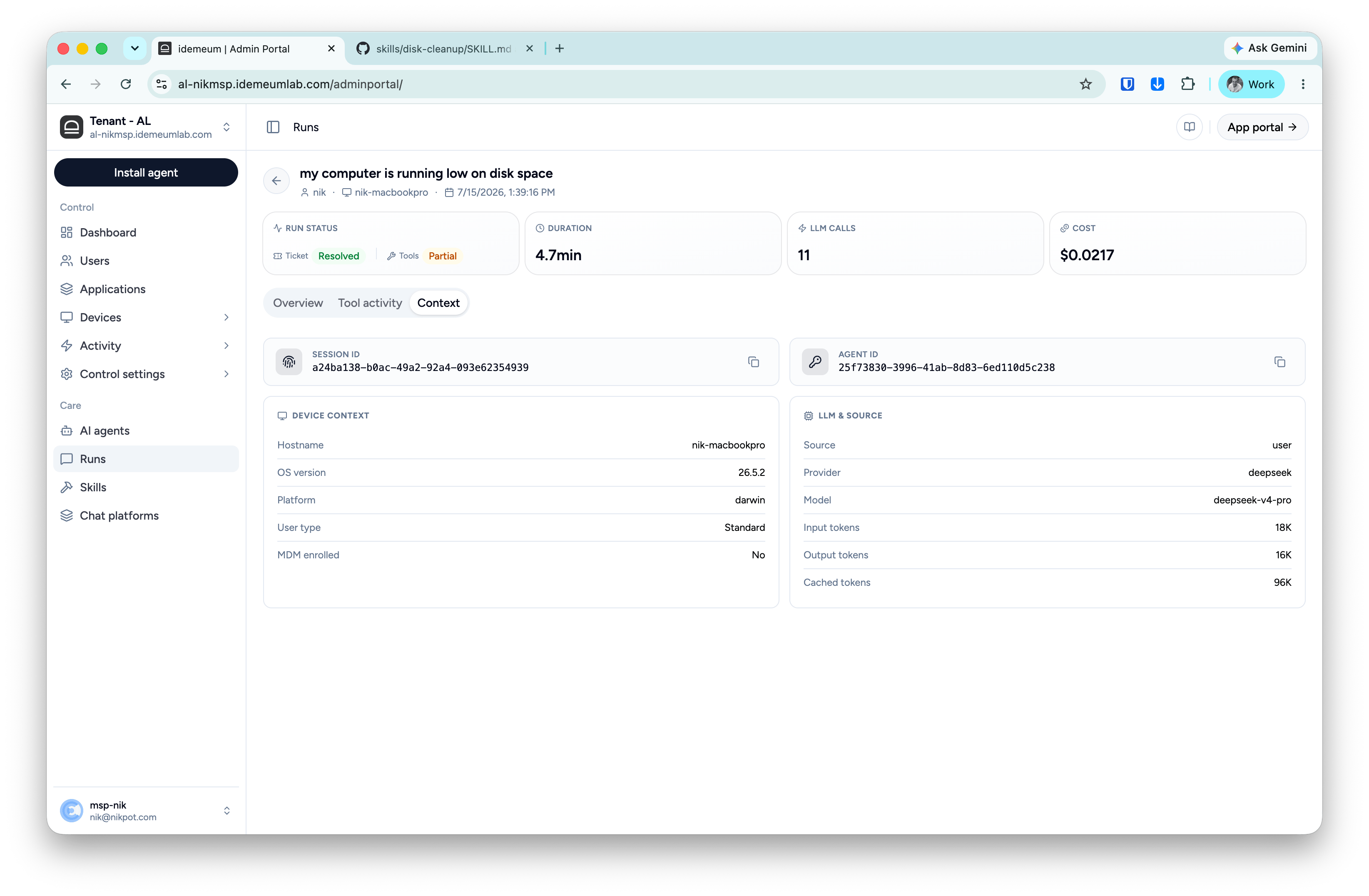
In the idemeum admin portal, go to Runs and click any run to open its full record: what was asked, what Assist did, what the employee approved and what it cost. The header shows the goal in the employee’s words, who ran it, on which device and when.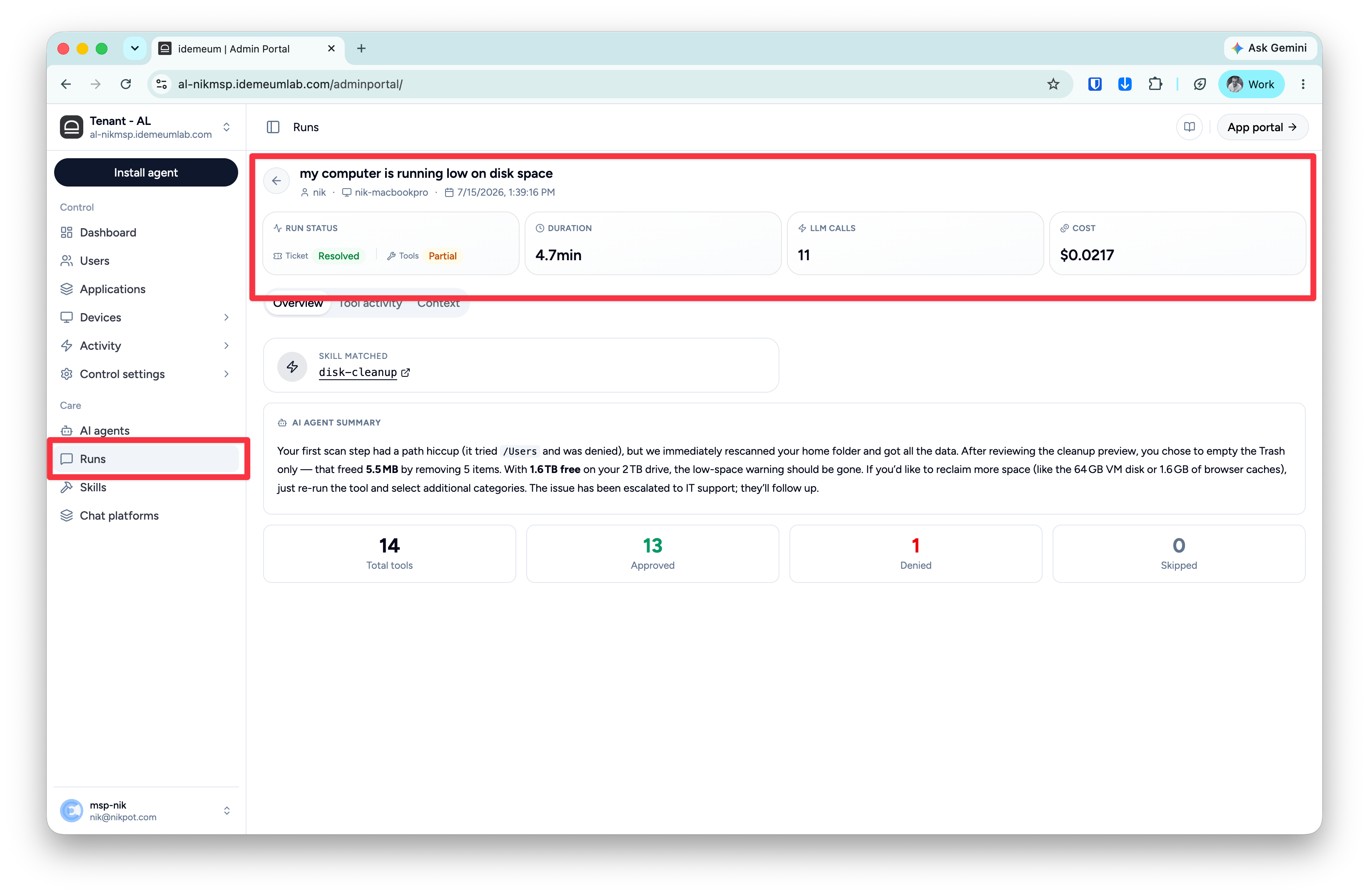
Overview tab
A summary of the run.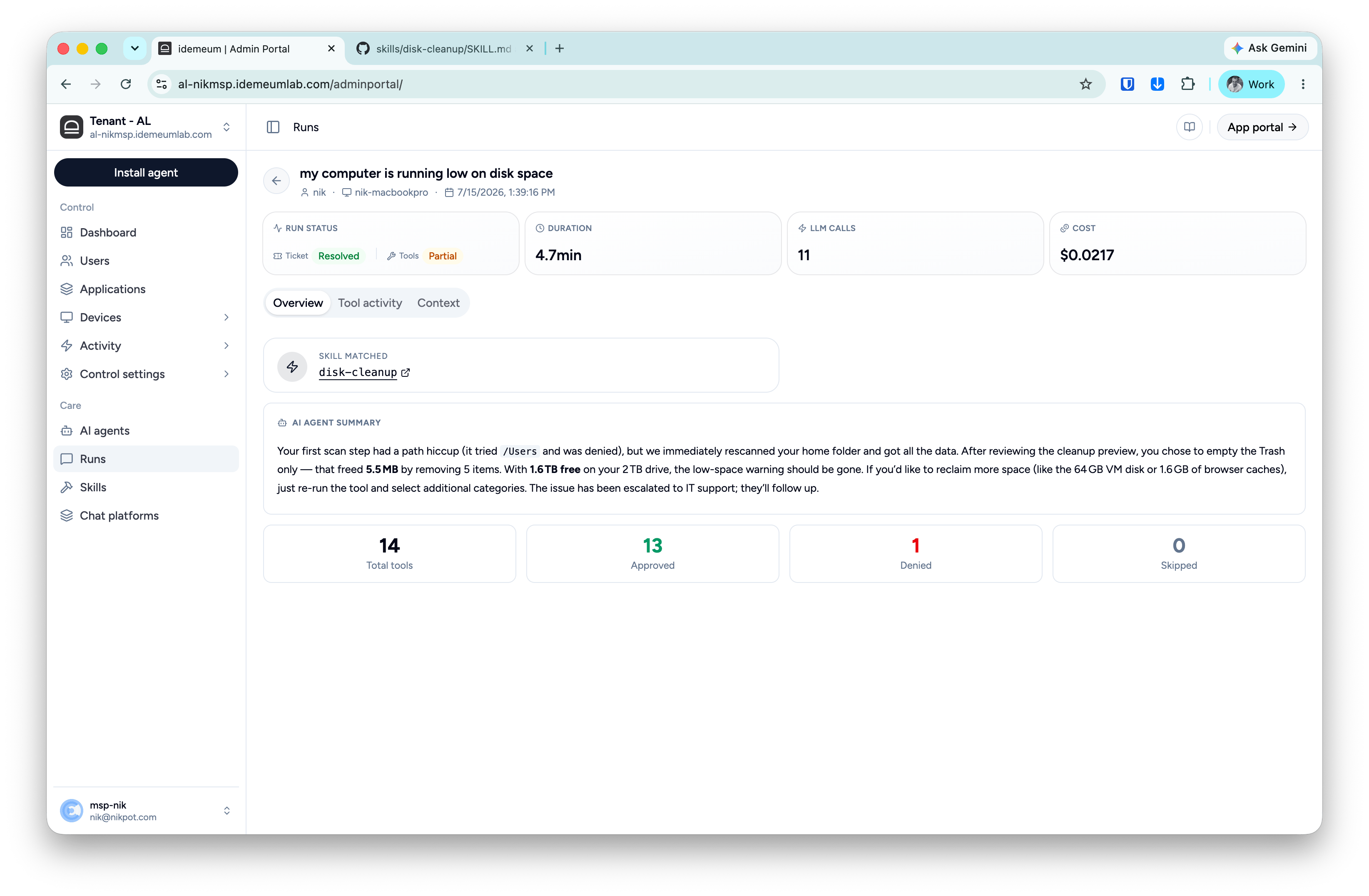
- Skill matched: the skill that handled the request, linked to its page.
- AI agent summary: what Assist found, what the employee chose and what changed. It’s the same summary the employee saw.
- Tool counts: how many steps ran and how each ended:
- Approved: the step ran.
- Denied: the employee declined it, a guardrail blocked it, or it failed.
- Skipped: Assist showed a preview but didn’t make the change.
Tool activity tab
Every step, in order. Use it to check exactly what Assist did, or to see why a run ended as partial.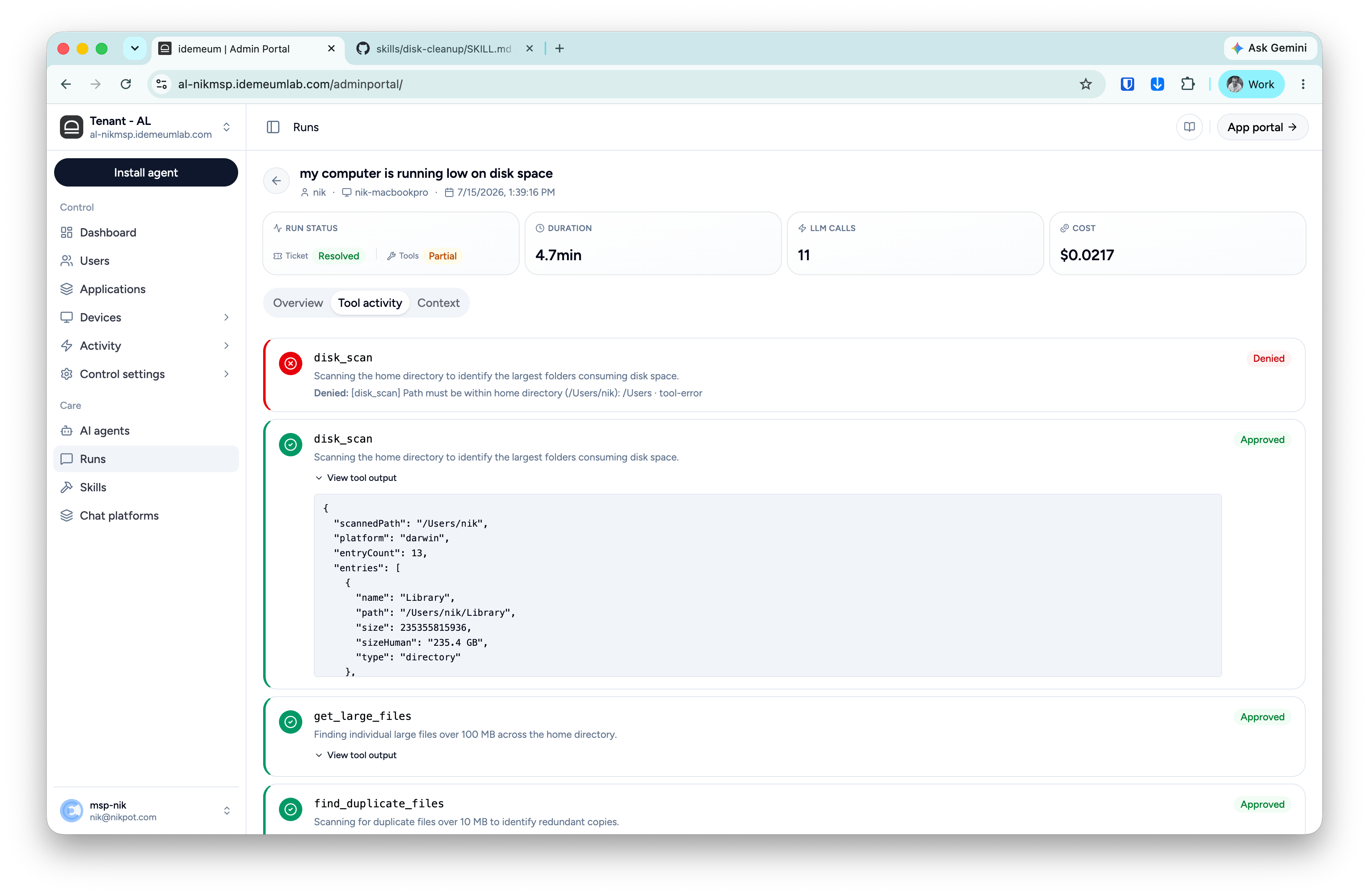
- Tool and status: Approved or Denied.
- Rationale: what the step was for, such as “Scanning your home directory to find the largest folders”.
- Denial reason: who stopped the step and why. In the example, a guardrail blocked
disk_scanbecause the path was outside the employee’s home folder, and the run continued with other checks. - Tool output: the raw result, such as paths, sizes and counts. This is the evidence behind the summary.
Context tab
Where and how the run happened.