Admin elevation notifications
Summary
There are several ways IT team gets notified when users request elevations:
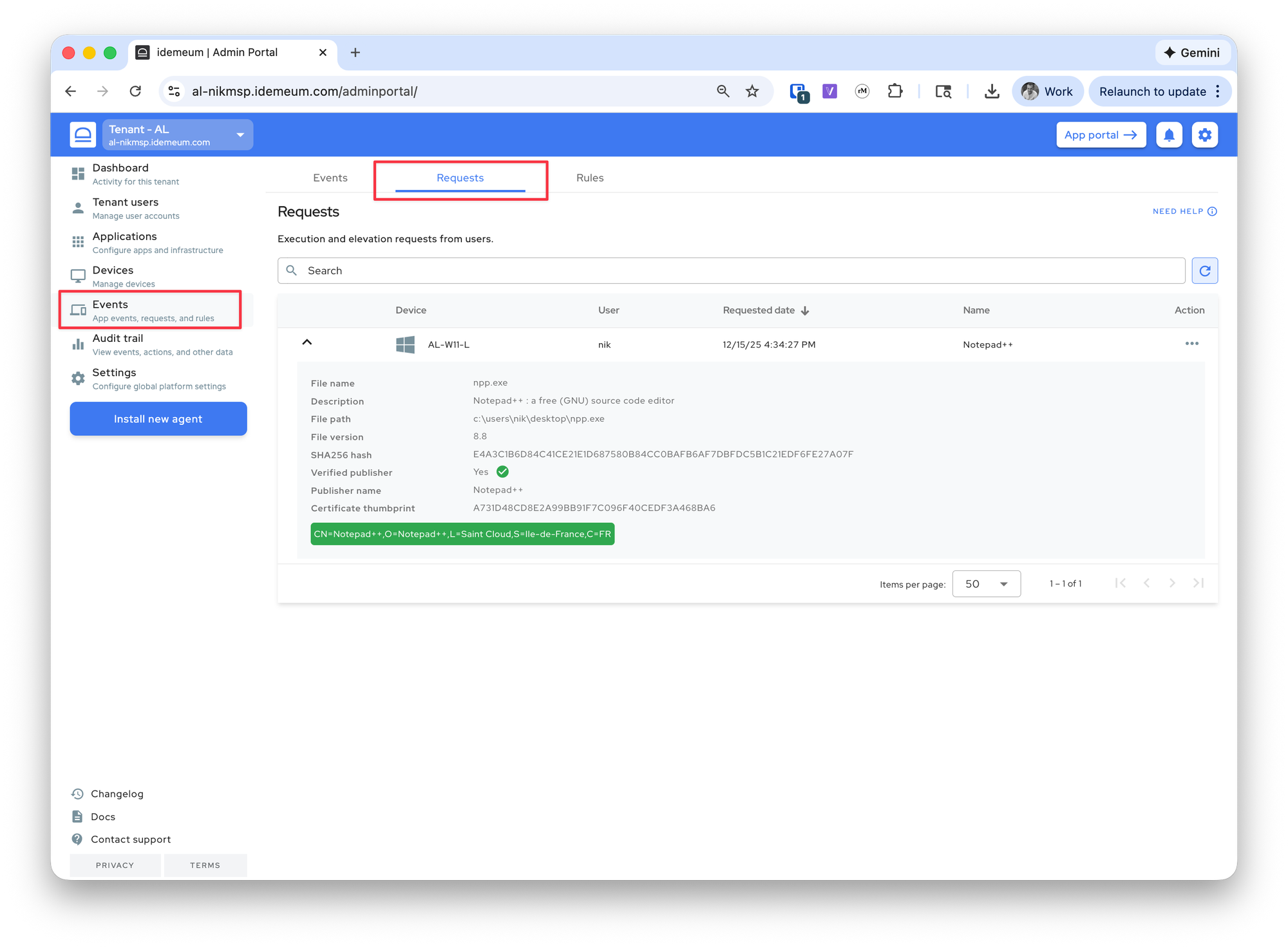
- Admin portal - in the admin portal you can see the request in the
Events->Requestssection. You can respond to this event by clicking...and choosing the desired response.
- Mobile notification - when the elevation request is received, idemeum will send push notification to all admin mobile devices. Right from the mobile device you can respond to the request.
- Ticketing integration - idemeum supports integrations with various ticketing systems in order to create tickets for elevation requests. Check our integrations page for all available integrations.
- Email admin notifications - idemeum can also send the email to specified email address when the elevation is requested. In the admin portal you can configure multiple email address that need to receive the elevation notification.
Email admin notifications
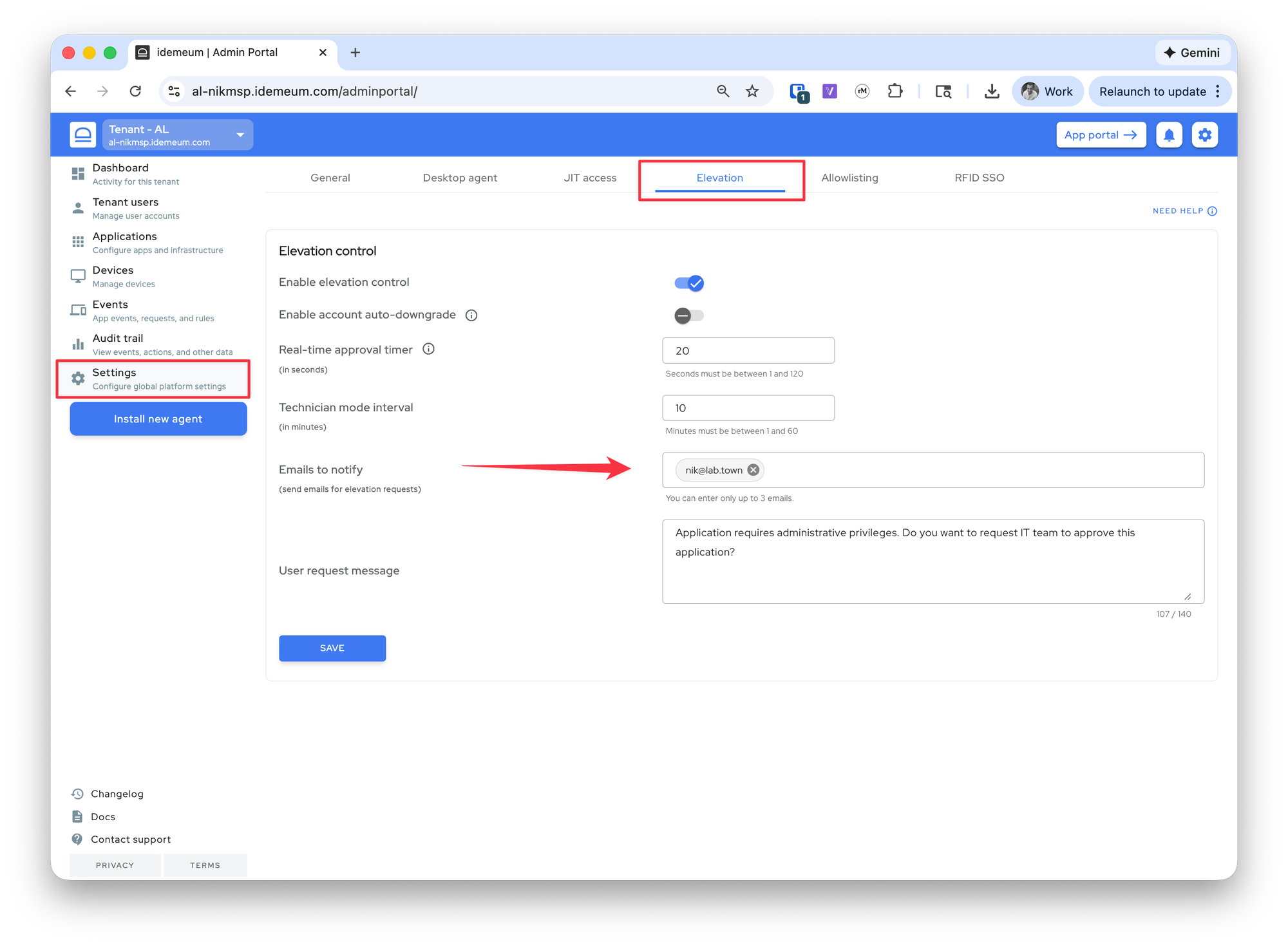
- Navigate to your idemeum admin portal
- Access
Settings->Elevation - In the
Emails to notifysection you can add up to three email addresses to receive elevation notifications.
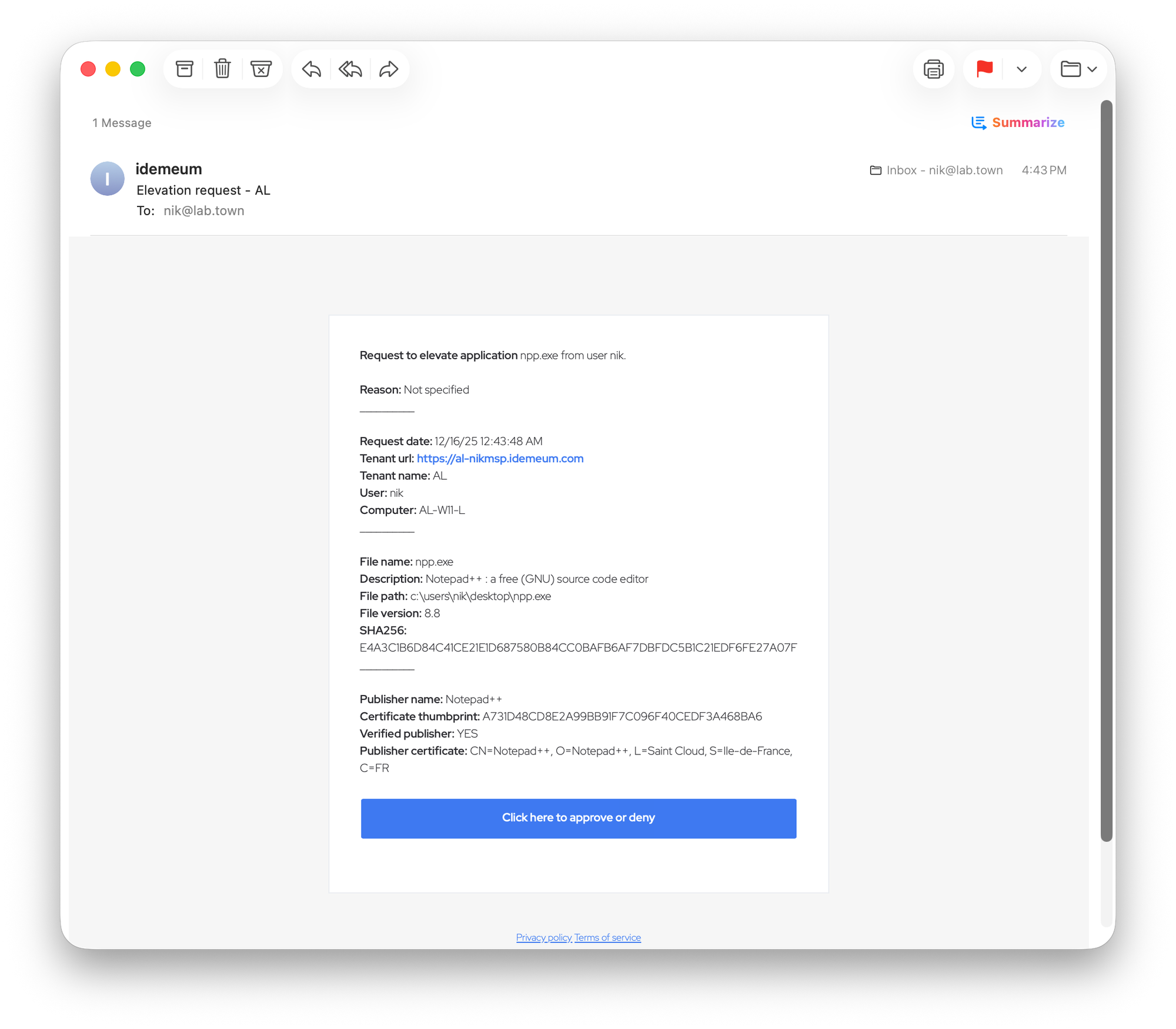
Here is the example email elevation notification received to the specified email address. The email contains all the metadata about the user, application, and idemeum tenant. When you click on the button, you will be redirected to idemeum portal to approve or deny elevation notification.