Allow all verified publishers
Summary
When application allowlisting is initially deployed by IT teams, there is a concern that operational load will increase. With the default deny approach all applications are blocked, unless there is an explicit rule allowing an application. As a result, some applications might be missed, users will be frustrated, and the volume of support tickets will increase.
In order to mitigate this challenge idemeum offers a middle ground approach that provides a great balance between security and usability. With idemeum you can create a rule to allow all verified publishers on macOS and Windows. What that means is that any application that is legitimately signed by a verified developer (registered Windows or macOS developer) is allowed along with its dependencies.
How it works
- When the application is launched, idemeum agent will extract the signing certificate chain from the application in order to verify trust
- On macOS we leverage
codesigncommand to extract the certificate and then usesecurity verify-certto determine if the application is trusted by the local trust store - On Windows we leverage
Get-AuthenticodeSignaturecommand that returns the status of the application signature and whether it is trusted by Windows trust store - What is more, idemeum will automatically allow all dependencies that these verified applications need (allowing all child process executions)
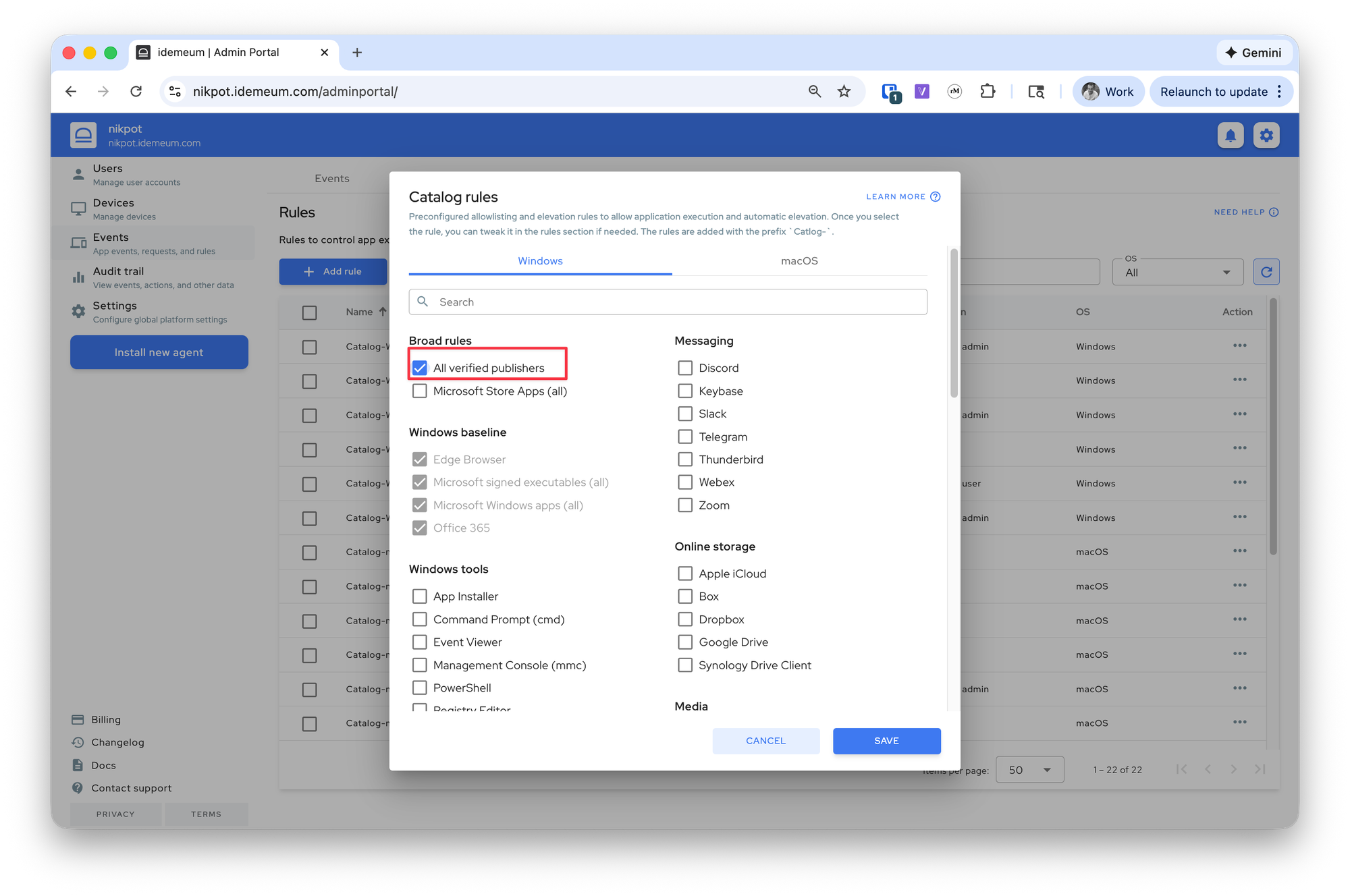
Allow all verified publishers
- Navigate to your idemeum admin portal
- Access
Events->Rules->Add rule->Catalog rule - You can now choose the rule for
WindowsormacOS. Select the rule that allowsAll verified publishers - Save the configuration
If you want to create additional Deny rules, for instance you want to allow all verified publishers but still block the cmd.exe, you can then create a separate deny rule for cmd.exe.