JIT for Entra configuration
For this integration to work you need to connect Entra ID customer tenant to idemeum, so that we can provision admin accounts and manage their lifecycle.1. Create application in Entra ID customer tenant
1. Create application in Entra ID customer tenant
-
Login to
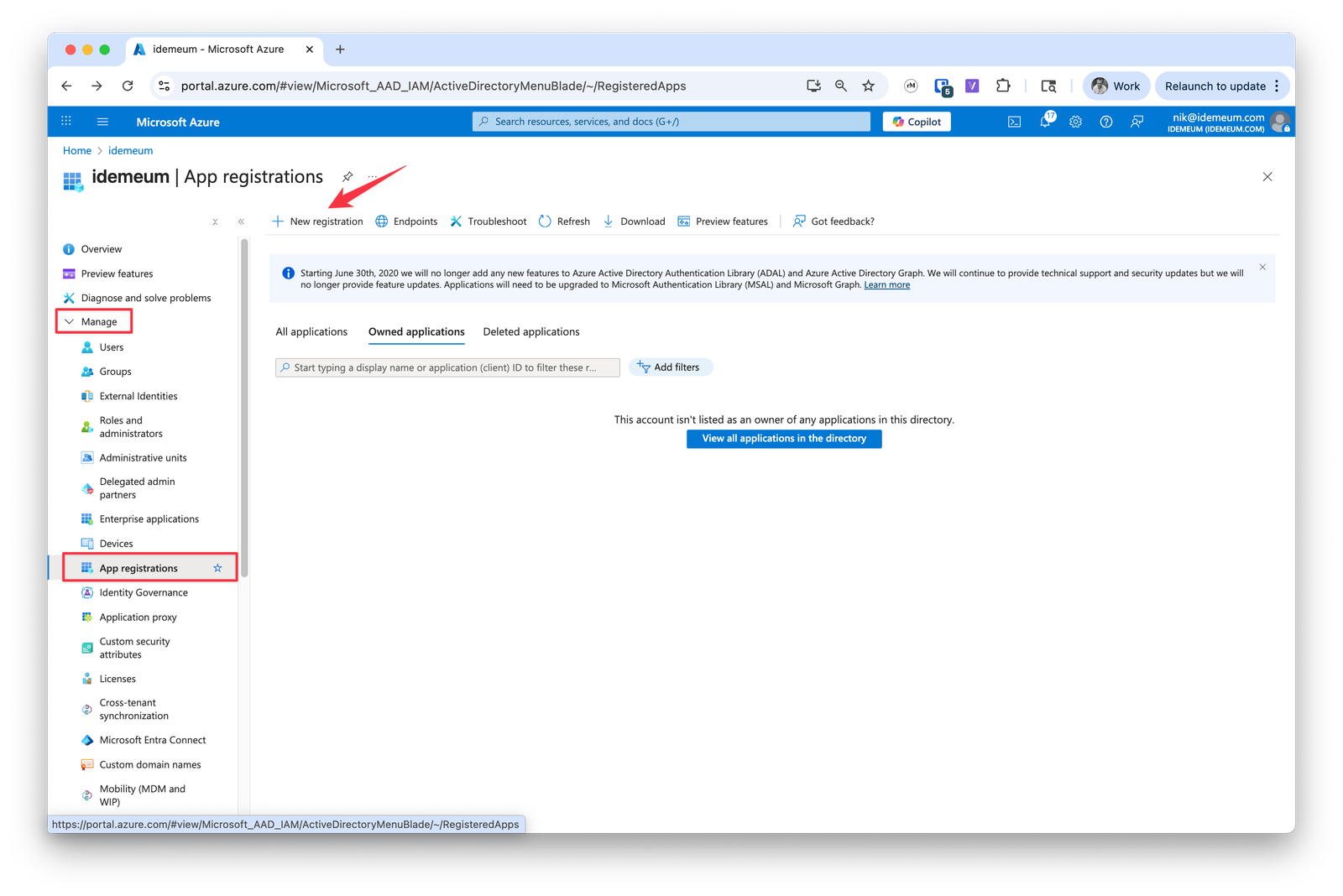
portal.azure.comwithGlobal Adminaccount- Navigate to Entra ID directory
- Go to
Manage→App registrations - Click
New registration
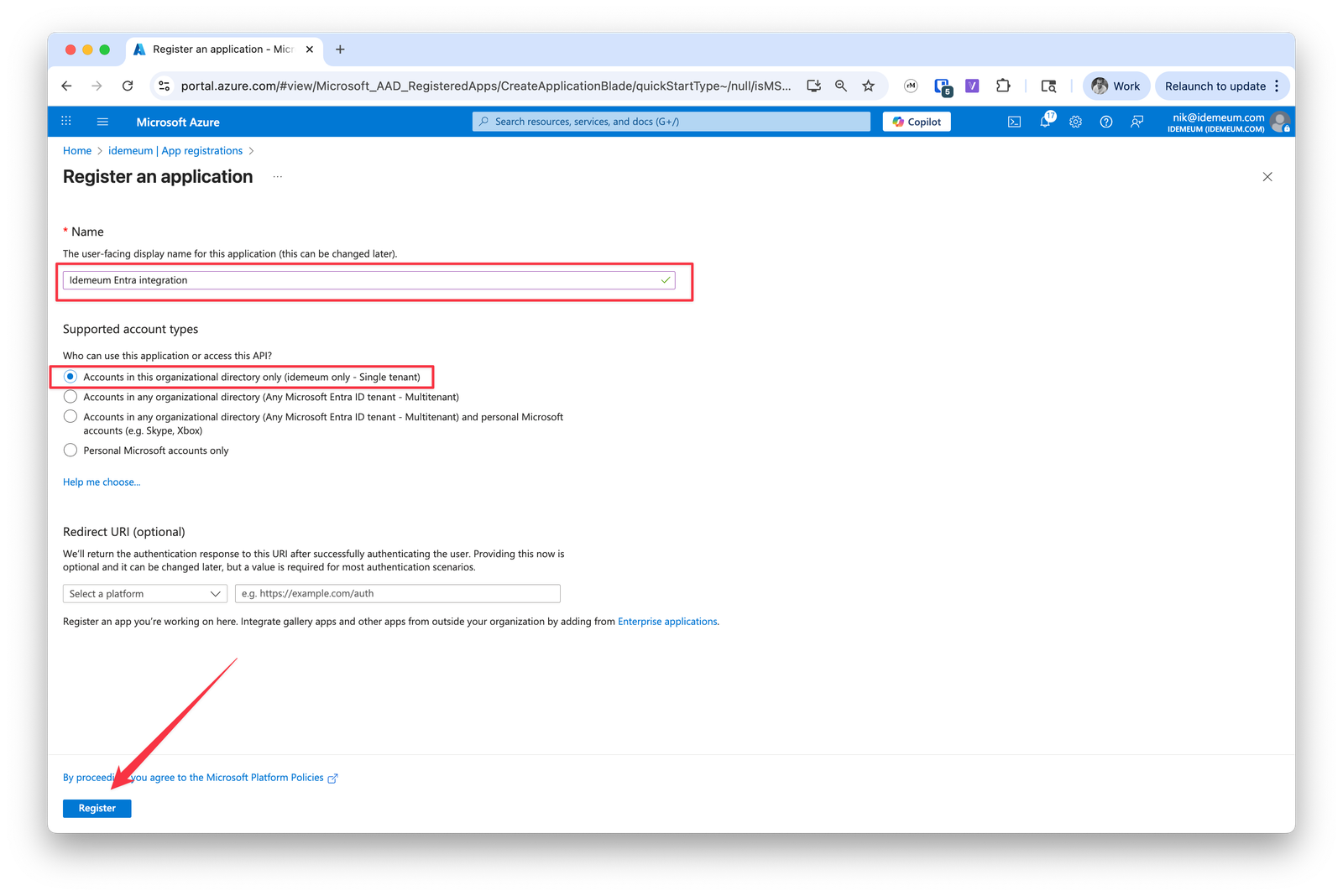
- Provide the application name
- Keep
Accounts in this organizational directory only - Click
Register
2. Save integration parameters
2. Save integration parameters
We will need to obtain 3 things for integration:
Application (client) ID, Directory (tenant) ID, and Client secret-
First we will grab
Application (client) IDandDirectory (tenant) ID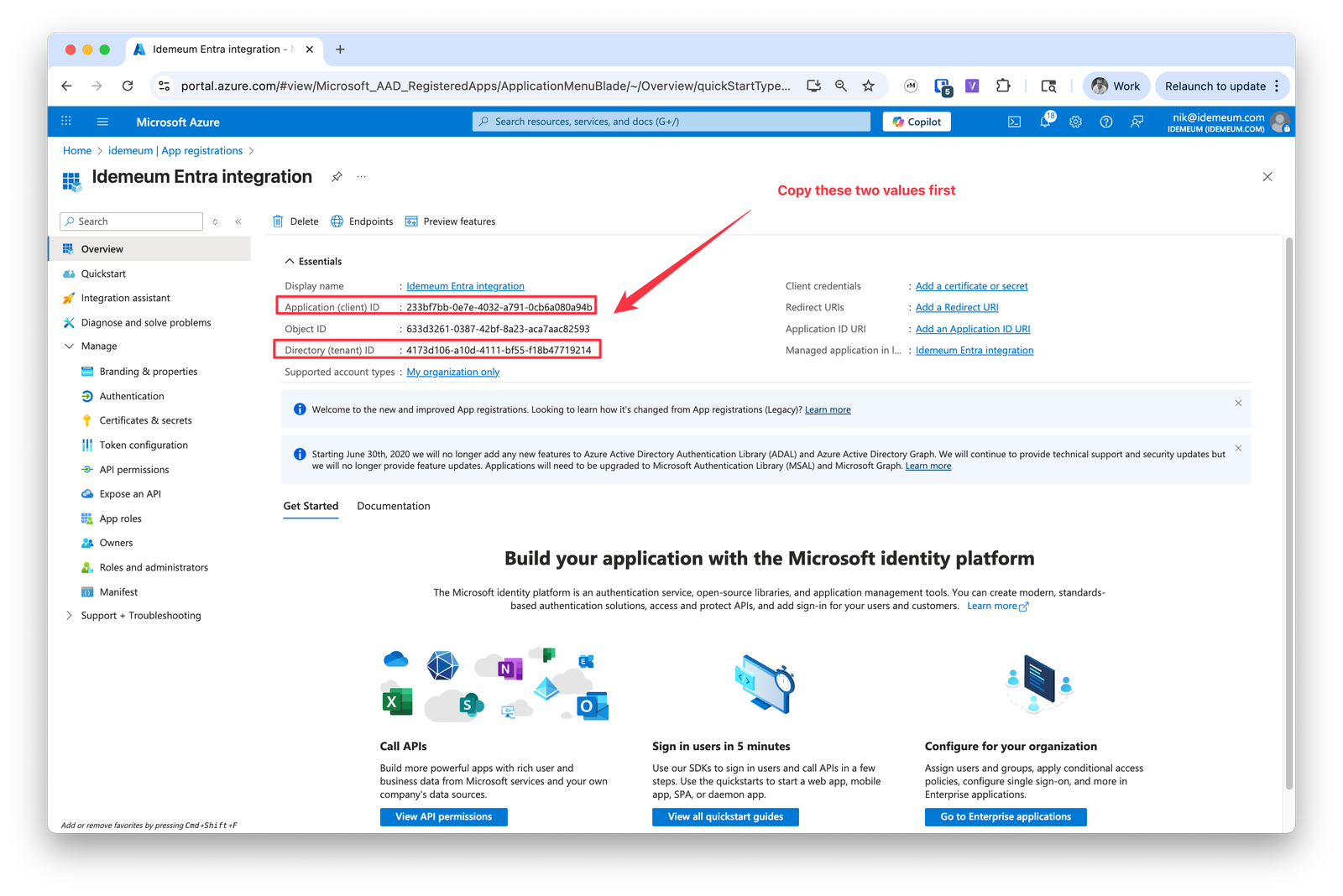
-
Navigate to
Certificates and secretssection -
Click
New client secret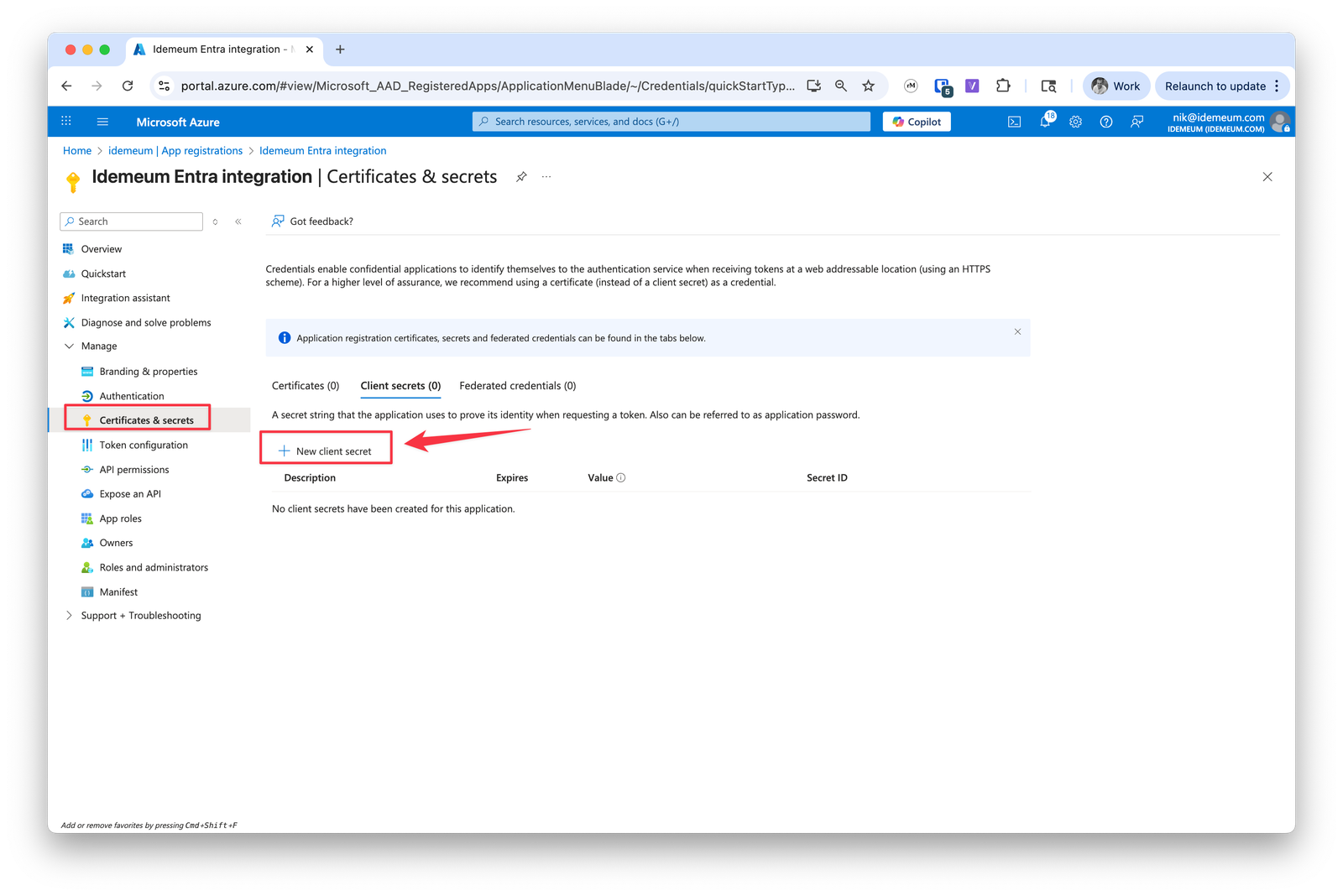
-
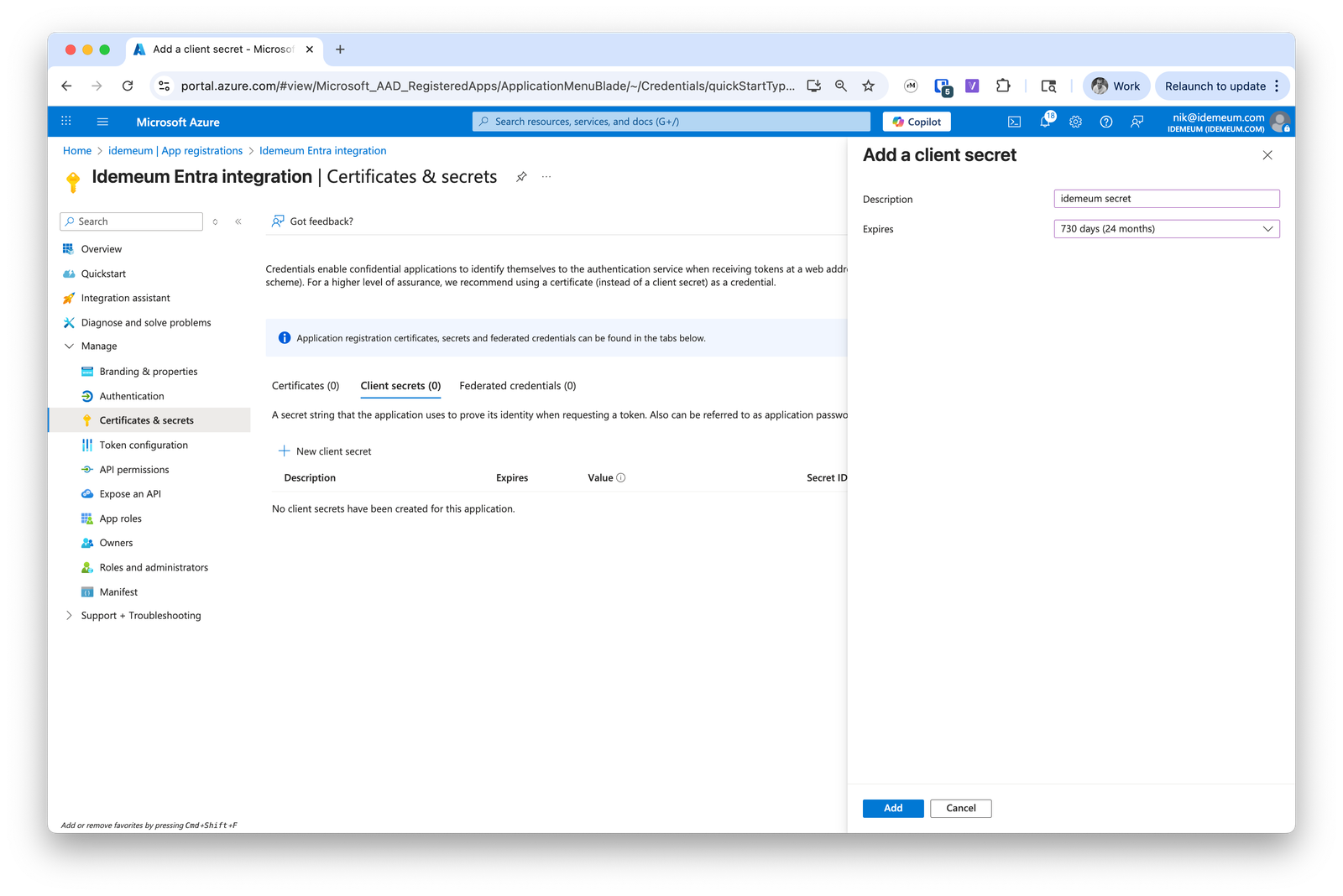
Give secret a name and set the expiration time of 24 months
-
Now click
Add -
Now you can copy the remaining parameter -
secret value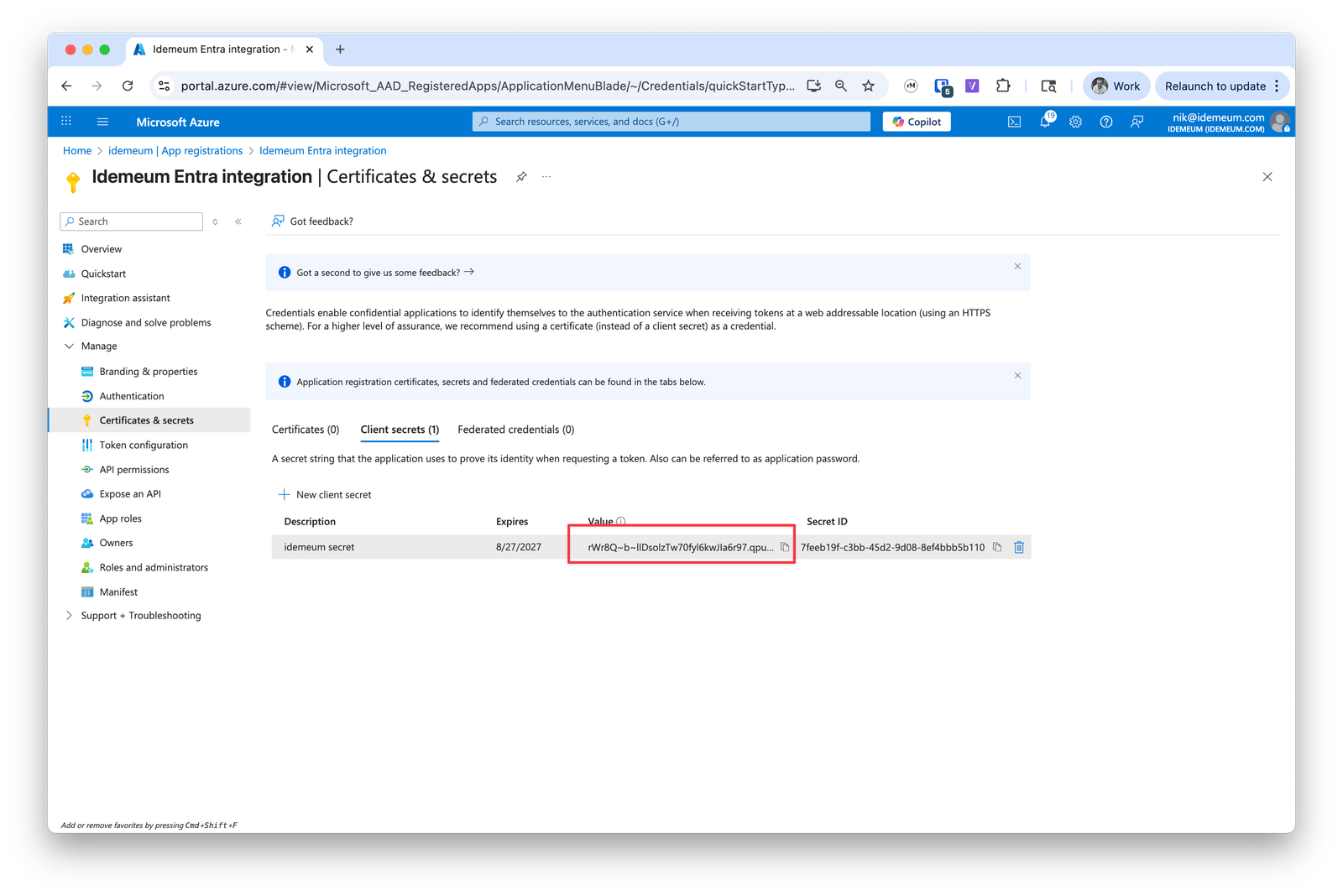
3. Create API permissions
3. Create API permissions
Now we will need to assign API permissions to idemeum application.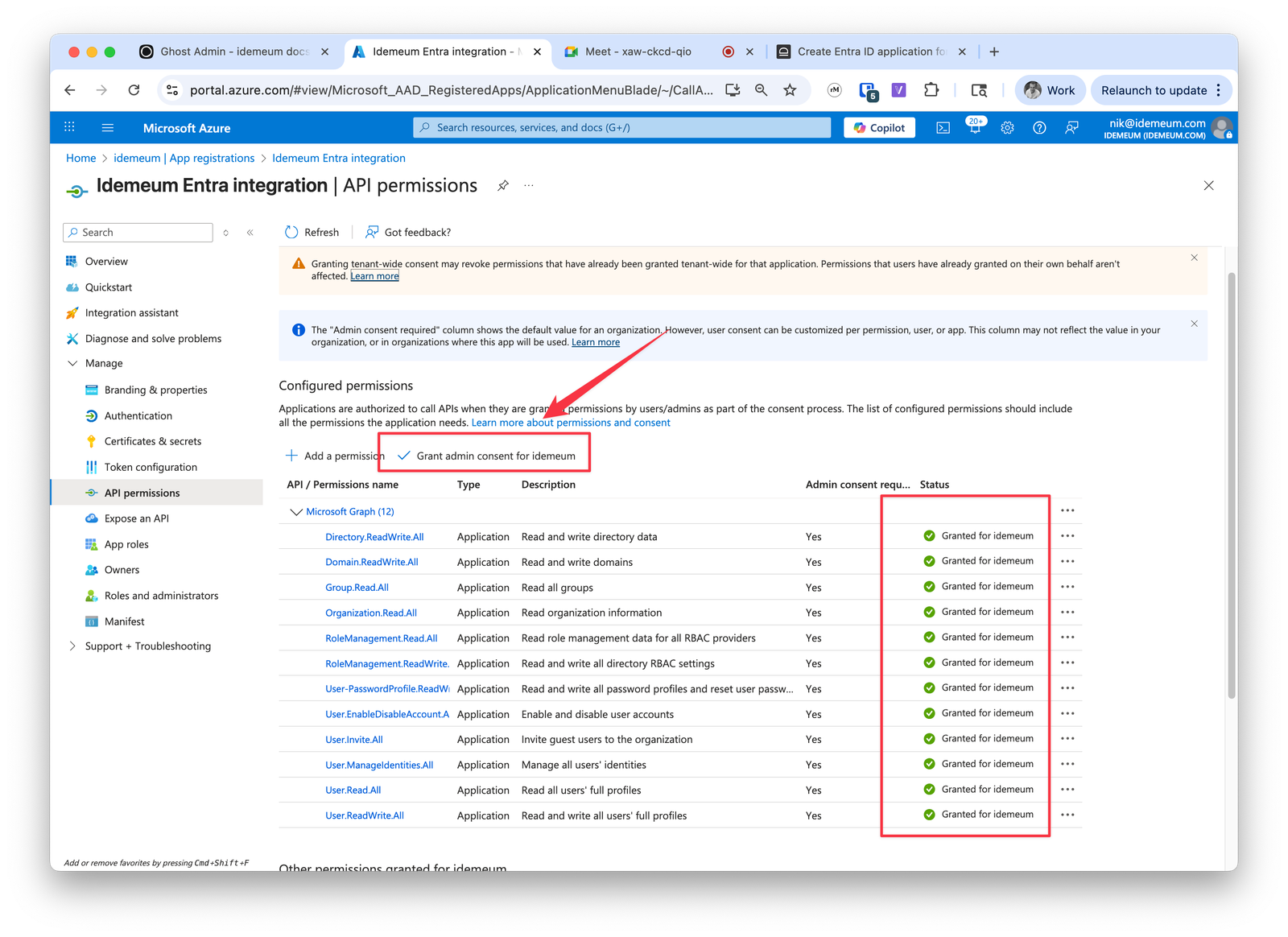
-
Navigate to
API permissionsand clickAdd a permission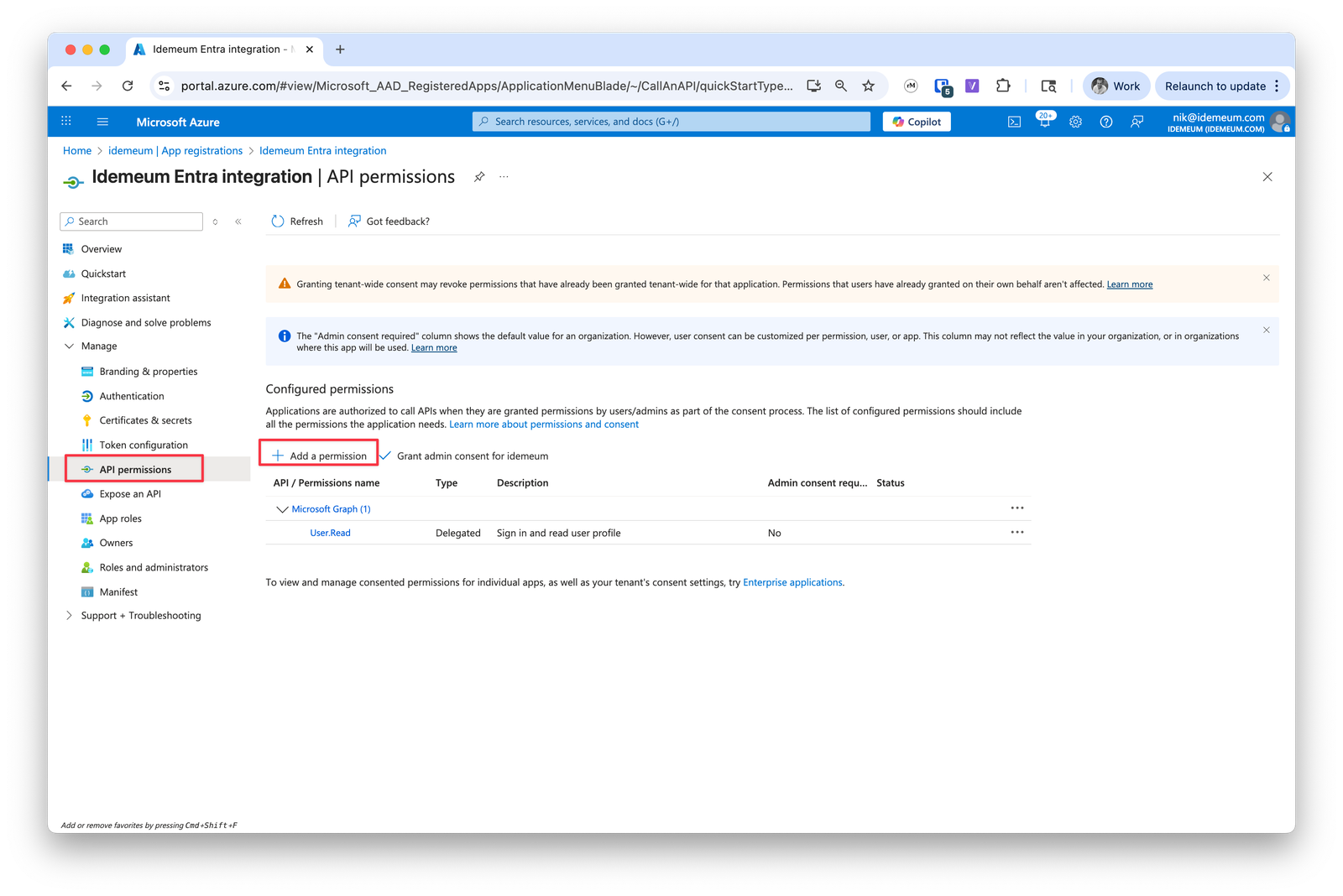
-
Choose
Microsoft Graphand thenApplication permissions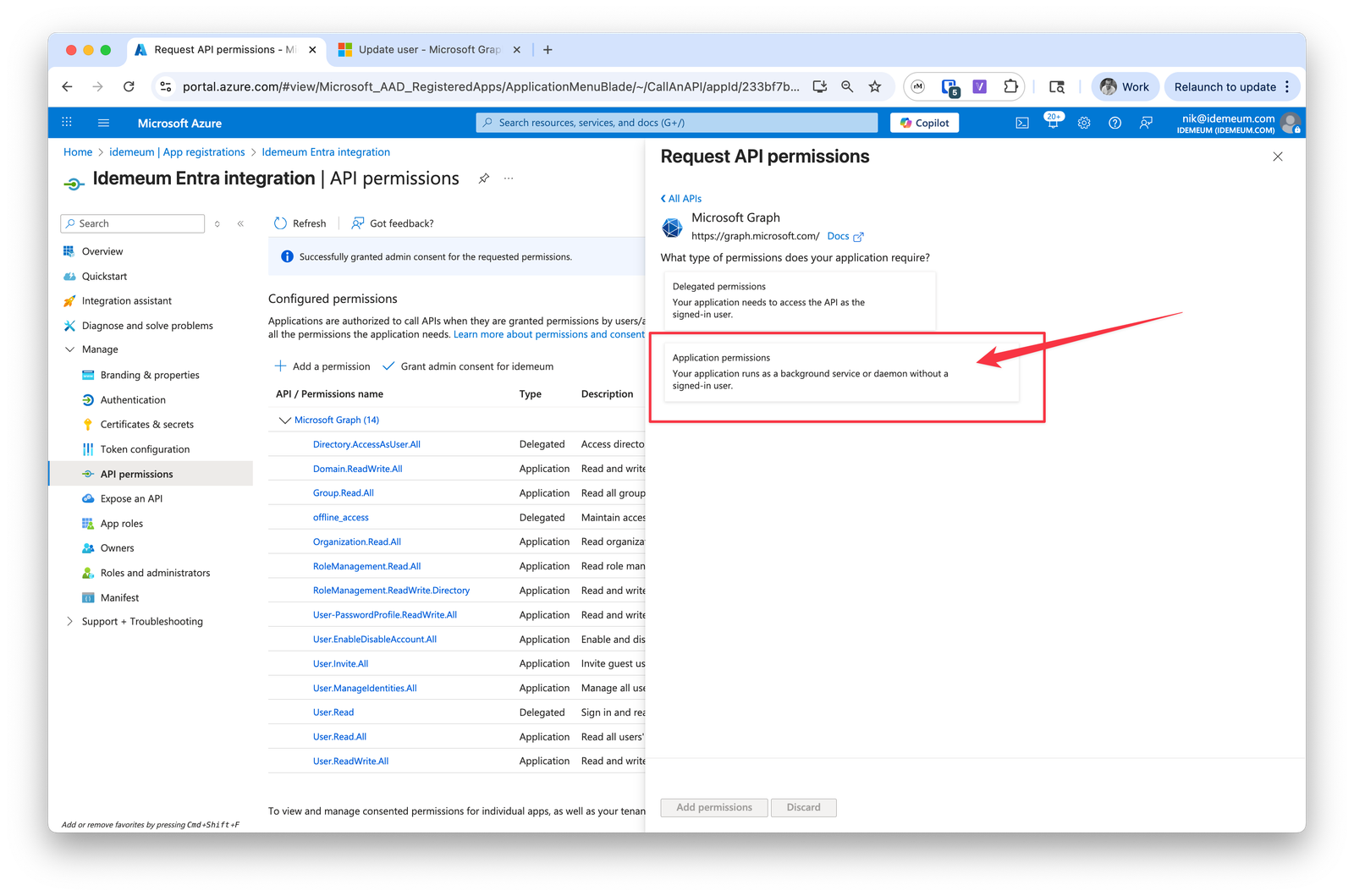
-
Now click on
Application permissionsand add the following:Organization.Read.AllUser.Read.AllUser.ReadWrite.AllUser.Invite.AllGroup.Read.AllRoleManagement.Read.AllRoleManagement.ReadWrite.DirectoryUser.EnableDisableAccount.AllUser.ManageIdentities.AllDomain.ReadWrite.AllDirectory.ReadWrite.AllUser-PasswordProfile.ReadWrite.All
4.Configure Entra JIT in idemeum
4.Configure Entra JIT in idemeum
-
Navigate to your customer / organization → choose
Applications -
Choose
Managed password app - Provide application name
-
For application type choose
Web application -
For credentials choose
Entra ID OIDC credentials -
Now we will enter
Directory (tenant) ID,Application (client) ID, andclient secret valueparameters that we obtained in the previous section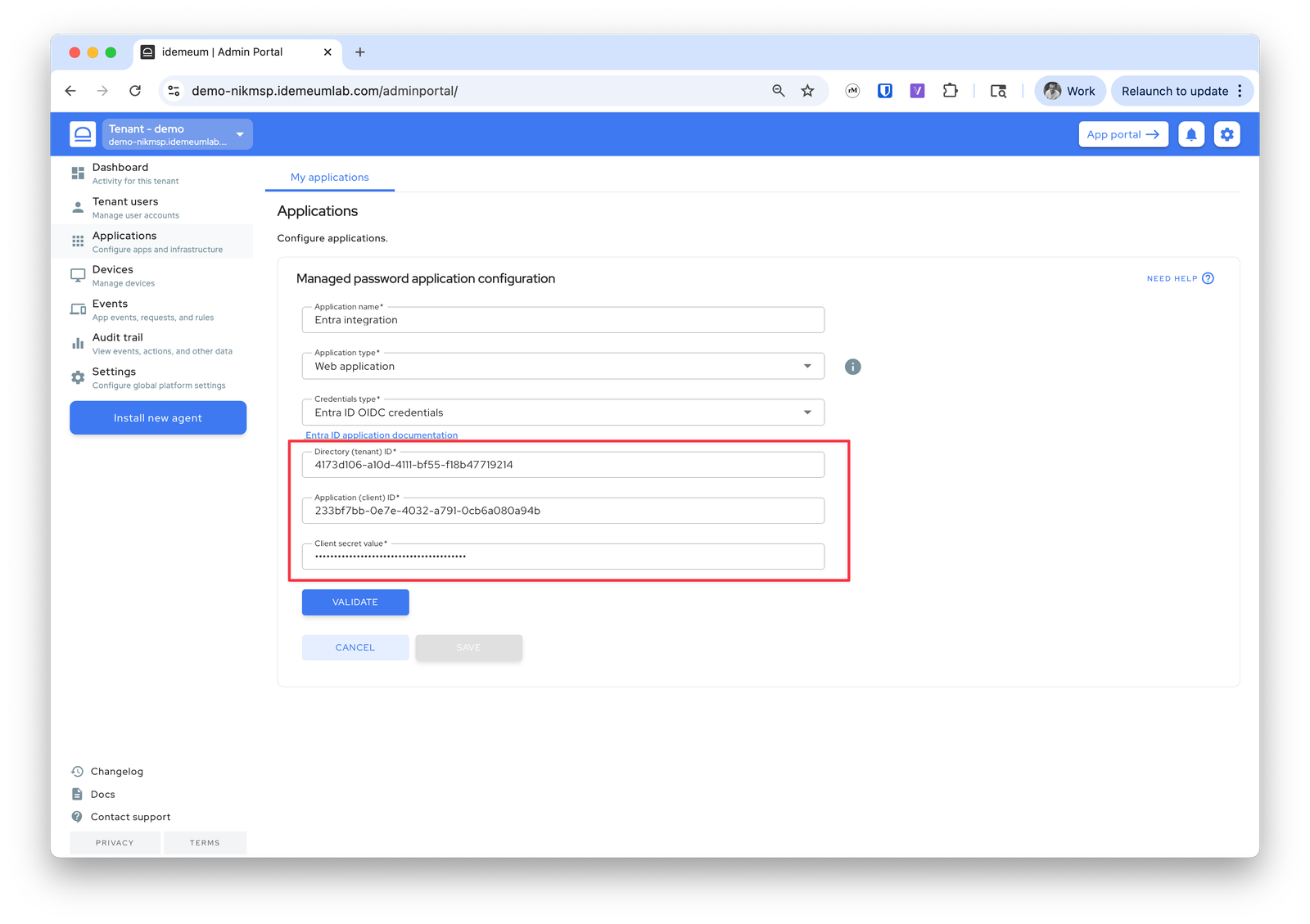
-
Now click the
Validatebutton -
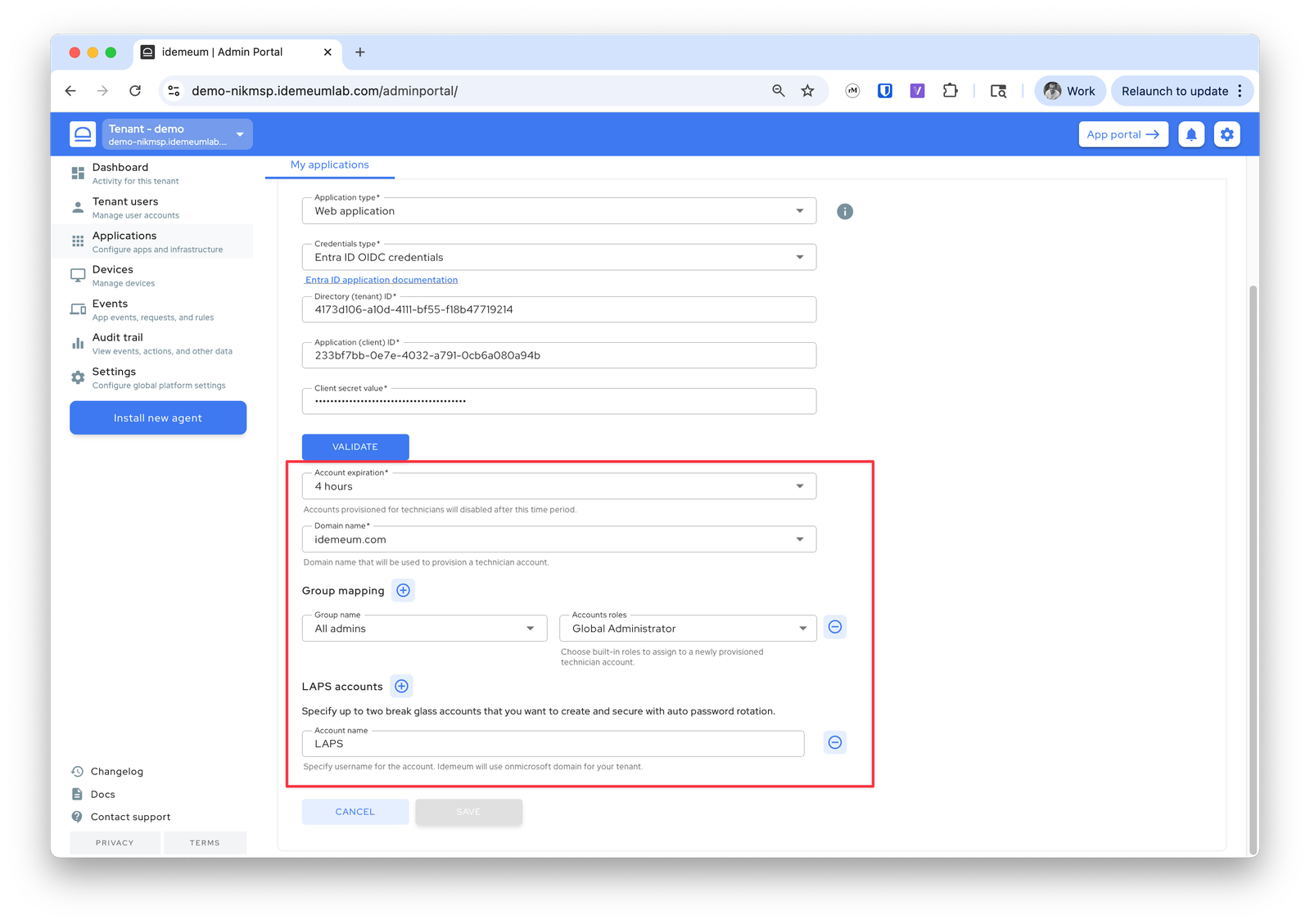
Once the validation is successful you can configure the additional values below
- Choose how quickly you want Entra JIT account to be disabled
- Choose the domain name where you want to provision Entra accounts
- For group mapping choose what groups you want to assign to JIT accounts
- Also specify LAPS account if you want idemeum to create and manage one for the Entra tenant
-
Save the configuration